
drawDB
A free online tool for designing database schemas with real-time collaboration, SQL generation for multiple dialects, and self-hosting capabilities. Ideal for developers and teams.
drawDB is an open-source alternative to:


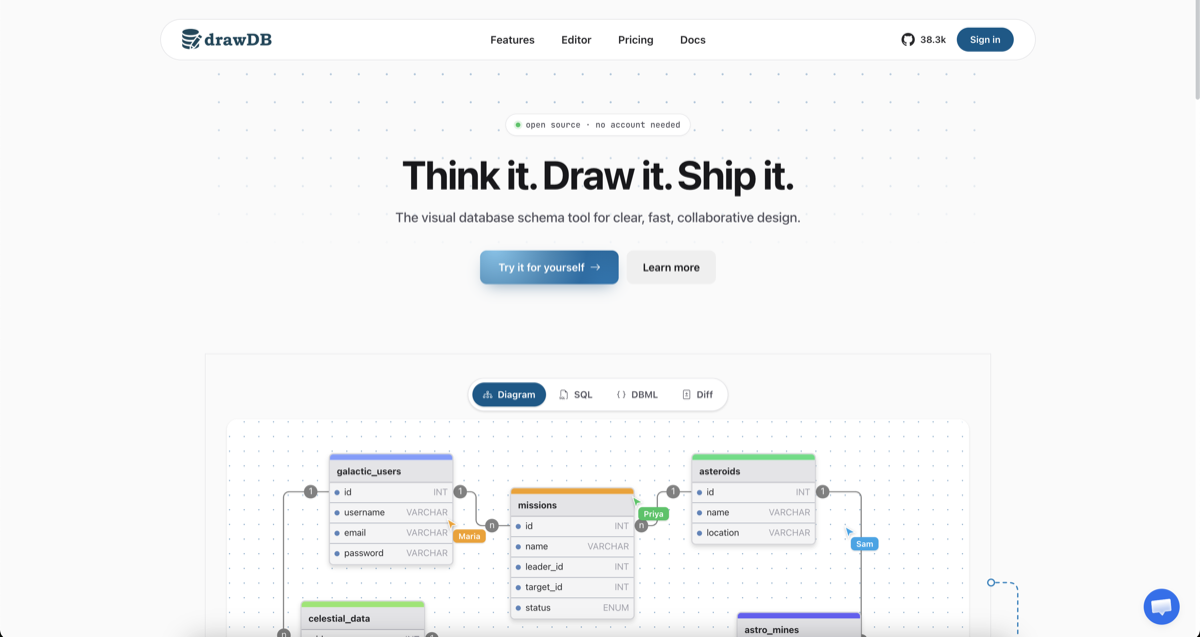
drawDB is a free online database schema design tool that simplifies database modeling and SQL generation. Whether you're designing a new database or reverse-engineering an existing one, drawDB provides a visual interface to create, edit, and export schemas with ease.
Key Features
- Visual Schema Design: Drag-and-drop interface to create and customize database diagrams with tables, relationships, and notes.
- Multi-Dialect SQL Generation: Export clean DDL for PostgreSQL, MySQL, SQLite, MariaDB, SQL Server, Oracle, and more.
- Real-Time Collaboration: Work together with your team in real time, with shared cursors and instant sync.
- AI Schema Assistant: Describe your requirements and let AI draft tables, relationships, and types for you.
- Reverse Engineering: Import existing DDL scripts to automatically rebuild your database diagram.
- Cloud & Local Storage: Save diagrams to the cloud (Pro) or locally in your browser (free).
- Export Options: Generate SQL scripts, save diagrams as JSON or images, and create migration scripts.
- Customizable Workspace: Tailor the UI to fit your workflow with keyboard shortcuts, templates, and an infinite canvas.
- Self-Hosting: Fully open-source with Docker support for running drawDB on your own infrastructure.
- Issue Detection: Catch errors in your diagram to ensure generated SQL scripts are always correct.
- Presentation Mode: Present your diagrams during team meetings and design reviews.
Tech / Self-Hosting
drawDB is built with modern web technologies and can be self-hosted using Docker. The project is fully open-source, allowing you to customize and deploy it behind your own firewall for enhanced privacy and control.
Self-Hosting Steps: ```bash
Clone and run drawDB locally
git clone https://github.com/drawdb-io/drawdb cd drawdb docker compose up -d
→ http://localhost:5173
```