6 Best Open Source Valentina Studio Alternatives
A curated collection of the 6 best open source and self-hosted alternatives to Valentina Studio in 2026.
Looking for a free, privacy-friendly, or self-hosted replacement for Valentina Studio in 2026? The top open-source alternative is DBeaver — Cross-platform database management tool for exploring, editing, and querying SQL databases including MySQL, PostgreSQL, SQLite, MariaDB, and more..
Other highly rated open-source Valentina Studio alternatives include drawDB, Chat2DB and Beekeeper Studio.
Cross-platform database management tool for exploring, editing, and querying SQL databases including MySQL, PostgreSQL, SQLite, MariaDB, and more.
Cross-platform database management tool for exploring, editing, and querying SQL databases including MySQL, PostgreSQL, SQLite, MariaDB, and more.

Visual database schema editor and SQL generator
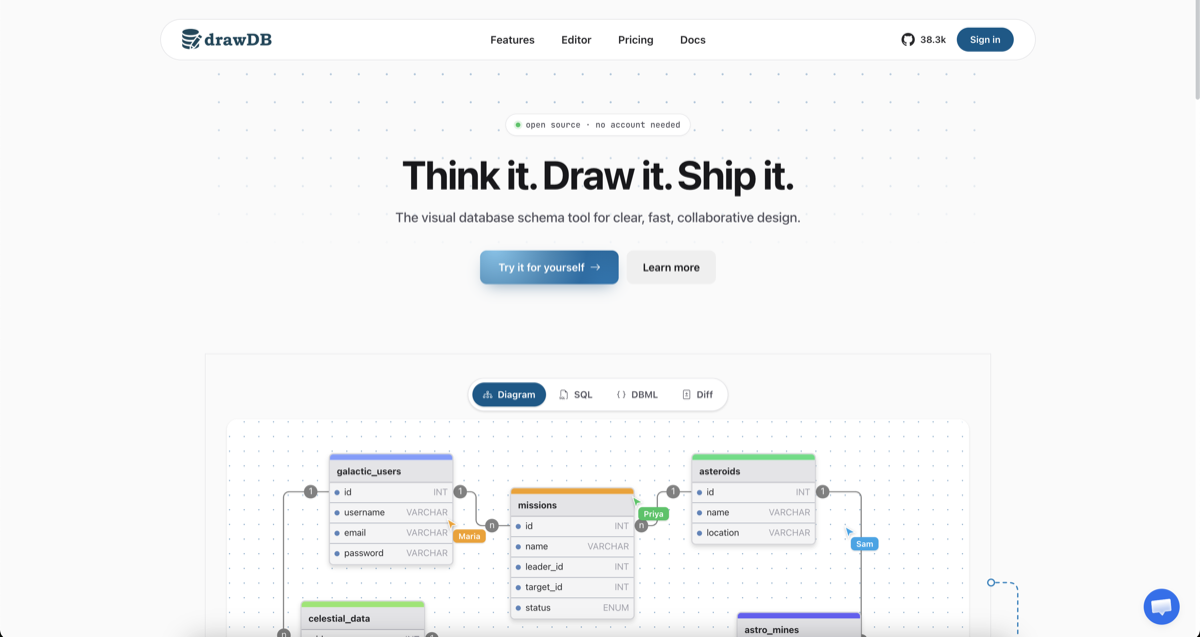
drawDB is a free online database schema design tool that simplifies database modeling and SQL generation. Whether you're designing a new database or reverse-engineering an existing one, drawDB provides a visual interface to create, edit, and export schemas with ease. - Visual Schema Design: Drag-and-drop interface to create and customize database diagrams with tables, relationships, and notes. - Multi-Dialect SQL Generation: Export clean DDL for PostgreSQL, MySQL, SQLite, MariaDB, SQL Server, Oracle, and more. - Real-Time Collaboration: Work together with your team in real time, with shared cursors and instant sync. - AI Schema Assistant: Describe your requirements and let AI draft tables, relationships, and types for you. - Reverse Engineering: Import existing DDL scripts to automatically rebuild your database diagram. - Cloud & Local Storage: Save diagrams to the cloud (Pro) or locally in your browser (free). - Export Options: Generate SQL scripts, save diagrams as JSON or images, and create migration scripts. - Customizable Workspace: Tailor the UI to fit your workflow with keyboard shortcuts, templates, and an infinite canvas. - Self-Hosting: Fully open-source with Docker support for running drawDB on your own infrastructure. - Issue Detection: Catch errors in your diagram to ensure generated SQL scripts are always correct. - Presentation Mode: Present your diagrams during team meetings and design reviews. drawDB is built with modern web technologies and can be self-hosted using Docker. The project is fully open-source, allowing you to customize and deploy it behind your own firewall for enhanced privacy and control. Self-Hosting Steps: bash git clone https://github.com/drawdb-io/drawdb cd drawdb docker compose up -d

AI-powered SQL client for natural language queries
Connect to all your data sources and instantly generate optimized SQL queries with AI to gain fast, actionable insights. - AI-Powered SQL Generation: Transform natural language into optimized SQL queries with context-aware AI - Multi-Database Support: Connect to 20+ databases including MySQL, PostgreSQL, MongoDB, Redis, Snowflake, Oracle, and more - Visual Data Management: GUI-based table editing, ER diagrams, and smart data visualization - Text-to-SQL Editor: AI SQL Copilot with one-click error fixing and schema-aware suggestions - Data Migration Tools: Import/export data from CSV, XLSX, and SQL files with support for millions of rows - AI Data Analysis: Generate BI dashboards, auto-charts, and chain reasoning insights from your data - Custom Business Terms: Train AI with column comments for optimized query generation - Context-Aware Chatbot: Natural language interface for database interactions - Schema Synchronization: Real-time structure synchronization across databases Chat2DB is available as a desktop application and web-based client. The open-source version can be self-hosted for complete data control. Supports Windows, macOS, and Linux platforms. Download | Documentation | GitHub

Modern SQL client for MySQL, Postgres, SQLite & more
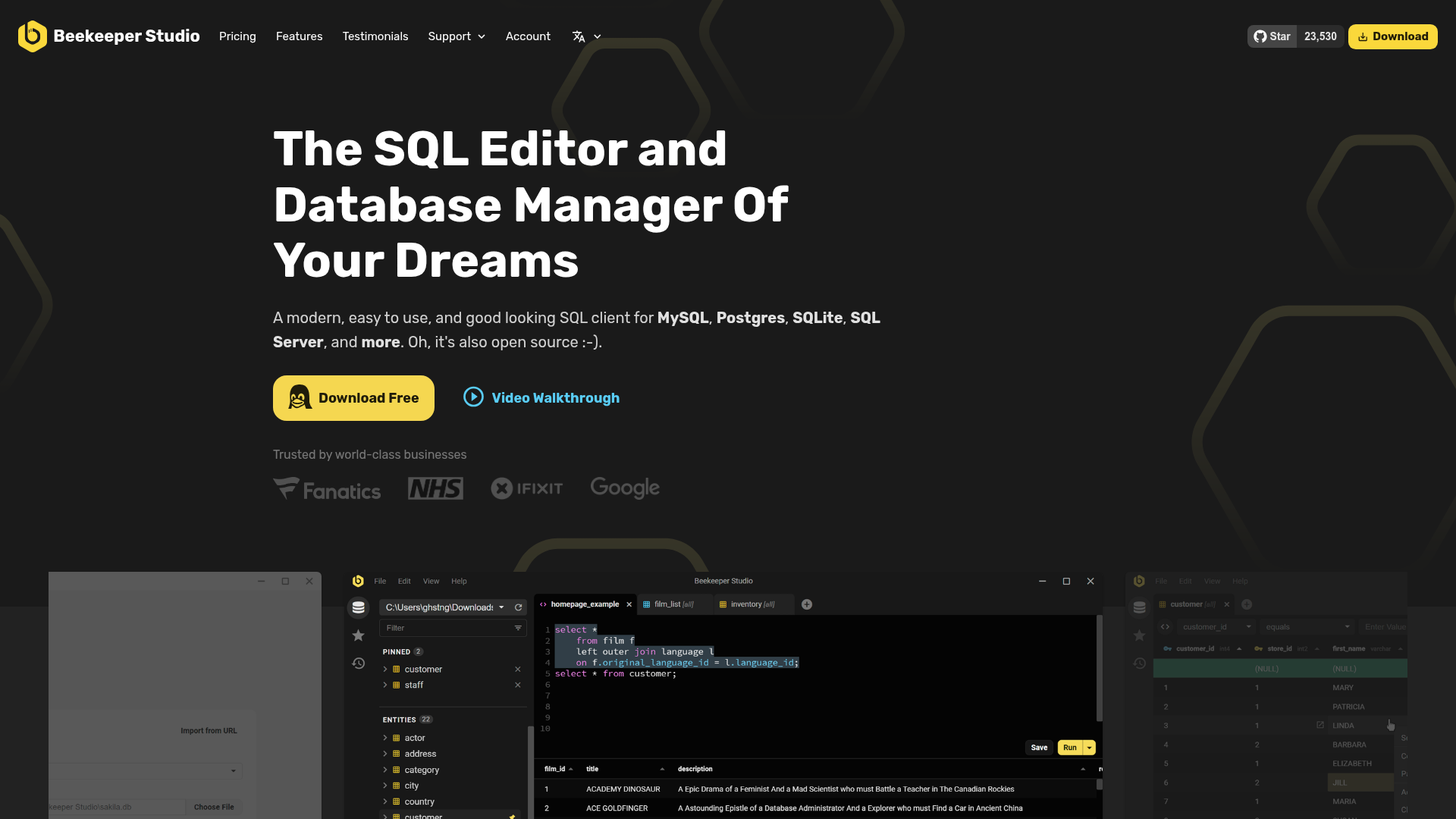
Beekeeper Studio is a modern, fast, and easy-to-use SQL client designed for developers, database administrators, and data analysts. It provides a clean, intuitive interface for managing databases, writing queries, and visualizing data across multiple database systems. - Multi-Database Support: Works with MySQL, PostgreSQL, SQLite, SQL Server, MariaDB, and more - Cross-Platform: Full feature parity across Windows, macOS, and Linux - Query Editor: Advanced SQL editor with syntax highlighting, auto-completion, and formatting - Data Visualization: Built-in table and chart views for data analysis - Team Collaboration: Cloud workspaces for sharing connections and queries with your team - Open Source: Free and open-source software with community-driven development - Performance: Optimized for speed with minimal resource usage - Security: SSL/TLS support and secure credential management - Internationalization: Available in multiple languages including English, Spanish, French, German, and more Beekeeper Studio is a desktop application built with Electron and TypeScript. While primarily distributed as a downloadable application, the open-source nature allows for custom builds and self-hosting of the web version if needed. The application is lightweight and runs efficiently on most modern systems. For teams requiring additional features, Beekeeper Studio offers a cloud-hosted version with enhanced collaboration capabilities and enterprise support options.

Open-source desktop database client
Tabularis is a modern, open-source desktop database client designed for developers and data teams. It provides a unified interface for PostgreSQL, MySQL/MariaDB, and SQLite, combining a powerful SQL editor with advanced features like notebooks, visual query building, and AI assistance. - Multi-Database Support: Connect to PostgreSQL, MySQL/MariaDB, and SQLite from a single application - SQL Editor: Modern editor with tabs, history, and keyboard shortcuts for efficient SQL writing - Data Grid: Inspect, filter, and edit records with an intuitive interface - SQL Notebooks: Reusable analysis combining SQL, markdown, charts, and variables - Visual Query Builder: Compose queries visually and inspect the generated SQL - Visual EXPLAIN: Transform complex execution plans into readable visualizations - AI Assistant: Draft, explain, and refine SQL with your preferred AI provider - MCP Server: Enable AI tools to inspect schemas and run actions through Tabularis - Plugin Ecosystem: Extend functionality with plugins for engines and workflows - Cross-Platform: Available as a desktop application for all major platforms Tabularis is a desktop application that runs locally on your machine. It connects directly to your databases without requiring a server component. The application is built with modern web technologies and is distributed as a standalone executable for Windows, macOS, and Linux. Source code is available on GitHub under an open-source license.

AI-powered database client for Postgres & SQL
Conar is an AI-powered database client designed to simplify database management for developers and data teams. Whether you're working with Postgres, MySQL, MSSQL, or ClickHouse, Conar lets you interact with your data using natural language queries, smart AI filtering, and intuitive data management tools. - Natural Language Queries: Ask questions in plain English and get instant SQL queries generated for your database. - Smart AI Data Filtering: Create complex filters effortlessly with AI assistance, reducing manual input and errors. - Comprehensive Data Management: Add, edit, delete, and browse data with real-time feedback and inline editing. - Cloud Sync: Keep your database connections safe and accessible across devices with reliable cloud synchronization. - Cross-Database Support: Works seamlessly with Postgres, MySQL, MSSQL, and ClickHouse. - User-Friendly Interface: Clean, intuitive UI with micro-animations and smooth interactions for a delightful experience. - Tested by Developers: Loved by developers worldwide for its efficiency and ease of use. Conar is a desktop application available for Linux, macOS, and Windows. It does not require self-hosting as it operates locally with optional cloud sync for connection management. The application is built with modern web technologies and is designed for performance and reliability.
About Valentina Studio
Valentina Studio & Server is a powerful cross-platform solution for database management, reporting, and server deployment. It provides developers and businesses with tools to design, manage, and deploy databases and reports efficiently.
Key Features of Valentina Studio
- Cross-platform support: Works on Linux, Windows, and macOS.
- Database management: Full-featured database editor with schema design, data manipulation, and SQL support.
- Report Designer: Advanced visual report creation with drag-and-drop functionality.
- Forms Designer: Build custom forms for data entry and management.
- Multiple database support: Compatible with MySQL, MS SQL Server, PostgreSQL, and Valentina's own database engine.
- Valentina Server: Deploy reports and forms as a server for enterprise use.
- Royalty-free deployment: Embed reports and databases in applications without additional licensing fees.
- Developer Network: Unlimited deployment of Valentina Server for OEM solutions.
Tech / Self-Hosting
Valentina Studio and Server are available as desktop applications and server software. The PRO version unlocks advanced features like Report Designer and Forms Designer. Both are self-hosted solutions with no cloud dependency, ensuring full control over data and deployment.