50 Best Open Source Notion Alternatives
A curated collection of the 50 best open source and self-hosted alternatives to Notion in 2026.
Looking for a free, privacy-friendly, or self-hosted replacement for Notion in 2026? The top open-source alternative is Macro Docs — Collaborative markdown docs with AI agents.
Other highly rated open-source Notion alternatives include AppFlowy, Affine and Memos.

Collaborative markdown docs with AI agents
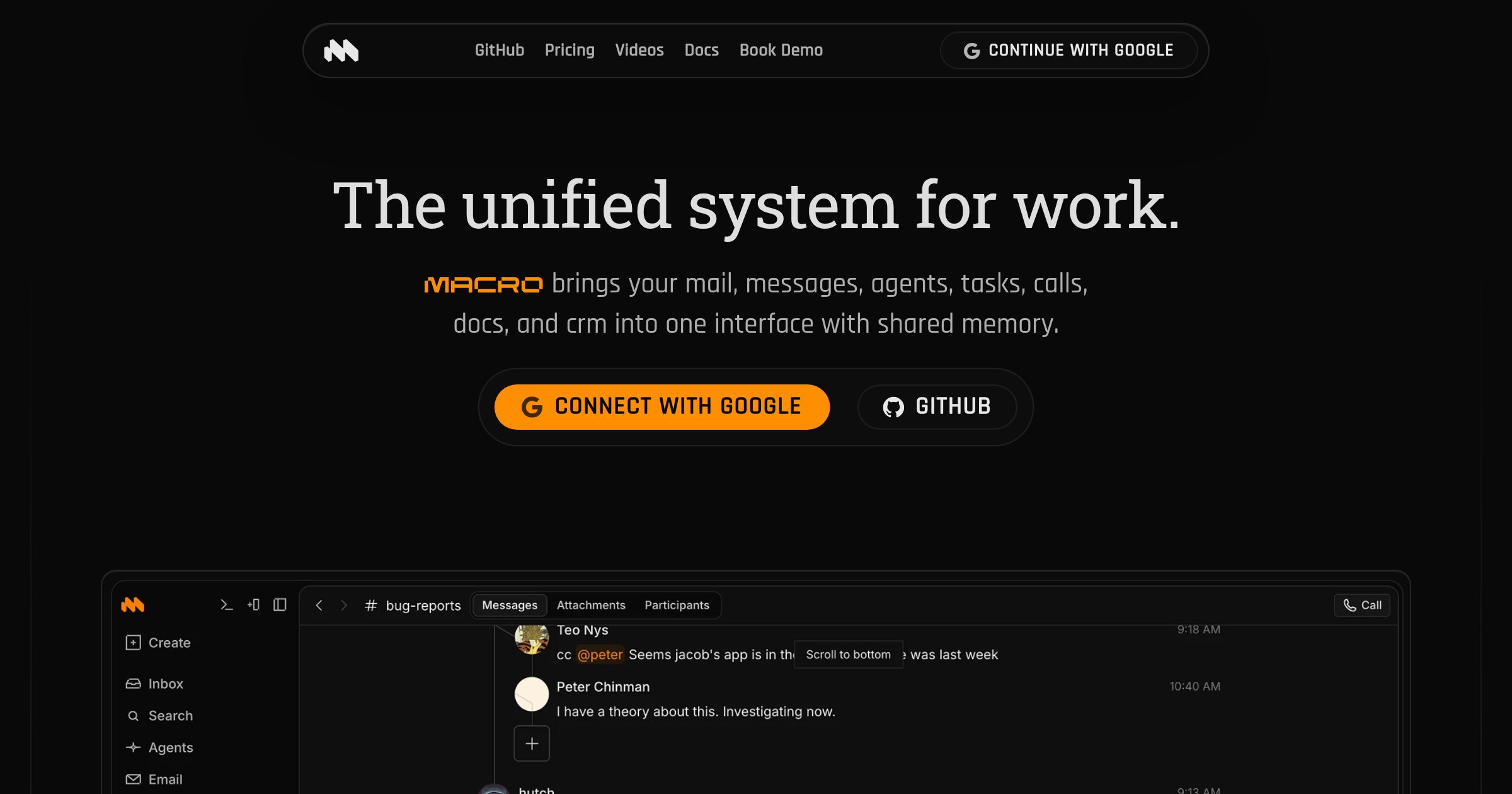
Macro Docs is a real-time, version-controlled markdown editor that integrates seamlessly with your team's tasks, email, channels, and AI agents. Built for collaboration and offline editing, it combines the flexibility of plain text with structured properties and live @mentions. - Collaborative Editing: CRDT-based real-time collaboration with inline comment threads and live agent cursors - Markdown-Native: Portable markdown files that can be exported anytime - @Linked Workspace: Directly mention people, tasks, emails, or channels with live links - Version Control: Full version history with restore and fork capabilities - Agent-Editable: AI agents can draft, revise, and work within documents in real time - Structured Properties: Add fields like status, assignee, dates, and links alongside documents - Mobile-Friendly: Access and edit documents on any device - Offline Editing: Continue working even without an internet connection Macro Docs is open source under AGPLv3 and available on GitHub. While the application code is open for inspection, your workspace data remains private and secure. The platform is designed for cloud use with no self-hosting option currently available.

Self-hosted AI workspace for teams
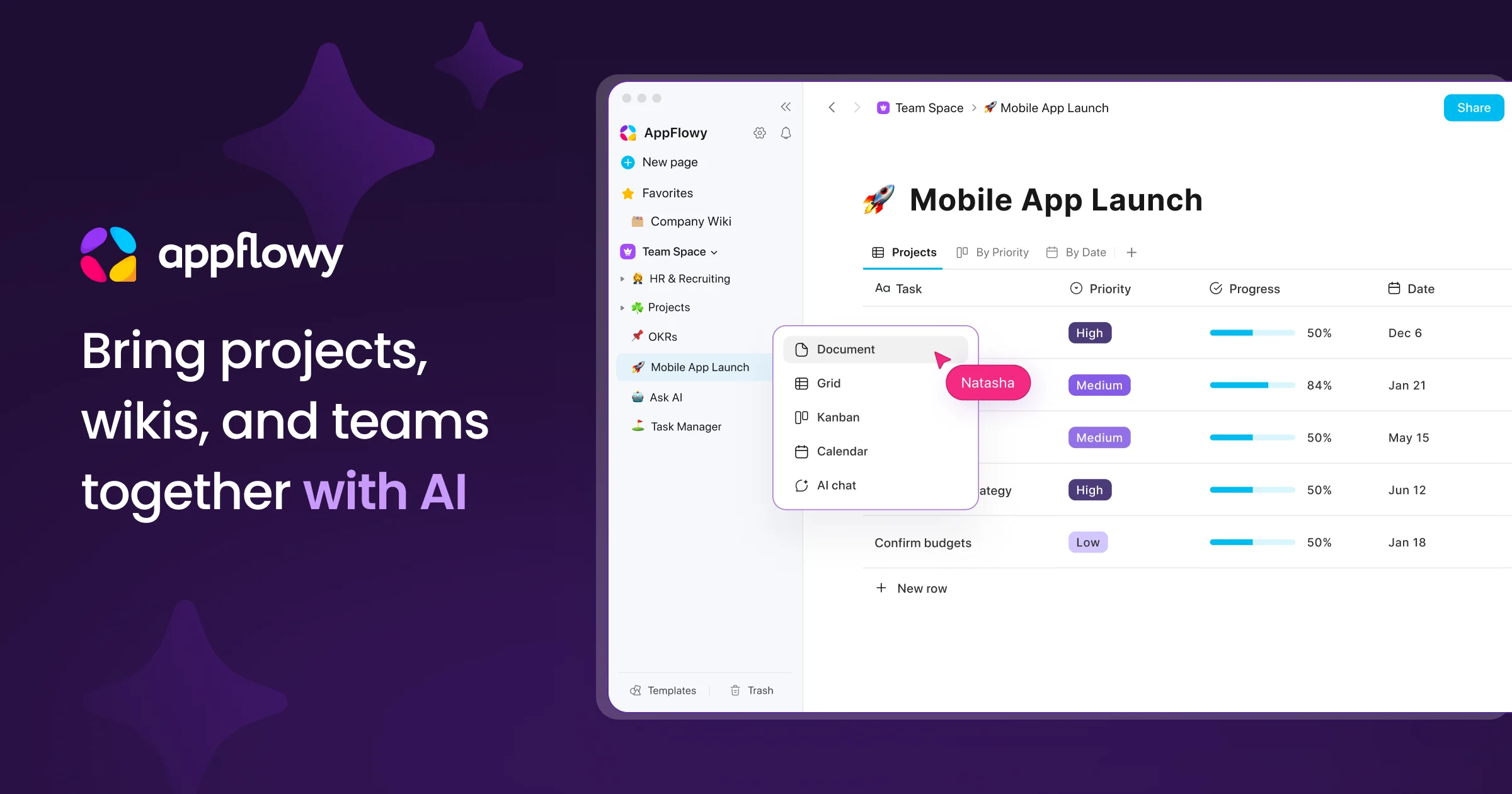
AppFlowy is the AI collaborative workspace where you achieve more without losing control of your data. It brings projects, wikis, and teams together with AI-powered search, meeting notes, and document collaboration. - AI Search: Get answers grounded in your sources in seconds - Knowledge Base: Centralized source of truth for teams and AI agents - Project Management: End-to-end project tracking with less overhead - AI Meeting Notes: Turn meetings into actions and insights - Real-time Collaboration: Co-edit documents or comment asynchronously - Self-hosting: Deploy on-premises, in your cloud, or air-gapped environments - Local AI: Run AI processing and models within your infrastructure - Data Sovereignty: Full control over data storage, residency, and compliance - Cross-platform: Available on macOS, Windows, Linux, iOS, Android, and web - Migration Support: Seamless migration from Notion, Confluence, and more - Admin Panel: Centralized management for users, workspaces, and permissions - SSO & Integrations: SAML, OIDC, SCIM, LDAP, MCP, and public APIs AppFlowy is open-source and can be self-hosted on your infrastructure, in your cloud, or in fully air-gapped environments. It supports local AI models for processing and embedding, ensuring complete data control and compliance with regulatory requirements. The platform offers transparent development with an active global community and provides migration tools to transition from other platforms without compromising data security.

Open-source Notion & Miro alternative with docs, whiteboards, databases, and AI in one local-first workspace

AFFiNE is a next-generation workspace that merges docs, whiteboards, and databases into a single local-first platform. Built for creativity and productivity, it combines the best of Notion, Miro, and Obsidian with integrated AI capabilities. - All-in-one workspace: Unified interface for documents, whiteboards, and databases - Local-first architecture: Works offline with real-time sync across devices - AI integration: Built-in AI assistant for writing, drawing, and planning - Collaboration tools: Edgeless whiteboards for limitless team creativity - Team hub: Unified document space for teams of all sizes - Cross-platform: Available as desktop, web, and mobile apps - Extensible: Supports templates and custom workflows - Privacy-focused: Self-hosting and private cloud options available AFFiNE is open-source and can be self-hosted for complete data control. The platform supports private cloud deployments and offers enterprise solutions with dedicated support. The codebase is available on GitHub under the MIT license, making it suitable for both personal and commercial use.

Open-source self-hosted note-taking tool
Memos is an open-source, self-hosted note-taking tool built for quick capture and organization. Designed to be lightweight, Markdown-native, and fully yours, it provides a seamless way to manage notes without relying on third-party services. - Markdown-native: Write and format notes using Markdown for rich text support. - Lightweight & Fast: Optimized for performance with minimal resource usage. - Self-hosted: Full control over your data with no external dependencies. - Quick Capture: Designed for fast note-taking and organization. - Privacy-Focused: No tracking or telemetry, ensuring your data stays private. - Multi-platform: Accessible via web, desktop, and mobile clients. - Collaboration: Share notes and collaborate with teams effortlessly. - Extensible: Plugin system for adding custom functionality. Memos is built with Go and React, making it easy to deploy on any server or cloud platform. It supports Docker for simplified deployment and can be integrated with existing infrastructure. The project is actively maintained with regular updates and community-driven improvements.

Privacy-first personal knowledge management

SiYuan is a privacy-first personal knowledge management (PKM) system that supports Markdown, block-level references, and bidirectional links. Designed for local-first workflows with optional end-to-end encrypted cloud sync. - Block-based editing: Work with content at the paragraph level for granular organization - Markdown & WYSIWYG: Write in Markdown or use a visual editor - Bidirectional linking: Create connections between notes effortlessly - Block references: Embed and reuse content across documents - End-to-end encrypted sync: Secure cloud synchronization with zero-knowledge architecture - Database & tables: Organize knowledge with structured data - PDF annotation: Highlight and annotate PDFs directly - Cross-platform: Available on Linux, Windows, macOS, and mobile - Extensible: Customize with themes, plugins, and widgets - Search & filtering: Advanced query syntax for finding information quickly - Web clipping: Save articles and web content directly to your knowledge base SiYuan is open-source software (AGPL-3.0) with self-hosting capabilities. The core application runs locally while optional cloud services provide encrypted sync and backup. Docker images are available for easy deployment. The project emphasizes privacy with no telemetry and end-to-end encryption for all cloud features.
Privacy-first open-source knowledge base
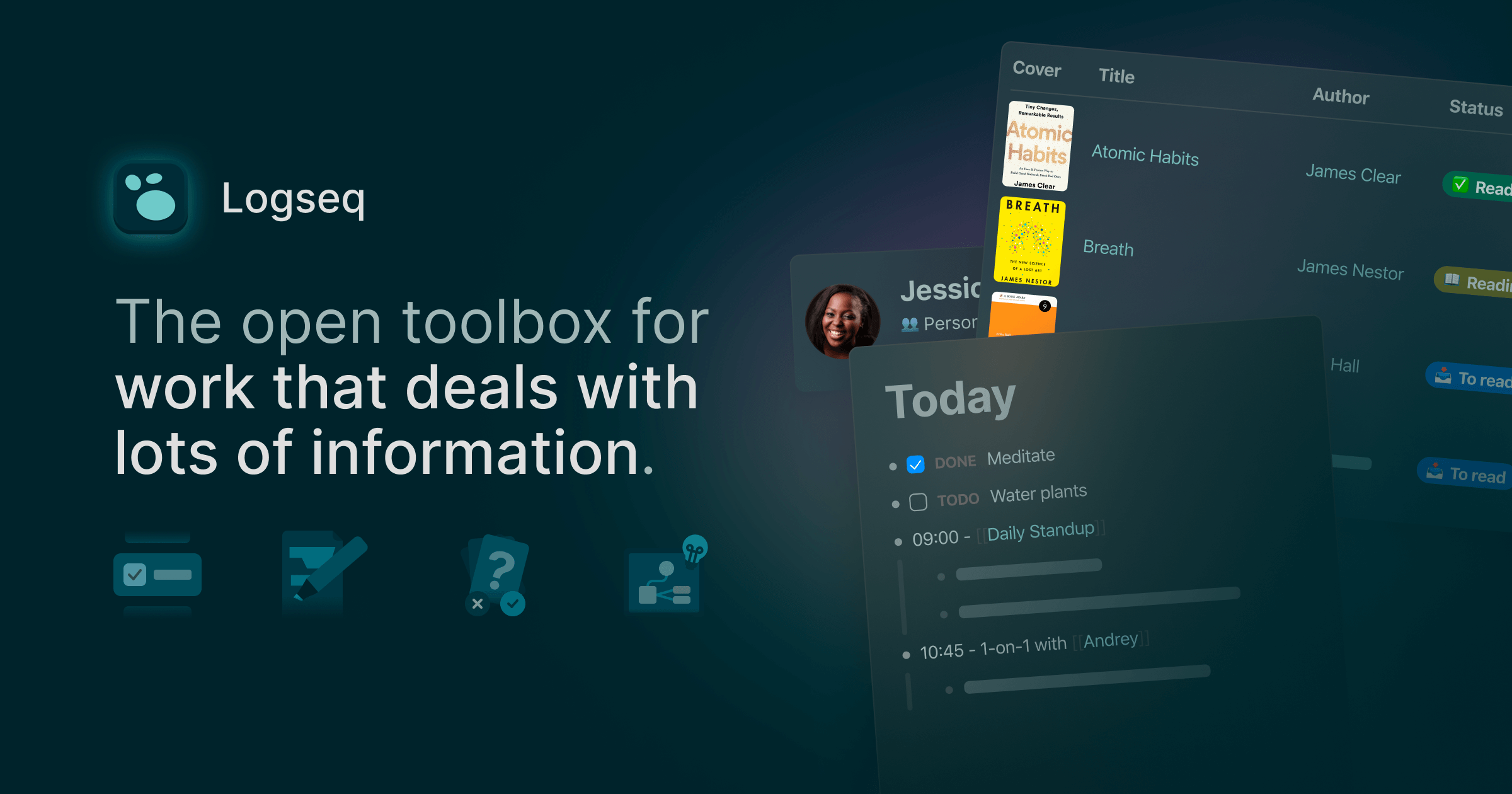
Logseq is a privacy-first, open-source knowledge base that helps you organize thoughts, manage tasks, and retain knowledge efficiently. Built for local-first workflows, it stores all data in plain markdown files for future-proof access. - Local-first architecture: All notes stored locally in markdown files for complete data ownership - Outliner & block-based editing: Structure ideas with nested blocks and indentation - Flashcards & spaced repetition: Built-in flashcard system for memorization (via plugins) - Knowledge graph: Visualize connections between notes and concepts - Task management: Built-in task tracking with kanban-style boards - PDF annotation: Highlight and annotate PDFs directly within the app - Cross-platform sync: Encrypted sync between devices (beta) - Plugin ecosystem: 150+ plugins to extend functionality - Multi-format support: Works with markdown, org-mode, and more - Privacy focused: No tracking, no ads, GDPR compliant - Open source: MIT licensed, available on GitHub - Cross-platform: Native apps for Windows, macOS, Linux, iOS, and Android - Self-hosting: Not required (local-first by default), but sync service available - Data format: Plain text markdown files for easy migration - Performance: Optimized for handling thousands of notes efficiently

Modern team knowledge base & wiki
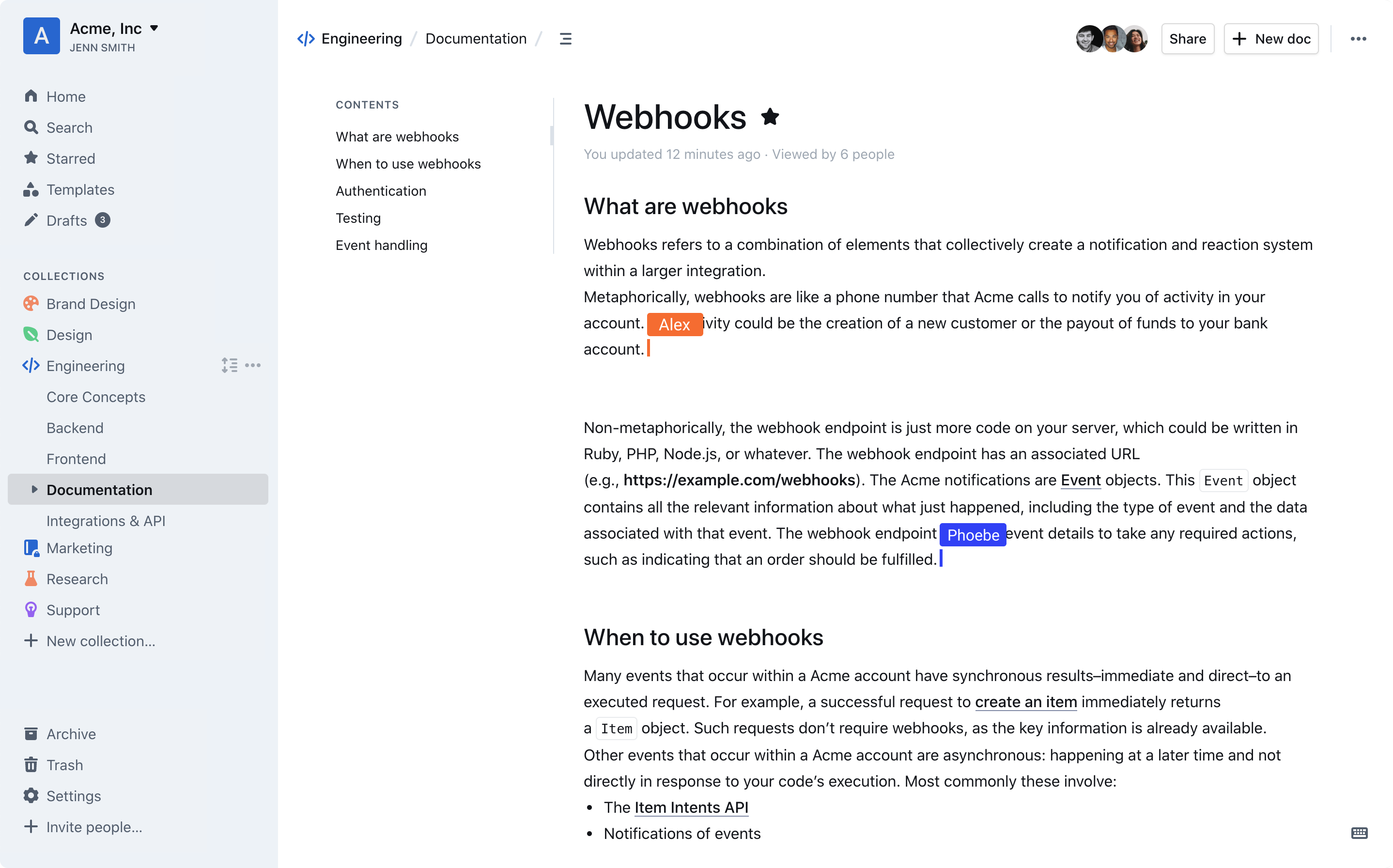
Outline is a modern team knowledge base designed to organize internal documentation, product specs, support answers, meeting notes, onboarding materials, and more. Built for speed and collaboration, it offers a blazing-fast editor with markdown support, slash commands, and interactive embeds. - Intuitive Editing: Blazing-fast editor with markdown support, slash commands, and interactive embeds. - Real-time Collaboration: Multiplayer collaboration with comments, threads, and organized conversations. - AI-Powered Search: Instant workspace search and AI-driven answers to document questions. - Slack Integration: Search, share, and ask questions directly from Slack without leaving the chat. - Public & Private Sharing: Share documents publicly via link or privately with teams, using custom branding. - Security & Permissions: Granular read/write permissions, user groups, guest access, and public sharing controls. - 20+ Integrations: Native integrations with tools like Slack, Figma, and Loom, plus an open API for custom integrations. - Multi-language Support: RTL support and translations for 20+ languages, including French, Spanish, German, Korean, and Chinese. - Dark Mode: Built-in dark mode for comfortable night-time use. - Self-Hosting: Deploy on-premises or in your own cloud infrastructure. - Open Source: Source code is publicly available on GitHub. Outline is open-source and can be self-hosted on your own server. It supports custom domains, white-labeling, and is built with modern web technologies. The platform is GDPR compliant and offers enterprise-grade security features, including audit logs and granular access controls. For cloud hosting, a 30-day free trial is available.

All-in-one open-source workspace for teams
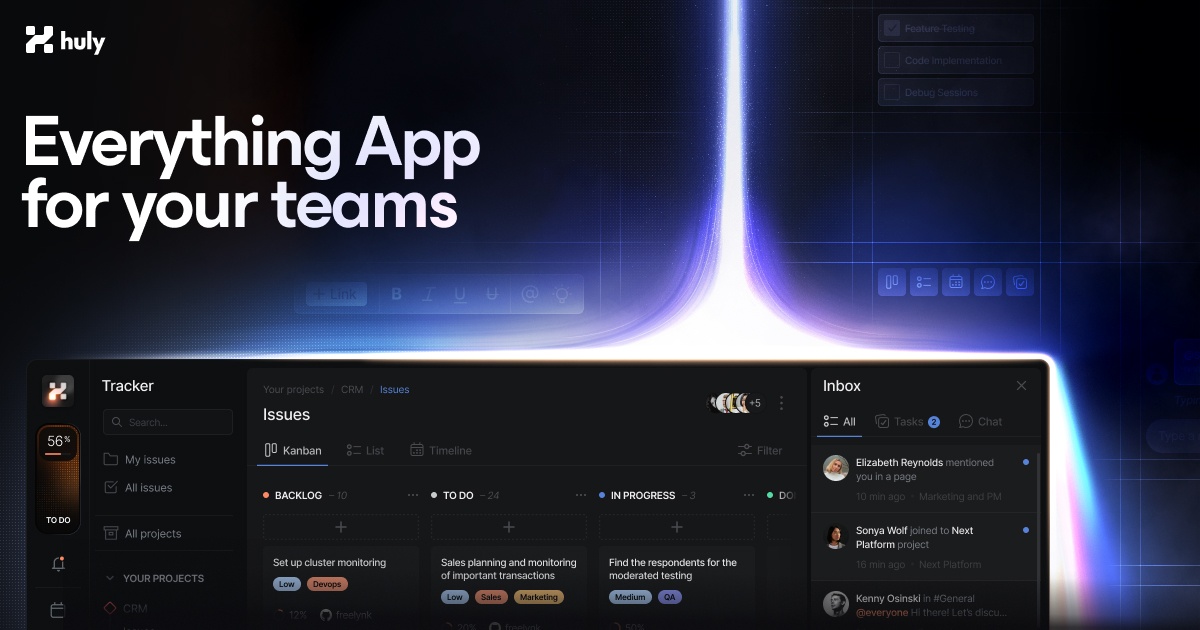
Huly is an open-source platform designed to streamline team productivity by consolidating project management, communication, and knowledge sharing into a single workspace. - Unified Workspace: Combines team planning, project management, virtual office spaces, chat, documents, and inbox for seamless collaboration. - Keyboard Shortcuts: Work efficiently with instant access to common actions. - Team Planner: View all individual tasks in a centralized team calendar to keep track of the bigger picture. - Notifications: Receive instant updates on any changes to stay informed. - Time-Blocking: Transform daily tasks into structured time blocks for focused productivity. - Virtual Office: Create customized virtual office spaces with high-quality audio and video conferencing for remote teams. - GitHub Integration: Bidirectional synchronization with GitHub Issues and Projects for advanced task tracking and management. - Private Tasks: Securely manage and integrate multiple data repositories. - Advanced Filtering: Precise project data search with robust filtering capabilities. - Huly MetaBrain: Connect workflow elements to build a dynamic knowledge base for future AI-powered insights. Huly is open-source and can be self-hosted, providing full control over data and infrastructure. The platform is built with modern web technologies and supports scalable deployment for teams of all sizes.

Enterprise-ready on-premise wiki for teams
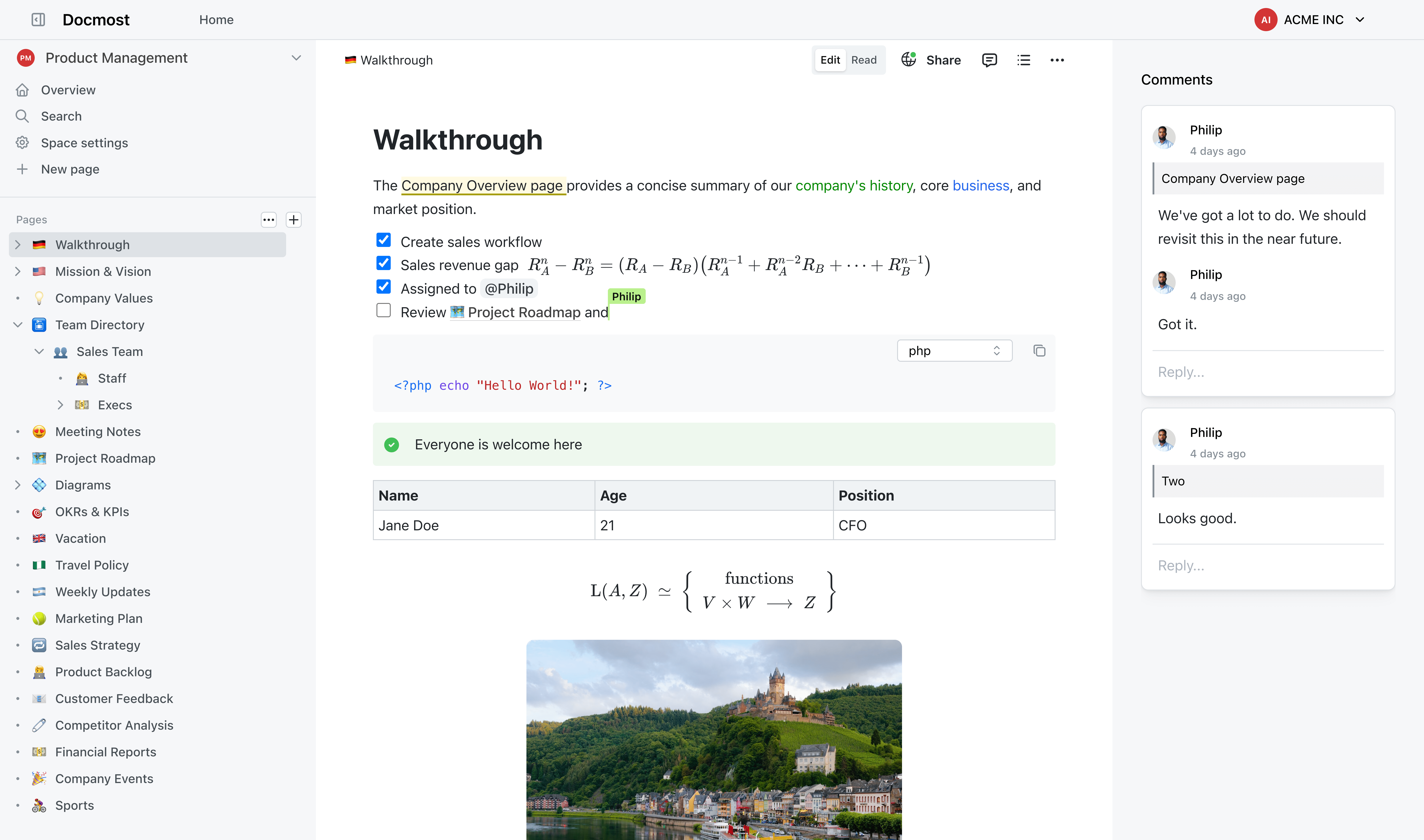
Docmost is an enterprise-grade wiki platform designed for secure on-premise knowledge management. Built for teams that need full control over their documentation while maintaining compliance with strict regulatory standards. - Real-time Collaboration: Edit pages together with live cursors and instant sync across users and devices. - Self-Hosted AI Suite: Deploy AI chat, search, and MCP support with your choice of LLMs (Ollama, vLLM, OpenAI, etc.). - Granular Permissions: Role-based access control (RBAC) with groups, viewing, editing, and admin permissions. - Page Verification: Workflow-based content verification to meet ISO 9001, ISO 27001, SOC 2, and other compliance standards. - Team Spaces: Dedicated spaces for teams, projects, or departments to organize knowledge. - Public Sharing: Share selected pages publicly without exposing your entire wiki. - Built-in Diagramming: Create flowcharts, UML, network diagrams, and org charts with Draw.io, Excalidraw, and Mermaid. - Enterprise SSO: Seamless integration with SAML 2.0, OpenID Connect, and LDAP identity providers. Docmost is a self-hosted solution that can be deployed on-premises or in your private cloud. It supports Docker, Kubernetes, and traditional server setups. The platform is designed for high availability and scalability, making it suitable for organizations of all sizes. Compliance features include ITAR, FedRAMP, and GDPR support out of the box.

Open-source collaborative document editor
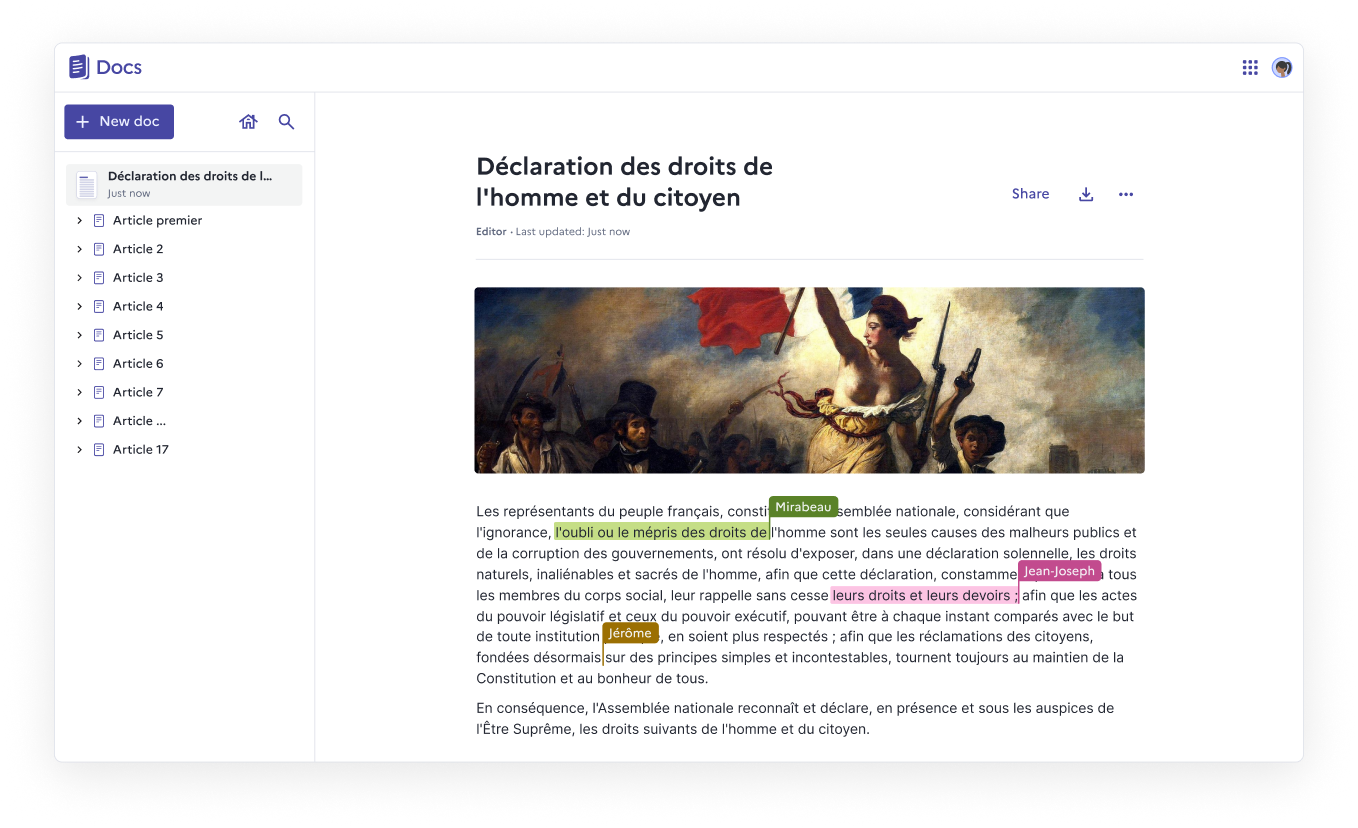
Docs is an open-source, web-native document editor designed for real-time collaboration, structured knowledge, and full data ownership. Whether you self-host it or use a public instance, Docs empowers teams to create, organize, and share documents effortlessly. - Real-time collaboration with live cursors, presence indicators, and comments - Block-based editing using slash commands, tables, columns, and collapsible sections - Knowledge organization through nested documents and hierarchies - Granular access control for viewing, commenting, or editing permissions - Import & export support for .docx, .md, .odt, and .pdf formats - Version history with rollback capabilities for every save - Fast search to quickly find and pin frequently accessed documents - Self-hosting with full data ownership and no third-party dependencies - Accessibility compliance with ongoing WCAG/RGAA improvements - Optional AI integration for summarization, rewriting, translation, and slide creation - Built on open-source foundations: Next.js, Django REST Framework, Yjs, BlockNote.js - Self-hostable via Docker Compose, Kubernetes, Nix, or YunoHost - 100% MIT licensed with no vendor lock-in - Verified Digital Public Good by the DPG Alliance - AI integration supports custom LLM providers or Mistral models via Albert API - Security note: Documents are not end-to-end encrypted (not suitable for classified data)

Open source zero-knowledge private note taking app
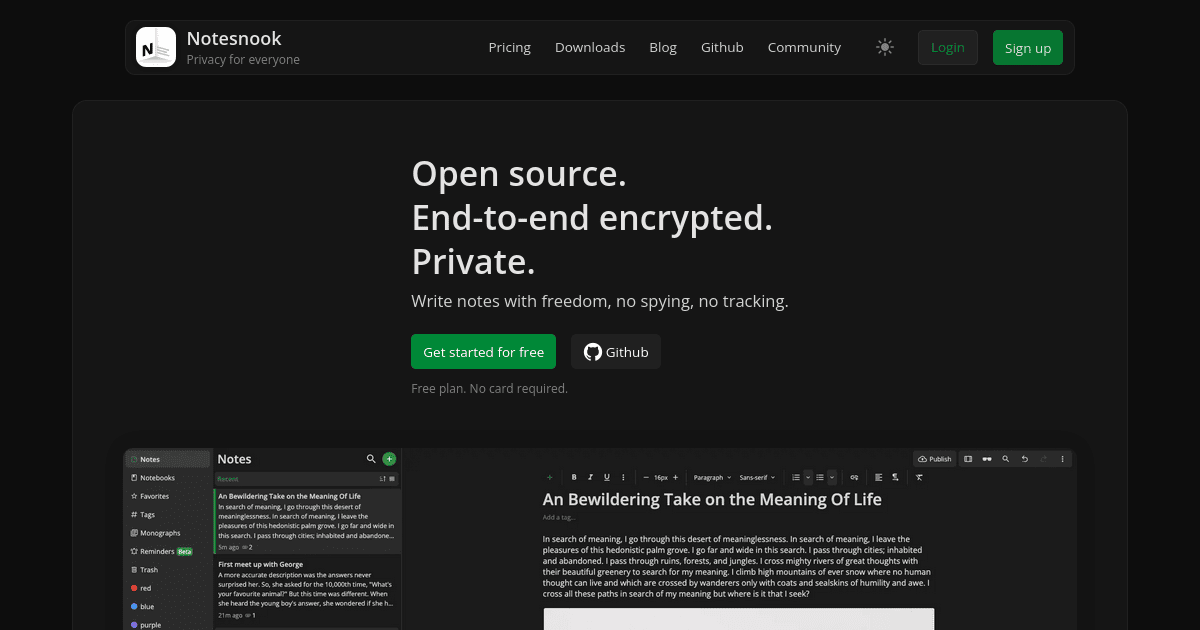
Notesnook is a privacy-first note-taking app designed to keep your personal data secure and private. Unlike traditional note apps, Notesnook ensures your notes are encrypted end-to-end, meaning only you can read them. - End-to-end encryption: All notes are encrypted before leaving your device, ensuring only you can access them. - Cross-platform sync: Write on your laptop and finish on your phone with seamless, encrypted sync. - Open-source: Every app and server component is open-source (GPLv3), allowing anyone to verify security and privacy. - App lock: Protect your notes with fingerprint, PIN, or password. - Rich text editor: Supports tables, checklists, code blocks, math formulas, and attachments. - Web clipper: Save articles and web pages directly to your notes without ads or trackers. - Published notes: Share a single note as a password-protected web page while keeping the rest private. - Linked notes: Connect related notes for better organization and context. - Markdown support: Write notes in Markdown for enhanced formatting. Notesnook is fully open-source, with clients available for Windows, macOS, Linux, Android, iOS, and the web. The sync server is also open-source, allowing for self-hosting if desired. The project is built with privacy and security as core principles, making it a reliable alternative to mainstream note-taking apps.

Open-source AI-powered note-taking app

Blinko is an open-source AI-powered note-taking application designed to help you quickly capture and organize inspiration. Built with Retrieval-Augmented Generation (RAG) technology, it enables natural language search and retrieval of your notes while keeping all data securely stored in your self-hosted environment. - AI-Enhanced Search: Utilize RAG technology for quick natural language search and retrieval of notes - Data Ownership: All notes and data are securely stored in your self-hosted environment - Fast & Efficient: Plain text and Markdown support for instant idea capture and formatting - Open Collaboration: Fully open-source with transparent code and community contributions - Instant Recording: Quickly capture and organize inspirations without losing ideas - Cross-Platform Sync: Seamless synchronization across devices - Plugin Ecosystem: Extend functionality with community plugins and integrations - Privacy-First: No third-party access to your personal notes or data Blinko is open-source and can be self-hosted on your own infrastructure. The application supports Docker deployment for easy setup and maintenance. All data remains under your control, ensuring complete privacy and compliance with data protection regulations.

Privacy-first all-in-one workspace for notes and collaboration
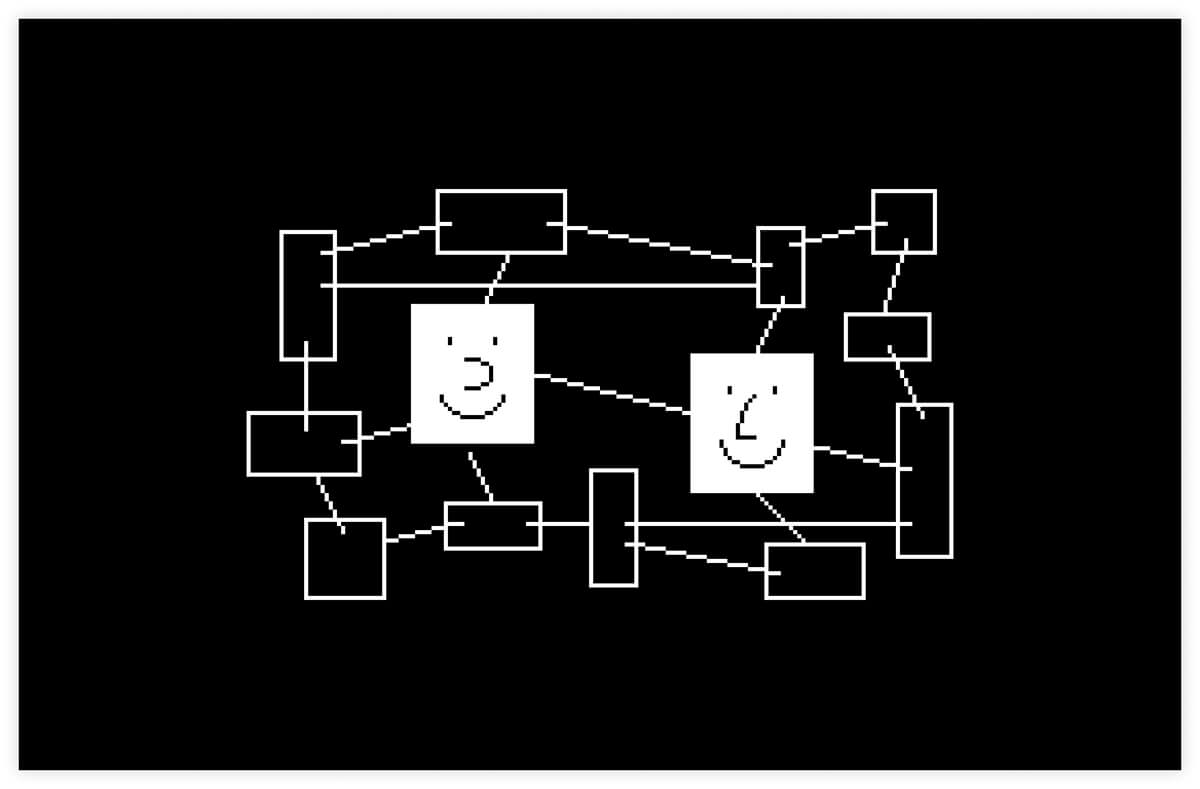
Anytype is a privacy-first workspace that combines notes, tasks, databases, and chats into a single secure environment. Built with end-to-end encryption, your data remains fully owned and controlled by you, accessible only through your device. - Absolute Privacy & Security: All data is encrypted locally with keys you control. No servers or gatekeepers involved. - Offline-First Operation: Works seamlessly without internet access. Syncs peer-to-peer over local networks when online. - Block-Based Editor: Compose notes, tasks, and databases using a flexible, no-code block editor. - Visual Databases: Create tables, Kanban boards, galleries, and graph views to organize information your way. - Cross-Platform Sync: Native apps for iOS, Android, and desktop with fast, reliable synchronization. - Open Protocols: Build custom apps freely without permission requirements or vendor lock-in. - Self-Hosting Support: Store data locally and self-host backups wherever you prefer. - Templates & Widgets: Jumpstart projects with pre-built templates and customizable widgets. Anytype uses peer-to-peer synchronization and local-first architecture. While the core app is open-source (TypeScript), the sync server and some features are proprietary. Self-hosting is supported for backups, and the open protocols allow for custom app development. The project is developed by Any, a Swiss association, ensuring GDPR compliance and EU data residency standards.

Open-source Slack and Notion alternative
Colanode is a modern, all-in-one collaboration platform designed for teams seeking a flexible and self-hostable alternative to Slack and Notion. Built with local-first principles and powered by CRDTs, it ensures seamless synchronization and conflict-free collaboration across devices. - Local-first architecture: Save work to your device first, sync in the background for offline access and reduced latency. - Conflict-free collaboration: Powered by CRDTs (Conflict-free Replicated Data Types) for smooth multi-player editing without conflicts. - Self-hosting or cloud: Deploy on your own infrastructure or use the managed cloud version—your data, your choice. - Integrated workspace: Combine chat, rich text pages, databases, and file management in a single platform. - Real-time chat: Communicate with individuals or teams through channels with instant messaging. - Rich text pages: Create documents, wikis, and notes using an intuitive editor similar to Notion. - Structured databases: Organize information with custom fields, dynamic views (table, kanban, calendar), and relational data. - File management: Securely store, share, and manage files within dedicated workspaces. Colanode is open-source and designed for easy self-hosting. It supports deployment on various platforms including Docker, Kubernetes, and bare metal. Detailed self-hosting guides and documentation are available to help you get started. The platform is built with modern web technologies and prioritizes performance, security, and scalability.

Self-hosted platform for tracking media, fitness, and habits
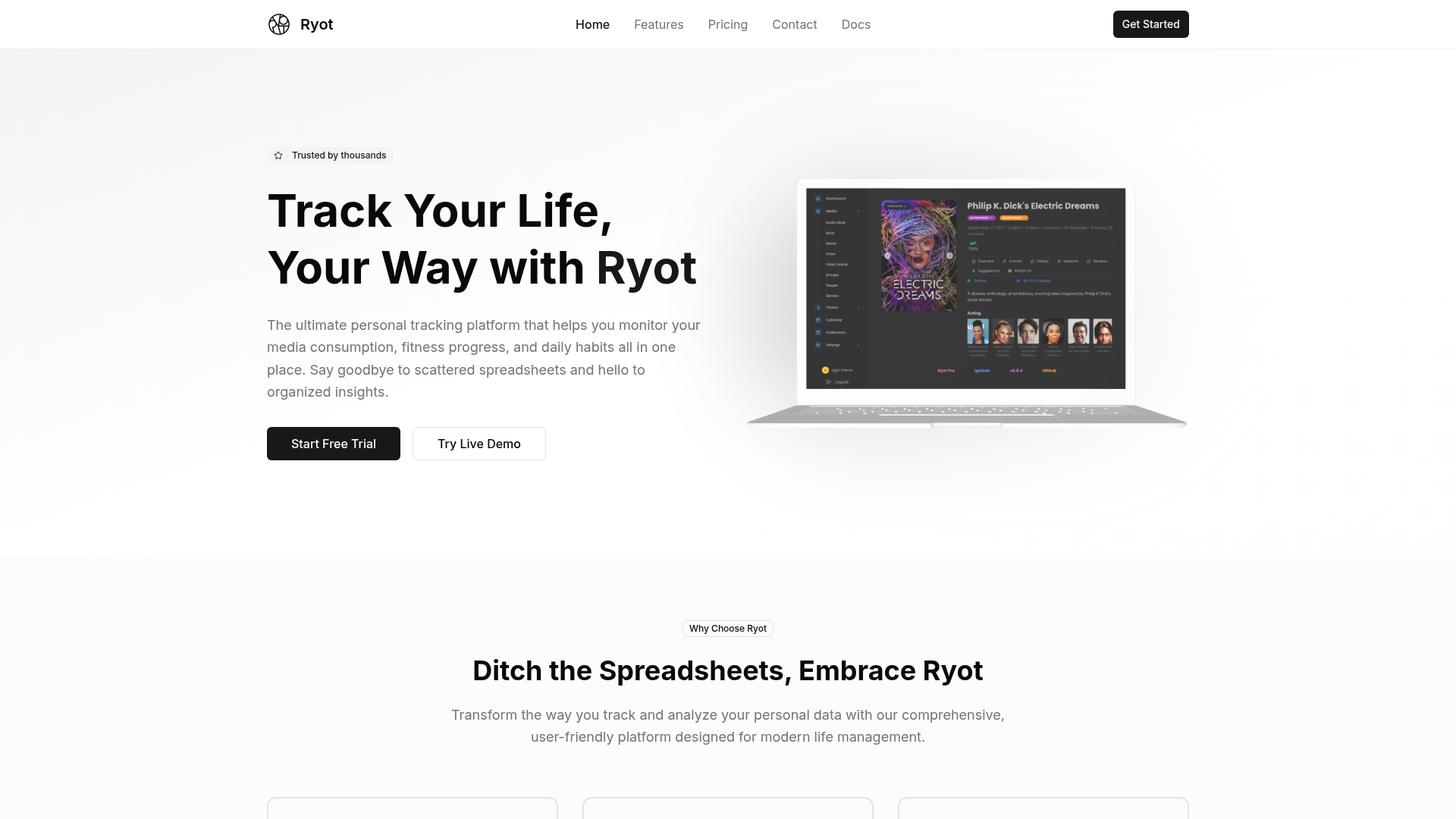
Ryot is a self-hosted platform designed to help you monitor and analyze your media consumption, fitness progress, and daily habits in one centralized dashboard. Whether you're tracking books, movies, TV shows, workouts, or personal habits, Ryot provides comprehensive insights through beautiful charts and meaningful statistics while ensuring your data remains private and secure. - All-in-One Tracking: Monitor books, movies, TV shows, workouts, and daily habits from a single intuitive dashboard. - Insightful Analytics: Access detailed insights into consumption patterns, progress trends, and personal growth with visually appealing charts and statistics. - Privacy First: Enterprise-level encryption and complete control over your personal data with self-hosting options. - Cross-Platform Sync: Seamlessly track and sync data across multiple devices. - Customizable Dashboards: Tailor your tracking experience with flexible dashboard configurations. - Community & Support: Join a growing community of users and access dedicated support channels. Ryot is open-source and can be self-hosted on your own infrastructure, giving you full control over your data. The platform supports Docker deployments and provides comprehensive documentation for easy setup. For those who prefer a managed solution, Ryot also offers cloud-hosted plans with a 14-day free trial.

Open source enterprise wiki and knowledge base

XWiki is a powerful open-source wiki and knowledge management platform designed for teams and enterprises. It offers flexible deployment options, including self-hosting and cloud hosting, with both standard and customizable solutions to fit diverse organizational needs. - Collaborative Knowledge Base: Create, edit, and organize documentation with real-time collaboration. - Customizable Workspaces: Tailor wikis to specific use cases like knowledge bases, extranets, or digital workplaces. - Enterprise-Grade Security: Built-in access control, audit logs, and compliance with ISO standards. - Integration Capabilities: Connect with third-party tools and business applications via connectors. - Multi-Format Support: Embed images, videos, tables, and macros for rich content creation. - Version Control: Track changes and restore previous versions of documents. - Scalable Deployment: Available as self-hosted software or managed cloud service. - Business Apps & Connectors: Pre-built applications for common enterprise needs. - Open Source: Fully open-source under LGPL license (GitHub repository available). - Deployment Options: Self-hosted on your infrastructure or hosted by XWiki SAS in the cloud. - Tech Stack: Java-based platform with support for PostgreSQL, MySQL, and other databases. - Custom Development: Professional services for tailored solutions and integrations. - Security & Compliance: GDPR compliant with ISO 27001 certification.

Local-first open-source notes app with no cloud or AI
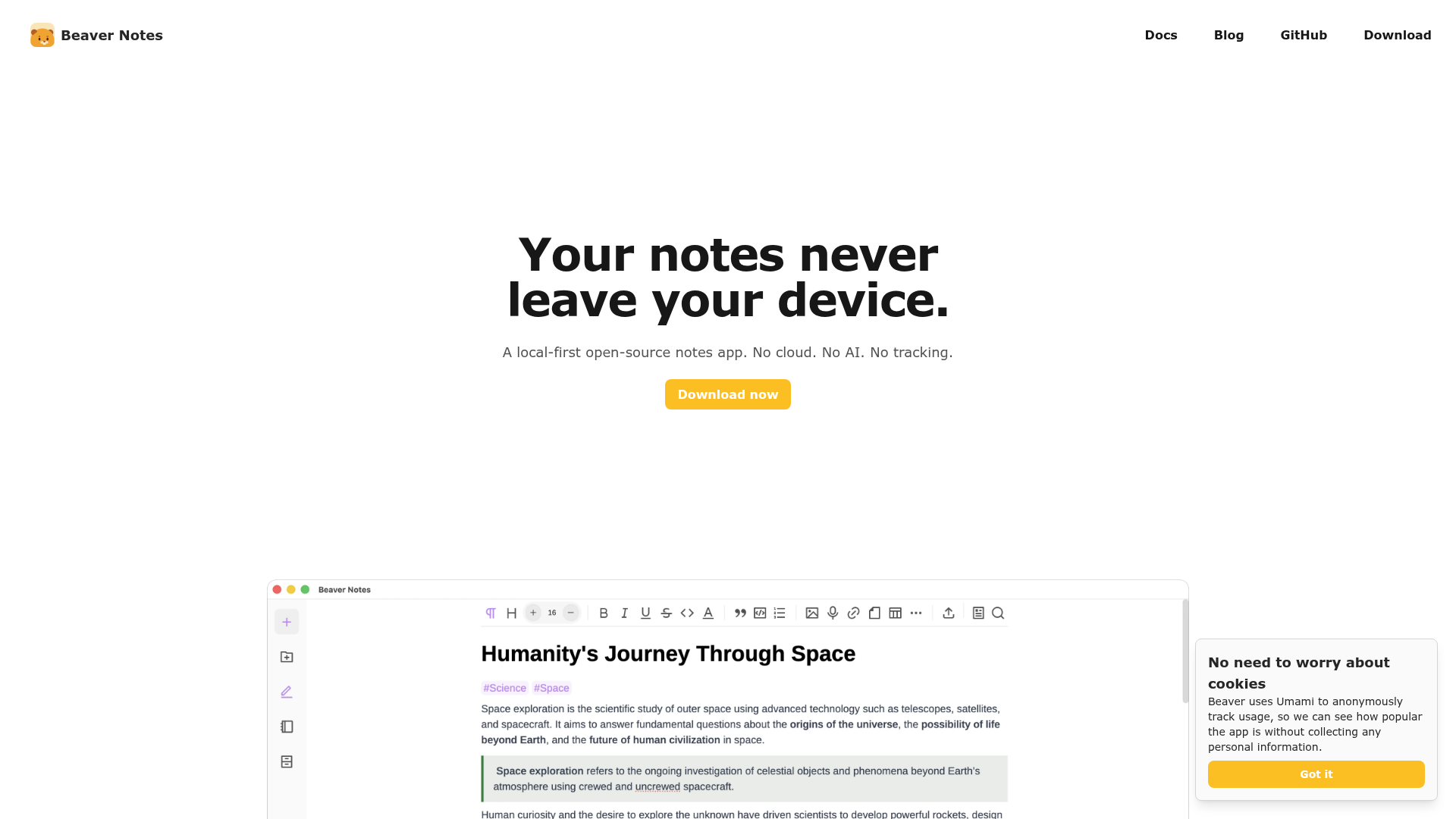
Beaver Notes is a local-first, open-source notes application designed to keep your data private and under your control. Unlike traditional note-taking apps, Beaver Notes stores all your notes directly on your device with no cloud dependency or AI involvement. - Local-First Storage: All notes are stored locally on your device, ensuring maximum privacy and offline access. - No Accounts or Tracking: No sign-ups required, no telemetry, and no data collection. - Markdown Support: Write notes using markdown for easy formatting and readability. - Keyboard-Friendly: Optimized for keyboard shortcuts and commands to enhance productivity. - Note Linking: Create connections between notes to build a web of related information. - File Attachments: Embed PDFs, images, audio, and other files directly into your notes. - Drawing & Math: Insert sketches or type LaTeX equations for a richer note-taking experience. - Custom Sync: Sync your notes across devices using your preferred cloud provider. - Open-Source: MIT-licensed with full transparency and community-driven development. Beaver Notes is a desktop application available for Windows, macOS, and Linux. It is built with Electron and is fully open-source. The app does not require any backend services, making it easy to self-host or use entirely offline. For syncing, users can integrate with their own cloud storage solutions like Nextcloud or Dropbox.
Distraction-free open-source notebook for focused writing
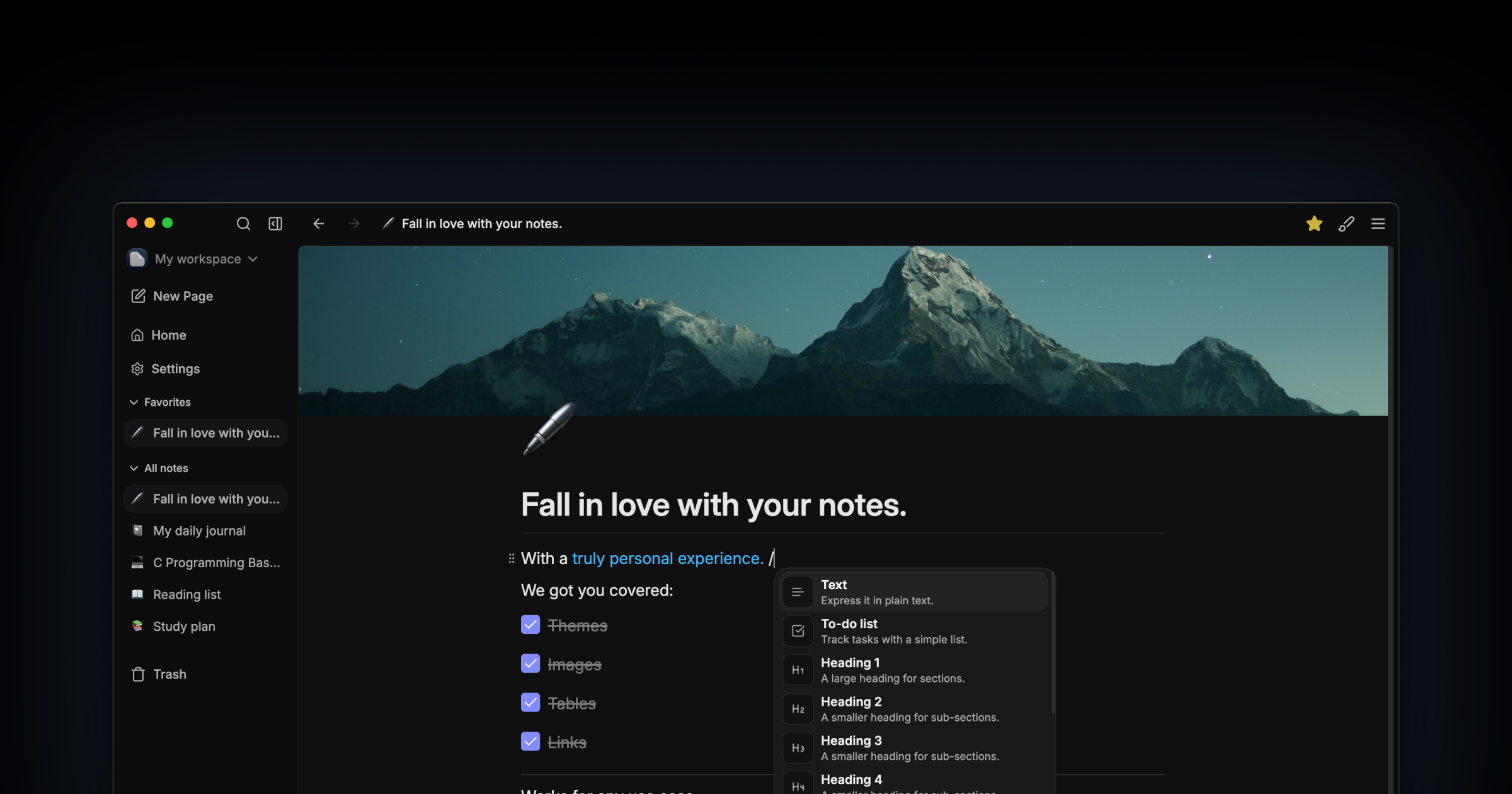
Darkwrite is a minimalist, open-source notebook designed for distraction-free writing. Built for users who prioritize simplicity and privacy, it offers a clean editor with no AI integrations, offline functionality, and full customization. - Distraction-free writing: Simple interface with no unnecessary features or AI buttons - Offline-first: All notes stored locally; no account or internet required - Customizable themes & fonts: Choose from included themes or create your own - One-click backups: Archive and restore notes effortlessly - No ads or tracking: Respects user privacy with no data collection - Open source: AGPLv3 licensed with full transparency - Cross-platform: Available for Linux with planned Flatpak support - Future roadmap: Collaboration sync server, plugin API, and graph view Darkwrite is a fully self-contained desktop application with no backend or cloud dependencies. All data remains on the user's device, making it inherently self-hosted. The app is built with modern web technologies and distributed as a native Linux binary. No server setup or configuration is required.

All-in-one workspace for team docs and projects
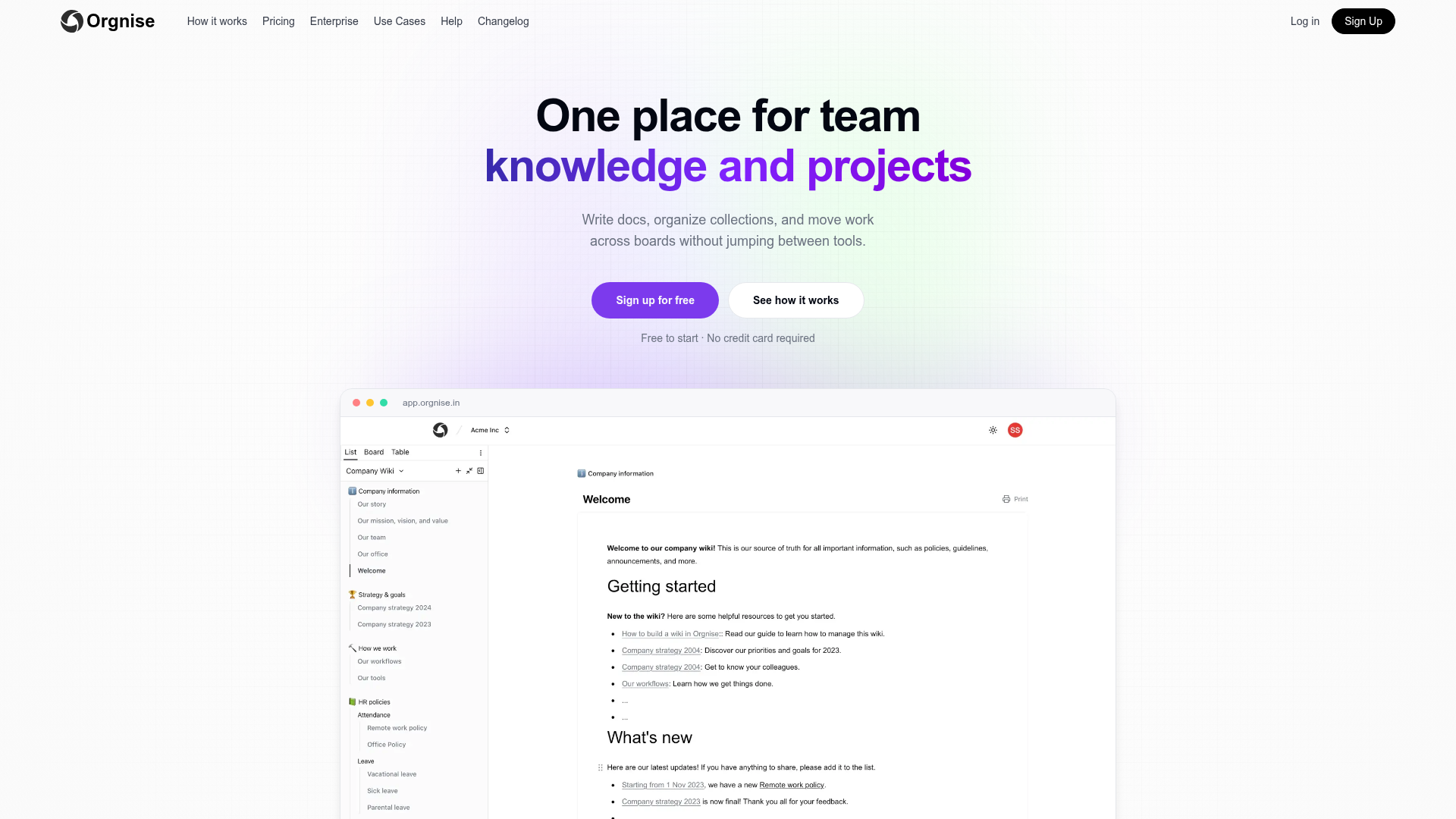
Orgnise is an all-in-one workspace designed to centralize team knowledge, documentation, and workflows. It combines a Notion-style editor with collections and boards, allowing teams to write docs, organize information, and track progress without switching between tools. - Notion-style editor with slash commands, headings, lists, and embeds for rich document creation - Collections & boards to organize work by projects, teams, or workflows (e.g., Kanban-style boards) - Unified workspace where pages belong to collections and can move across boards without duplication - Team collaboration with shared spaces for inviting members and aligning on projects - Use-case specific templates for engineering, customer support, project management, and company-wide collaboration - Free to start with no credit card required, offering a generous free tier Orgnise is a cloud-based SaaS with no self-hosting option currently available. The application is built for ease of use and scalability, with a focus on team collaboration and workflow management. For enterprise needs, Orgnise offers dedicated solutions and support. Learn more about pricing and enterprise options.
Justnote is a secure note-taking app that lets you easily create and sync notes across devices while maintaining full control of your data.
Justnote is a secure note-taking app that lets you easily create and sync notes across devices while maintaining full control of your data.
Free and open source project management tool
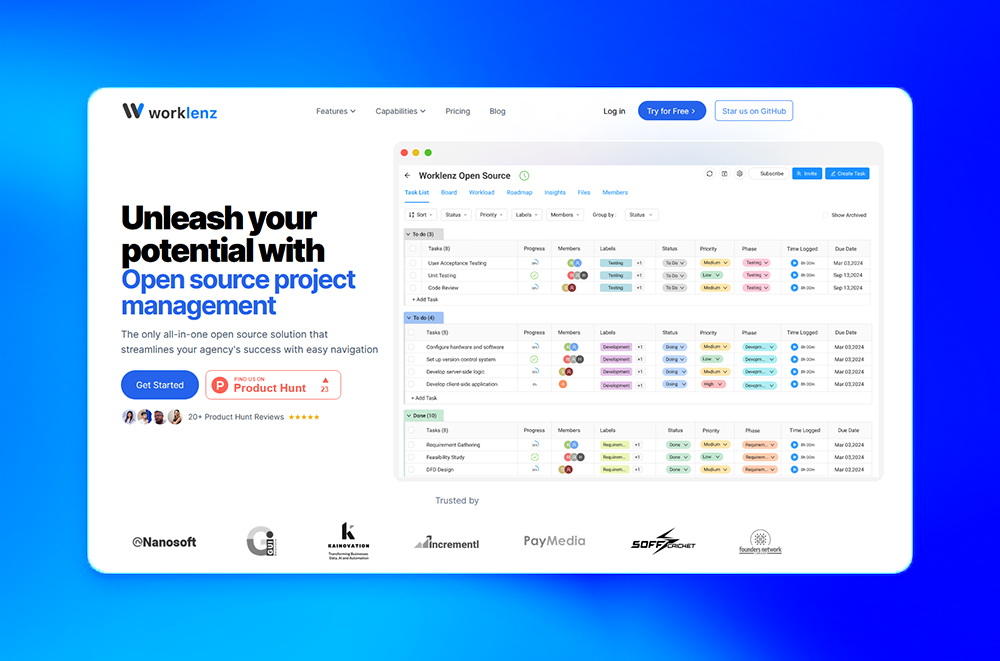
Worklenz is a free and open-source project management tool designed to streamline team collaboration, task tracking, and resource management. Built for efficiency, it offers powerful features to help teams organize projects, monitor progress, and optimize workflows. - Task Management: Organize and track tasks with powerful collaboration tools and complete transparency - Resource Management: Optimize team allocation and resource utilization across projects - Time Tracking: Track time spent on tasks and projects with precision analytics - Timesheets: Manage and approve team timesheets effortlessly - Project Templates: Standardize project structures with customizable templates - Task Templates: Create reusable templates for efficient workflows - Client Portal: Provide clients with real-time project visibility and updates - Project Finance: Track project budgets, costs, and financial performance - Team Utilization Analytics: Monitor and optimize team capacity and workload distribution - Analytics Dashboard: Gain insights with comprehensive project and team analytics Worklenz is open-source and can be self-hosted for complete data control. The platform is built with modern web technologies and offers cloud-based deployment options for teams that prefer managed solutions. The source code is available on GitHub under an open-source license.

Open-source document lifecycle management platform

Wraft is an open-source Document Lifecycle Management solution that helps businesses author, collaborate, and store their most important documents. Designed for data sovereignty and security, it provides structured document creation, automated workflows, and self-hostable storage. - Smart Document Creation: Build professional documents from customizable templates with no cloud dependencies - Built-in E-Signatures: Get documents signed quickly with approval workflows - Automated Workflows: Generate contracts and proposals automatically from existing data and templates - Self-Hosted Storage: Store and manage all documents with full data control - Structured Organization: Smart, searchable document repository with advanced retrieval - API Integration: Connect with existing tools via REST APIs, SSO, and webhooks - Custom Workflows: Create approval processes tailored to your team's needs - Open-Source Core: Fully self-hostable with AGPLv3 licensing for transparency and flexibility - Self-Hosted: Fully deployable on your own infrastructure - Document Generation: Uses Pandoc for format conversion (PDF, LaTeX, Typst) - Integration Options: REST APIs, SSO, and webhooks for seamless connectivity - Deployment: Docker-based setup for easy installation and scaling - Data Sovereignty: Designed for enterprises prioritizing data privacy and security

Free open-source personal website builder

Comma is a free, open-source personal website builder designed to help you launch a clean, fast, and professional site in minutes. Whether you're a writer, designer, developer, or entrepreneur, Comma provides an intuitive platform to showcase your work, resume, or portfolio without the complexity of traditional website builders. - Instant Setup: Create and publish your personal website in under 5 minutes with no coding required. - Customizable Templates: Choose from a variety of clean, minimalist templates tailored for professionals. - Open Source: Fully open-source under the MIT license, allowing for transparency and community contributions. - Fast & Lightweight: Built for speed, ensuring your site loads quickly and performs reliably. - No Hosting Hassles: Hosted on Vercel, with seamless deployment and automatic updates. - Custom Domains: Connect your own domain for a professional touch. - Built-in Analytics: Track visitor insights directly within the platform. - Free Forever: Completely free to use with no hidden costs or premium tiers. Comma is built with modern web technologies, including Next.js, React, and TypeScript. The project is open-source and can be self-hosted if desired. Deployment is streamlined via Vercel, making it easy to get started without managing infrastructure. The source code is available on GitHub.

All-in-one productivity platform with short links and AI tools
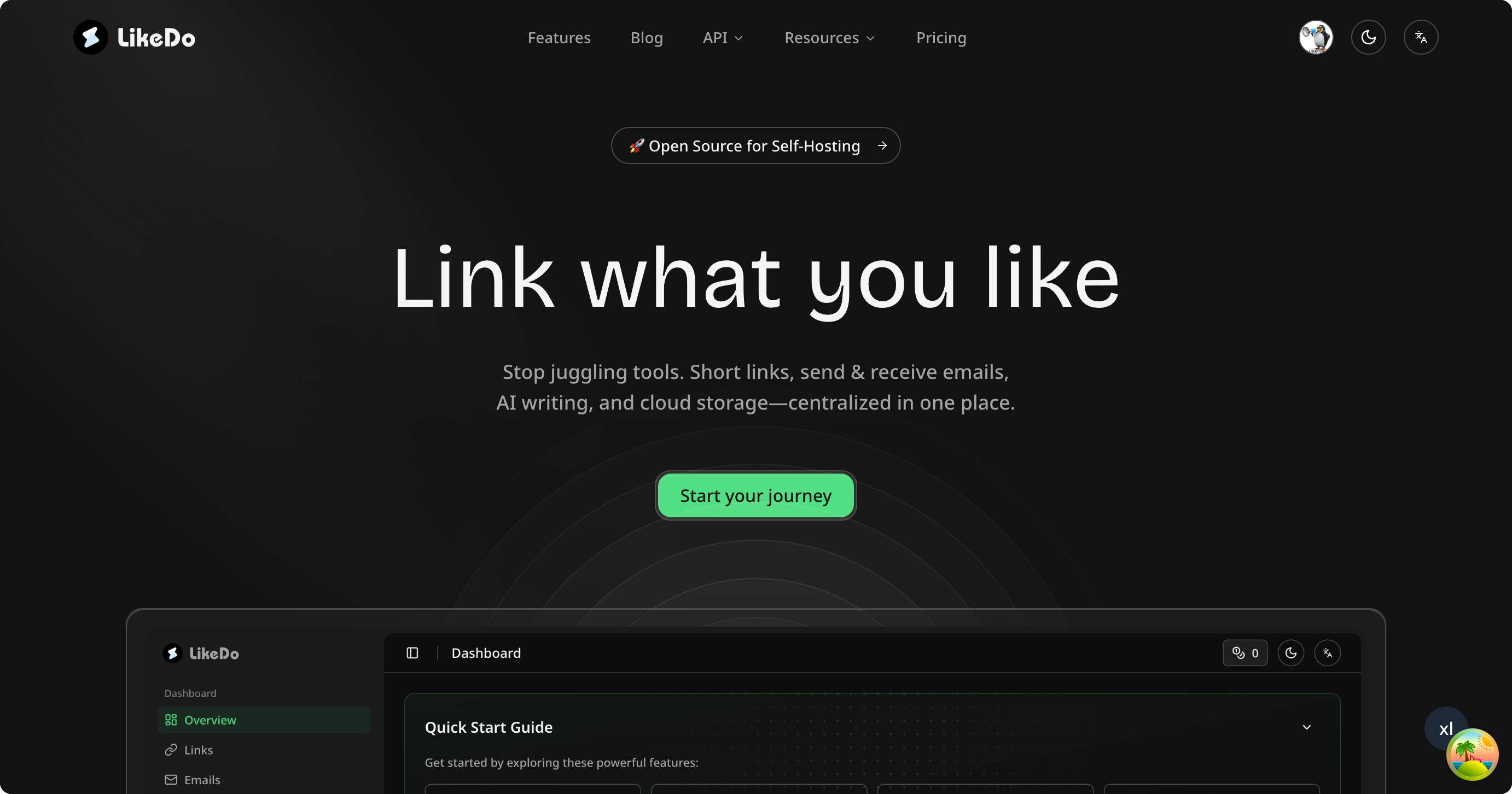
LikeDo is an all-in-one productivity platform designed to consolidate essential tools into a single, user-friendly interface. Whether you're an individual looking to streamline workflows or a professional managing multiple projects, LikeDo offers a centralized solution for short links, domain-based emails, AI-assisted content creation, and secure file storage. - AI Agent & Automation: Build and manage custom AI agents to automate daily tasks with multi-model support, conversation history, and knowledge base management. - Short Links: Generate flexible short links with real-time tracking, custom suffixes, private subdomains, password protection, and UTM tracking. - Email Service: Create domain-based email addresses with custom prefixes, unlimited receiving, AI-assisted email generation, forwarding, and push notifications. - Post Management: Rich text editor with AI-powered writing assistance, folder organization, advanced share links, and bidirectional post links. - File Storage & API: Secure file storage with flexible API access, custom subdomains, and detailed analytics. - Open Source & Self-Hostable: Deploy the open-source version for full data control and customization. LikeDo is open-source and supports self-hosting, allowing users to deploy the platform on their own infrastructure. The self-hosted version provides full control over data, configuration, and security settings, making it ideal for privacy-conscious users and organizations. The platform is built with modern web technologies and offers flexible deployment options to suit various technical environments.

Open-source developer content platform
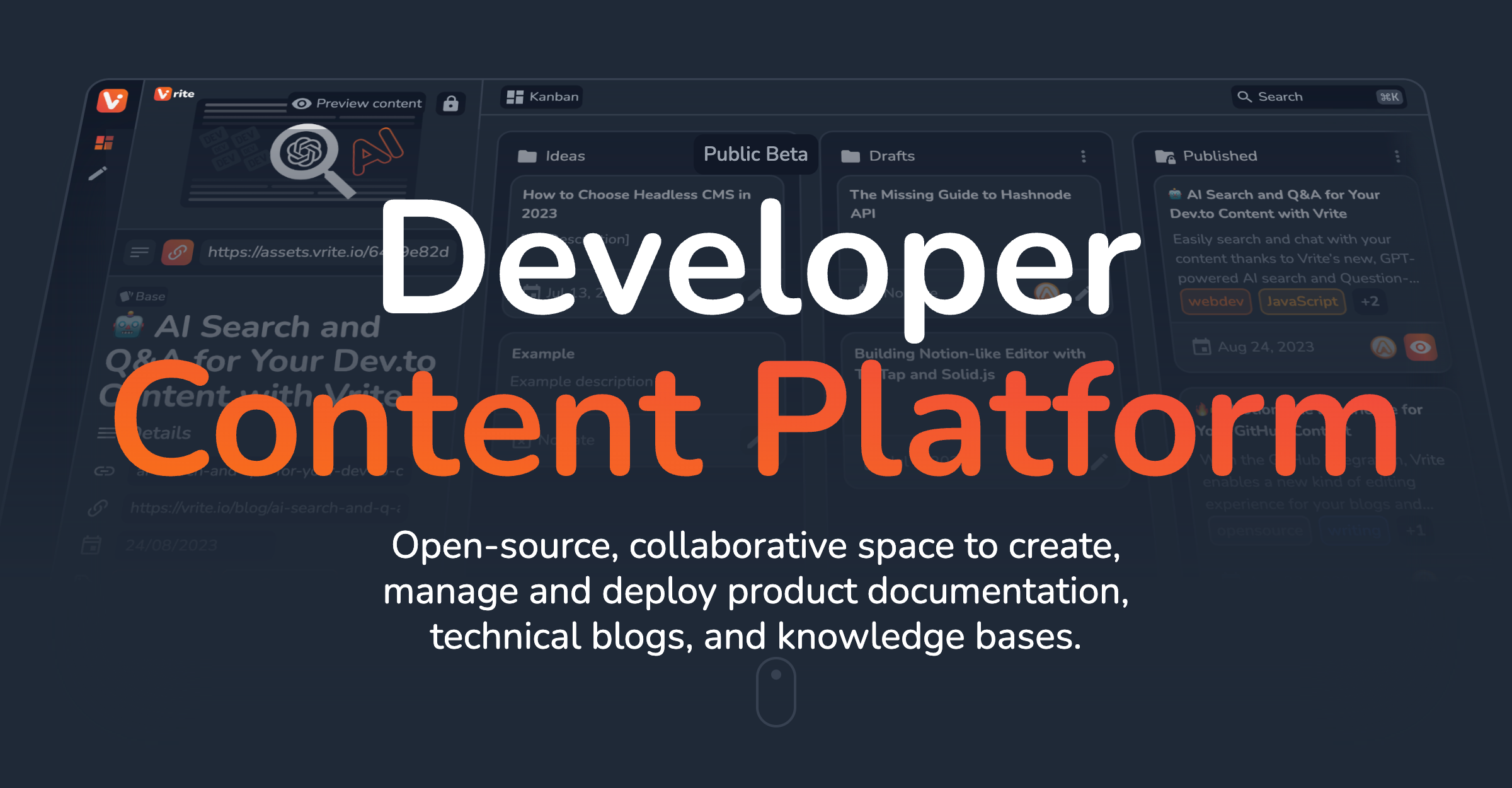
Vrite is an open-source, collaborative developer content platform designed for creating, managing, and deploying product documentation, technical blogs, and knowledge bases. - Modern WYSIWYG Editor: Write and format content with ease using Markdown, keyboard shortcuts, and IDE-level syntax highlighting. - Headless & Open-Source: Self-host or use the cloud without vendor lock-in. Integrate with any front-end via API. - Content Variants: Manage localization, A/B testing, and more with built-in support for content variants. - Metadata & Git Sync: Store custom metadata and sync content bi-directionally with Git for a docs-as-code approach. - JavaScript SDK: Easily integrate with popular frameworks and extend functionality. - AI-Powered Search: Built-in semantic search and Q&A powered by LLMs to find answers in your content. - Extensions & Customization: Customize content, automate workflows, and integrate with favorite tools via an extension system. - Role-Based Access Control: Collaborate with your team while maintaining full control over permissions. - Flexible Views & Panels: Organize content in kanban, table, or explorer views to suit your workflow. Vrite is fully open-source and can be self-hosted or used via the cloud. It supports bi-directional Git sync, making it ideal for teams adopting a docs-as-code approach. The platform is built with modern web technologies and offers a JavaScript SDK for seamless integration with existing workflows.

Local-first meeting memory app with AI recall
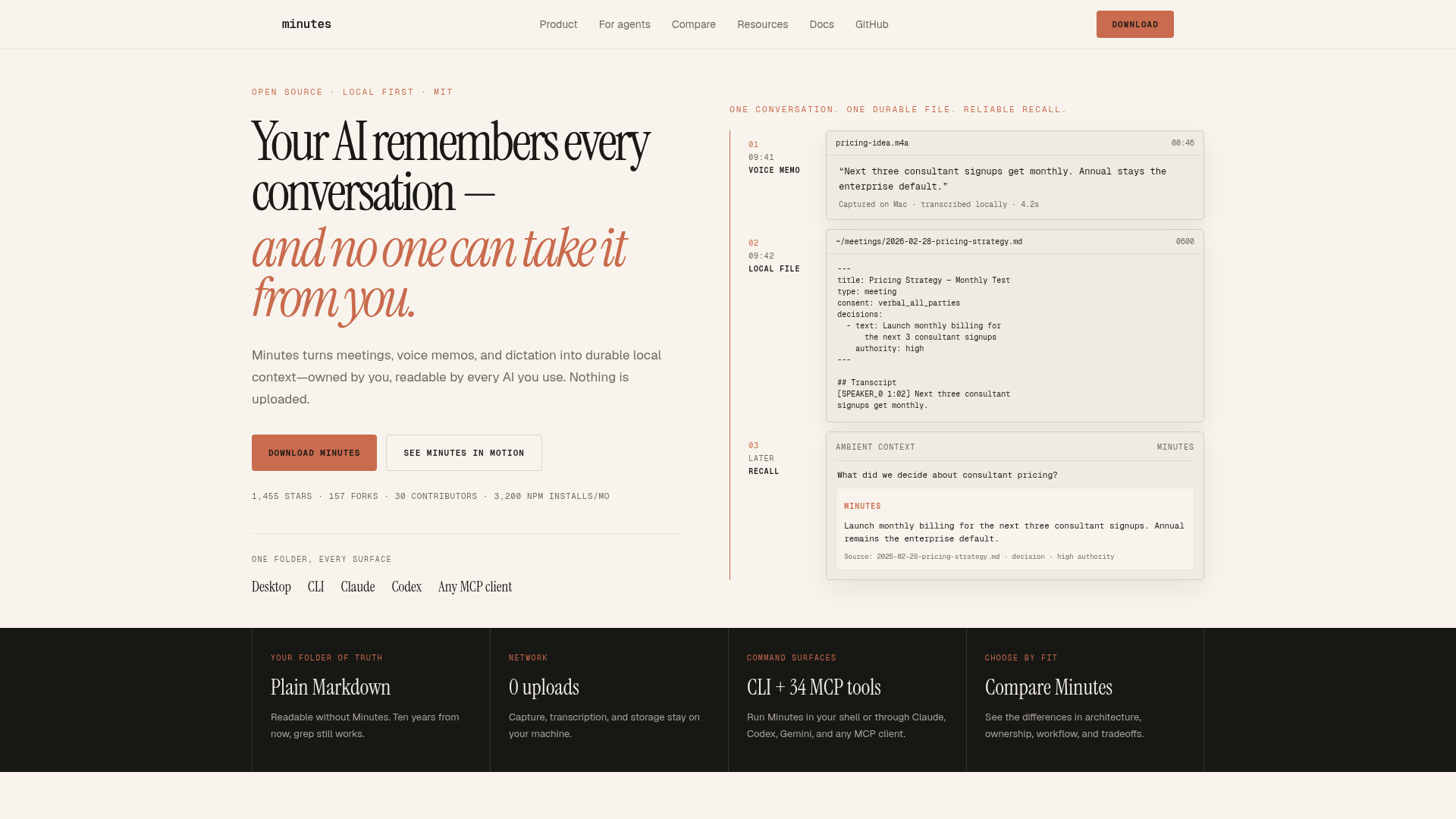
Minutes is a local-first conversation memory app that turns meetings, calls, voice memos, and dictation into durable Markdown files on your machine. Nothing is uploaded to the cloud—transcription and storage happen entirely on your device. - Local Transcription: Capture and transcribe audio entirely on your device with no cloud uploads - Plain Markdown Output: Generates readable Markdown files that work without Minutes (grep-friendly) - AI Integration: Works with any MCP client (Claude, Codex, Gemini) for AI-powered recall - Voice Dictation: Hotkey-based dictation that appends to your daily notes - Cross-Platform: Available as desktop app (Mac/Windows) and CLI tool - No Account Required: Zero setup—just download and start recording - Fast Search: Instant recall of decisions and action items from your conversation history - Open Source: MIT-licensed with community contributions Minutes runs entirely on your local machine with optional MCP server integration. The desktop app includes a built-in speech model for transcription. Installation options include: - Homebrew (Mac): brew install --cask silverstein/tap/minutes - Homebrew CLI: brew install minutes - MCP Server: npx minutes-mcp - Windows installer available via GitHub releases The app requires no external services or API keys, making it fully self-contained and privacy-preserving.

A second brain for the AI era
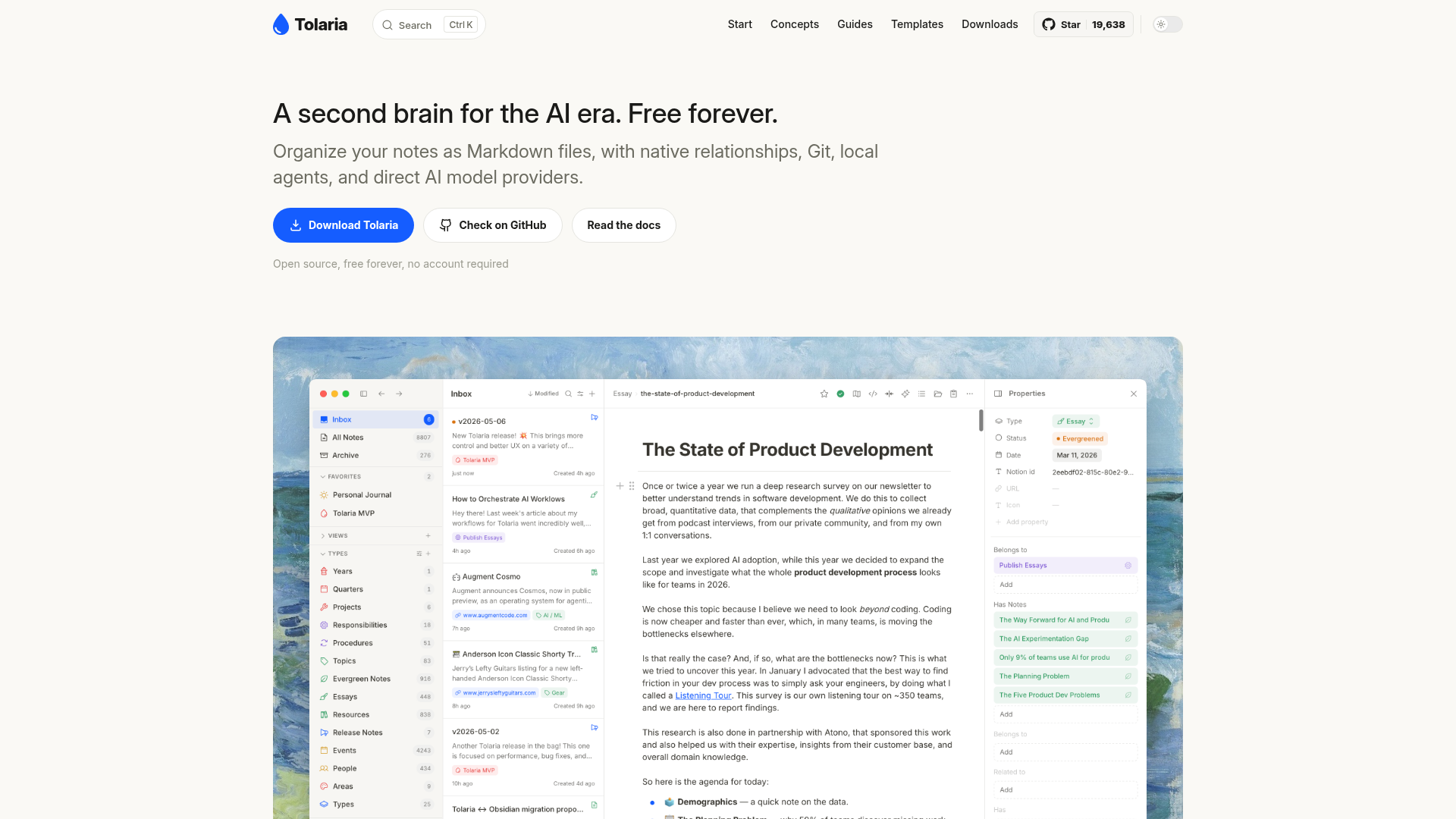
Tolaria is a knowledge management tool designed for the AI era, offering a second brain experience for organizing and interacting with your notes. - Markdown-based notes: Store notes as plain Markdown files with YAML frontmatter for structure and portability. - Native relationships: Wikilinks and rich relationships between notes for intuitive knowledge navigation. - Built-in Git client: Full Git integration for version control, commit history, and cross-device sync. - Block-based editor: Notion-like editing experience with slash commands, media previews, and table navigation. - Direct AI integration: Use local agents (Claude Code, Codex, etc.) or API model providers for chat over note context. - Self-hosted & open source: Runs locally with no proprietary formats or databases, ensuring full data ownership. - No account required: Free forever with no mandatory sign-up. Tolaria is a self-hosted desktop application built with Electron. It stores all data as plain Markdown files on disk, making it compatible with any editor or version control system. The app includes a built-in Git client for seamless synchronization across devices. No cloud dependency or proprietary formats are used, ensuring complete data portability and privacy.

AI-powered spreadsheet for custom business apps
Teable is an AI-powered spreadsheet platform that transforms traditional spreadsheets into dynamic business applications. It enables teams to build custom workflows, automate processes, and extract insights from their data—all within a single, intuitive interface. - AI Workflow Automation: Generate custom workflows from natural language prompts to organize data, extract key information, and automate repetitive tasks. - Custom App Builder: Create business-fit applications tailored to your specific needs without requiring extensive coding knowledge. - Data Integration: Connect and migrate data from various sources into a centralized platform for seamless management and analysis. - Collaborative Environment: Work together with your team in real-time, ensuring everyone stays aligned and productive. - Advanced Data Processing: Extract structured data from unstructured files like receipts, contracts, and resumes using AI-powered tools. - Template Library: Access a variety of pre-built templates for common business use cases to get started quickly. - Self-Hosting Capabilities: Deploy Teable on your own infrastructure for enhanced control and data privacy. Teable is built with modern web technologies and supports self-hosting for organizations that require full data control. The platform is designed to be scalable, secure, and customizable, making it suitable for businesses of all sizes. For deployment instructions, visit the official documentation.

Open-source deep work task manager with time tracking
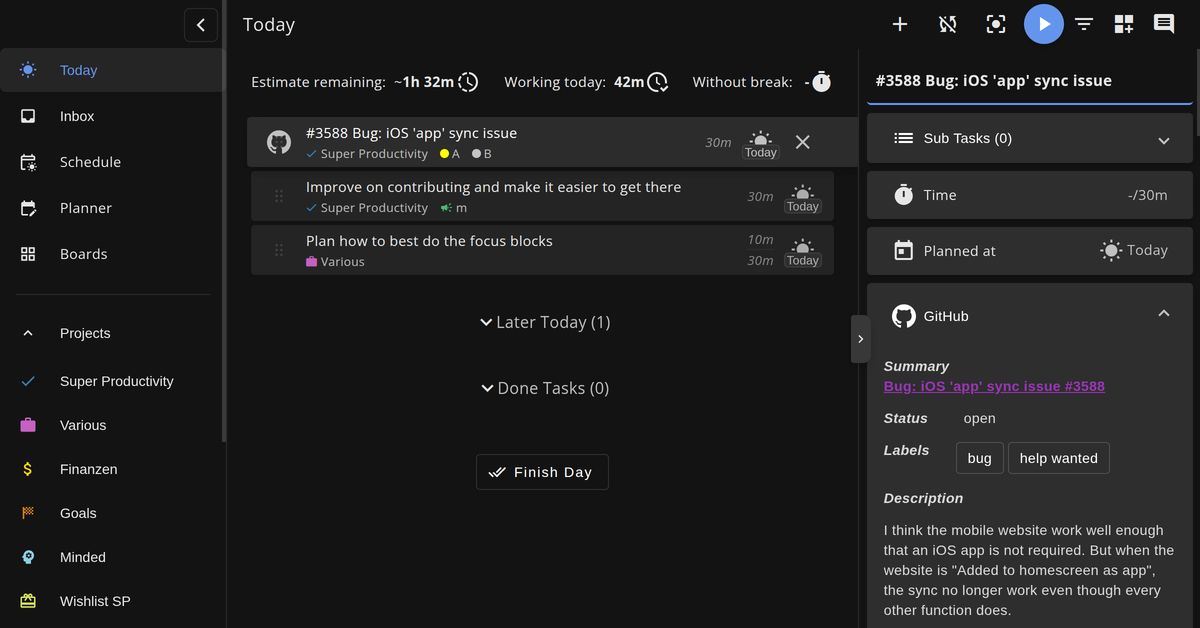
A free, open-source productivity app designed for deep work and focus. Super Productivity combines task management, time tracking, and focus tools in one offline-capable application that prioritizes privacy and customization. - Task Management: Capture ideas instantly with quick add, subtasks, notes, and due dates to keep your list organized. - Time Tracking: One-click time tracking with keyboard shortcuts and automatic breaks to maintain flow. - Focus Tools: Distraction-free focus mode with Pomodoro timer and timeboxing techniques. - Customizable Boards: Switch between Kanban, Eisenhower, compact lists, or custom layouts without losing progress. - Calendar Integration: Sync tasks from your calendars for a complete daily overview. - GitHub & Jira Integration: Import issues and sync work across GitHub, GitLab, and Jira automatically. - Privacy-First: Your data never leaves your device with zero tracking and no account required. - Cross-Platform Sync: WebDAV and Dropbox sync for seamless use across desktop, web, and mobile. - Advanced Work Logging: Generate timesheets and work reports instantly for freelancers and consultants. - Plugin System: Extend functionality with custom plugins to build your perfect workflow. - Procrastination Helper: Built-in CBT techniques to overcome procrastination and improve focus. - Keyboard-First Design: Comprehensive shortcuts for power users who prefer keyboard navigation. - No Vendor Lock-in: Export data anytime in JSON or CSV format. Super Productivity is a self-hostable web application available as a desktop app (Electron-based) and web app. The project is open source under the MIT license and can be deployed on any server or run locally. The application supports WebDAV and Dropbox for cross-platform synchronization and offers plugins for extended functionality. Self-hosting options: - Official Docker image available - Can be deployed on any cloud provider or personal server - Local-first architecture ensures data privacy and offline functionality - GitHub repository provides detailed installation and configuration guides
End-to-end encrypted notes app with unmatched privacy
Standard Notes is a free, secure note-taking application designed to protect your personal and sensitive information with industry-leading end-to-end encryption. Unlike mainstream note-taking services, Standard Notes ensures your data remains private and inaccessible to third parties, including employers and governments. - End-to-end encryption: Audited, zero-knowledge encryption protects all notes and files - Cross-platform sync: Access your data seamlessly across unlimited devices - Advanced privacy controls: Prevents unauthorized access from employers, governments, and hackers - Offline access: Always have an offline copy of your data for uninterrupted access - Secure file storage: Store sensitive documents, passwords, financial records, and more - Rich text and Markdown support: Flexible formatting options for all note types - Automated backups: Secure cloud sync ensures data safety even if devices are lost - Open-source applications: Transparent, audited codebase for maximum trust - Multi-purpose notes: Supports tasks, code snippets, journaling, and more Standard Notes offers a fully self-hostable solution through its open-source applications. The platform is built with privacy-first principles, ensuring compliance with GDPR and other data protection regulations. No AI models are used in the core functionality, making it a reliable choice for users seeking AI-free software. The application is available as a web app, desktop client, and mobile app, with all versions maintaining the same high standards of encryption and security.

Local AI agent memory for your computer
screenpipe is a local-first tool that continuously captures your screen, audio, and app activity to create a searchable history for AI agents. It runs entirely on your device, keeping all data private while exposing a local API and MCP server for seamless integration with tools like Claude, Codex, and other agents. - Local Capture: Records screen frames, audio transcripts, and app activity directly on your device - Privacy-First: All data stays on your machine with optional redaction of sensitive content - Cross-Platform: Works on macOS, Windows, and Linux - Agent Integration: Exposes history via local API and MCP server for any approved AI agent - Searchable History: Find anything you've seen or heard with natural language queries - Automated Workflows: Generate meeting notes, CRM updates, and follow-ups automatically - Portable Data: Access your history through SQLite database, REST API, or inspectable source - Enterprise Control: Manage devices, policies, and audit trails from a central workspace - Open Source: Full source code available on GitHub - Local-First Architecture: No cloud uploads by default (optional enterprise cloud sync) - Performance Optimized: Minimal CPU, battery, and storage impact - Extensible: Connect to existing tools via integrations (Notion, Slack, Linear, GitHub, etc.) - Self-Hostable: Can be deployed across company devices with centralized management

Open-source AI note-taker with local transcription
Prismical is a free, open-source AI note-taking companion designed for meetings, lectures, and voice notes. It transcribes audio in real-time, identifies speakers, and generates structured summaries with action items and key decisions—all without requiring bots to join your meetings. - Real-Time Transcription: Live speech-to-text with speaker identification powered by local models (Whisper) or cloud providers (OpenAI, Deepgram). - AI Summaries & Action Items: Automatically generates structured meeting notes with key decisions, action items, and follow-ups. - Voice Notes & Brain Dump: Capture thoughts by speaking or typing; AI organizes and formats notes for you. - Works Everywhere: Captures system audio from any app that plays sound (Zoom, Meet, Teams, Slack, etc.) without plugins or integrations. - Floating Window: Always-on-top window for live transcripts and action items without switching apps. - AI Integrations: Connect with ChatGPT, Claude, Gemini, and more via MCP for seamless note-taking and retrieval. - Cross-Platform Support: Available on Mac, Windows, with iOS and Android coming soon. Prismical is open-source and can be self-hosted. The project is built with modern web technologies and supports local AI models for privacy-conscious users. Documentation and setup guides are available on the official docs.

AI-native project management for teams and agents

Plane is an AI-native project management platform that unifies projects, documentation, and AI-powered workflows into a single workspace. Designed for both human teams and AI agents, Plane enables seamless planning, execution, and alignment across all levels of your organization. - Projects (Work): Flexible project management with initiatives, epics, cycles, and progress tracking to match any team's workflow. - Wiki: Built-in documentation system that ties company knowledge directly to the work that created it, ensuring it stays current and accessible. - Plane AI: AI agents that understand your work context, enabling tasks like progress summarization, triage, drafting, and automated actions across projects. - Desk (Coming Soon): Customer support integration that turns requests into trackable work items, routing them to the right teams automatically. - Multi-Deployment Options: Available as cloud-hosted, self-hosted, or air-gapped solutions to meet security and compliance requirements. - Enterprise-Grade Security: Designed for organizations with strict data control needs, including SOC 2 Type II compliance. Plane is built with a modern tech stack including React, TypeScript, and PostgreSQL. The self-hosted version is containerized using Docker and Kubernetes, making deployment straightforward for most environments. Air-gapped deployments are fully supported for maximum security. Documentation and community support are available for all deployment options.

Open source OKR and project management software
Operately is an open-source company operating system that connects goals to projects with built-in check-ins and progress tracking. Whether you self-host or use the cloud, it provides structure to keep teams aligned without micromanagement. - Goal Tracking with Measurable Targets: Set clear goals with measurable outcomes and connect them directly to projects. - Automatic Progress Updates: See real-time progress as work advances, eliminating manual status updates. - Built-in Check-ins: Regular async progress updates keep everyone informed without status meetings. - Clear Project Ownership: Every project has a designated owner, milestones, and scheduled check-ins. - Flat Pricing Model: No per-seat fees—add team members freely. - Self-Hostable: Deploy on your infrastructure in minutes with full control. - Open Source: Apache 2.0 licensed with full transparency and community contributions. - Team Alignment: Combines goals, projects, and check-ins into a single system for better collaboration. Operately is built with modern web technologies and can be self-hosted in under 5 minutes. The project is open-source under the Apache 2.0 license, making it suitable for compliance-sensitive environments. The cloud version is also available for teams that prefer a managed solution. For self-hosting, follow the quickstart guide to deploy on your infrastructure. The system is designed to scale from small teams to larger organizations while maintaining simplicity and performance.
Privacy-first AI-powered note-taking platform
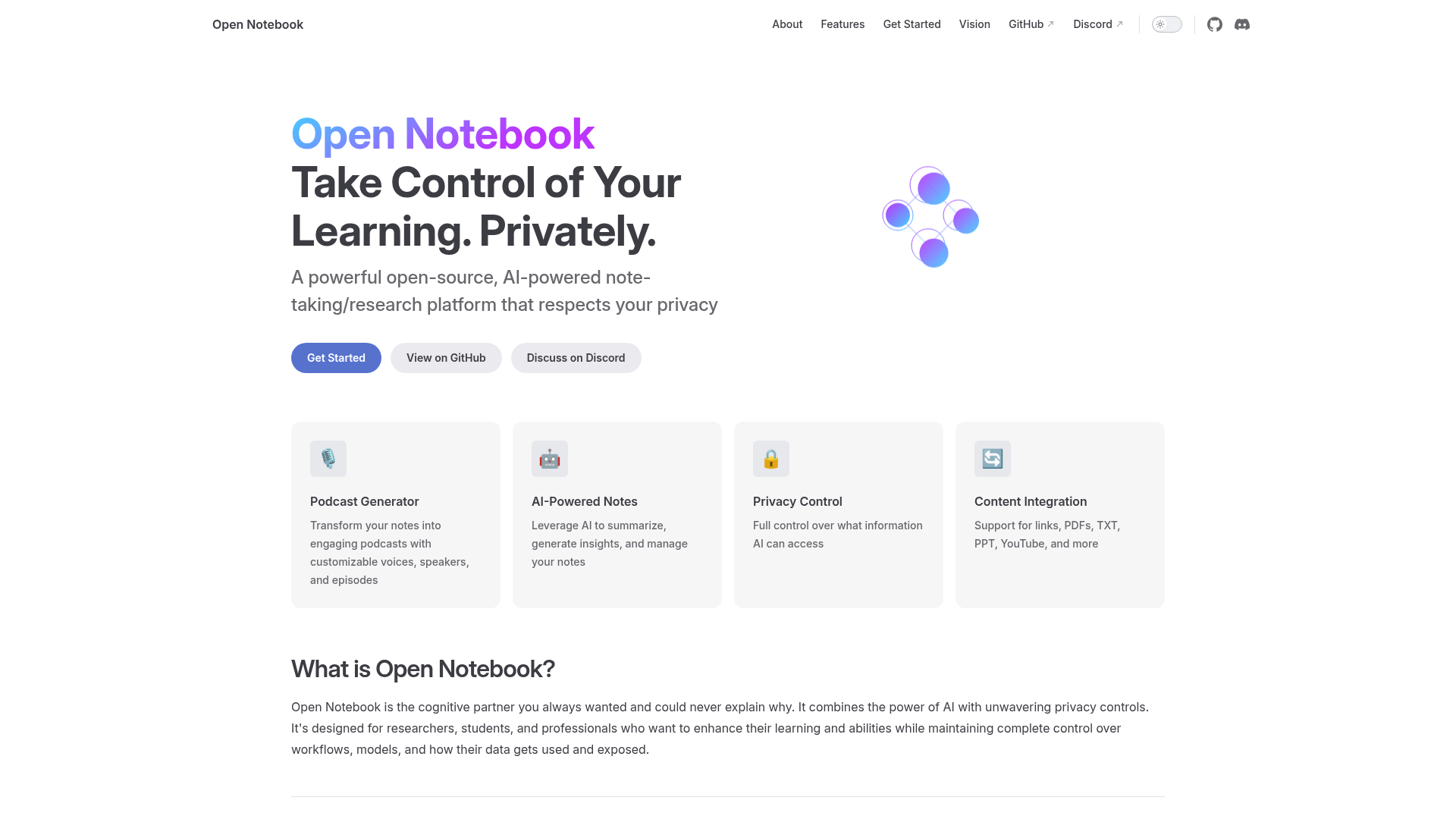
Open Notebook is an open-source, AI-powered research and note-taking platform designed for privacy-conscious learners, researchers, and professionals. It combines the power of AI with robust privacy controls, allowing users to manage their learning workflows, summarize content, and generate insights without compromising data ownership. - AI-Powered Notes: Automatically summarize articles, generate insights, and manage research notes with customizable AI models - Privacy Control: Full control over what information AI can access and how your data is used - Content Integration: Support for links, PDFs, TXT, PPT, YouTube, and more - Podcast Generator: Transform notes into engaging podcasts with customizable voices and speakers - Customizable Workflows: Tailor AI interactions to your specific learning and research needs - Open Source: MIT-licensed project with community-driven development Open Notebook is fully open-source (MIT License) and can be self-hosted for complete data control. The project is built with modern web technologies and supports local deployment options. Community contributions are welcome via the GitHub repository. For privacy-conscious users who want to maintain full control over their research data while leveraging AI capabilities, Open Notebook provides a unique solution that balances functionality with data sovereignty.

Open-source enterprise search & AI assistant
Onyx is an open-source AI enterprise search platform that transforms how teams access and interact with company knowledge. By connecting to all your apps, documents, and people, Onyx delivers accurate, context-aware answers grounded in your team's data. - Deep Research & AI Chat: Advanced research capabilities with MCP, code interpreter, web search, and contextual retrieval for precise answers. - Real-Time Syncs: Plug-and-play connectors that sync updates across all your apps while respecting fine-grained access controls. - Hybrid Search & RAG: Combines hybrid search, advanced RAG, and LLM-based knowledge graphs for reliable, trustworthy responses. - Customizable & Transparent: Flexible configuration for LLM providers, search settings, and developer tools with full code transparency. - Enterprise Security: Built with SOC 2 Type II compliance, GDPR adherence, and granular permissions for secure deployments. - Developer-Friendly: Modular architecture with clean interfaces, built-in agent framework, and extensive documentation. - Benchmarked Performance: Tested on 99 real workplace questions across 220K documents, outperforming major AI assistants in blind evaluations. - Use Case Coverage: Improves productivity across engineering, sales, support, and company-wide teams with tailored AI solutions. Onyx is fully open-source and can be self-hosted on any infrastructure. The platform supports flexible deployment options, including cloud and on-premises, with transparent usage tracking and customizable configurations. Comprehensive self-hosting guides and developer documentation are available to ensure smooth deployment and integration.

Open-source project management with simplicity
Manage is a modern, open-source project management tool built for teams that value simplicity and efficiency. Designed to replace bloated alternatives, it offers essential features like task management, calendar integration, smart search, and real-time collaboration—all in a clean, intuitive interface. - Task Management: Create and organize tasks with priorities, assignments, and progress tracking - Calendar Integration: Schedule meetings, track milestones, and synchronize team schedules - Smart Search: Instant full-text search across projects, tasks, and documents with powerful filtering - Team Collaboration: Real-time activity feeds and instant notifications for seamless communication - Organization & Users: Manage teams, invite members, assign roles, and organize workspaces - Permissions & Security: Fine-grained access control with project permissions and user role management - Project Overview: Intuitive dashboards for monitoring progress and resource allocation - Self-Hosting: Deploy on your own infrastructure with Docker support and AGPL-3.0 licensing Built with TypeScript and Next.js, Manage is designed for developers by developers. The application is self-hostable via Docker and can be deployed on platforms like Railway. The open-source nature allows for customization and community contributions. Quick setup includes cloning the repository and running with Bun for local development. Deploy on Railway | GitHub Repository

Team chat with AI agents and unified workspace
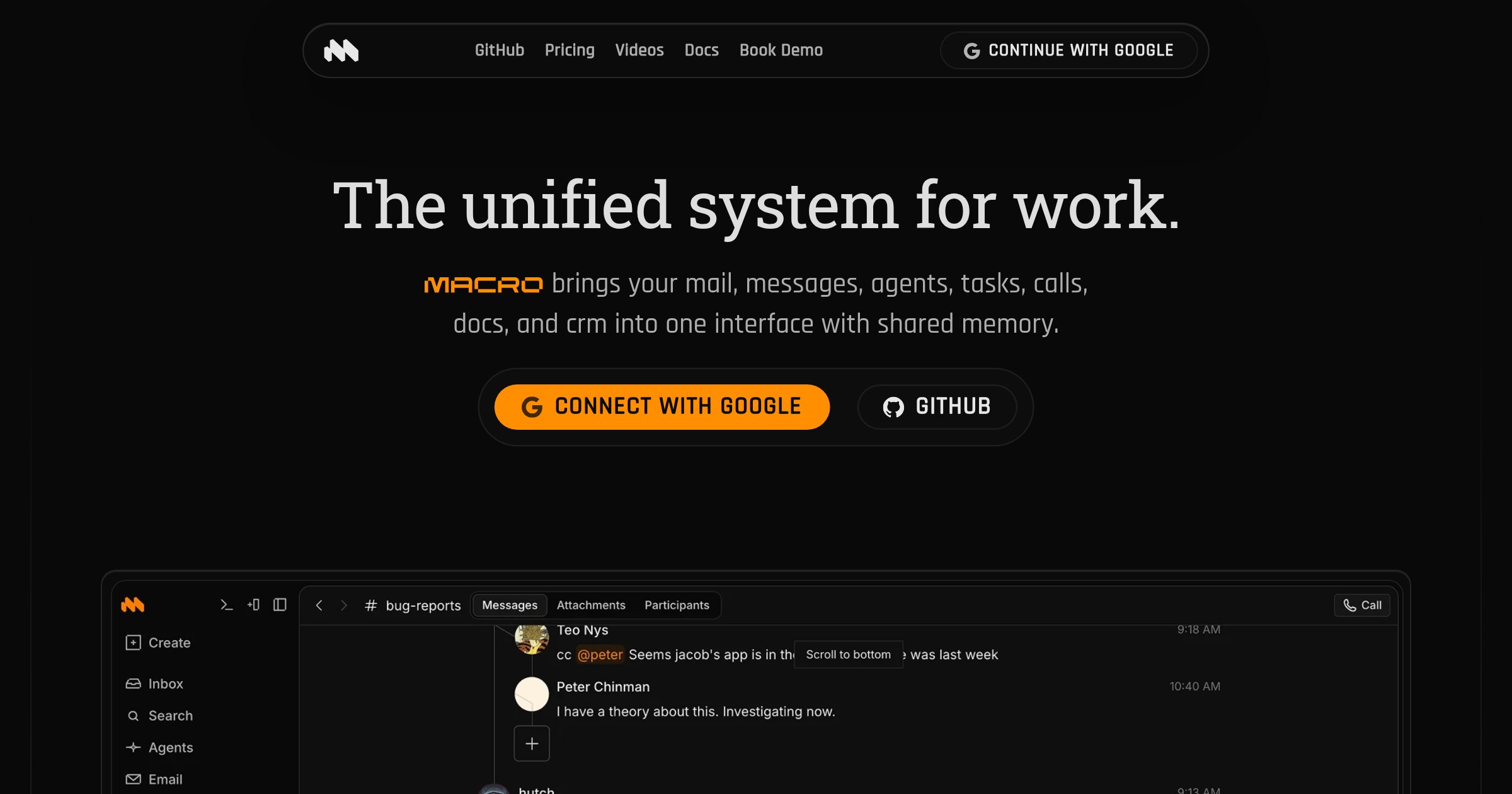
Macro is a modern team collaboration platform that unifies chat, email, tasks, and AI agents into a single workspace. Designed for teams that want to reduce context switching, Macro offers inline threads, instant @mention sharing, and AI-powered assistance with full workspace context. - Inline threads & forum discussions: Keep conversations organized with threaded replies directly below messages. - @mention sharing: Instantly share docs, tasks, or email threads with channel members without permission dialogs. - Unified inbox: Combine email, chat, and tasks in one place for streamlined workflows. - AI agents with context: Type @Macro to summon an agent that summarizes missed conversations, drafts replies, or answers questions using your workspace data. - Built-in tasks & docs: Create and manage tasks and documents natively within the chat interface. - Unified search: Search across channels, email, docs, and tasks with a single query. - Open source (AGPLv3): Self-hostable and auditable, ensuring full control over your data. - Enterprise-ready: Includes CRM, calls, and advanced collaboration tools in a single seat. Macro is open source under the AGPLv3 license and can be self-hosted for complete data control. The platform prioritizes security with private, encrypted workspace data and offers flexible deployment options. For teams preferring a managed solution, Macro provides a hosted version with all features included.

Open-source project management for ADHD brains
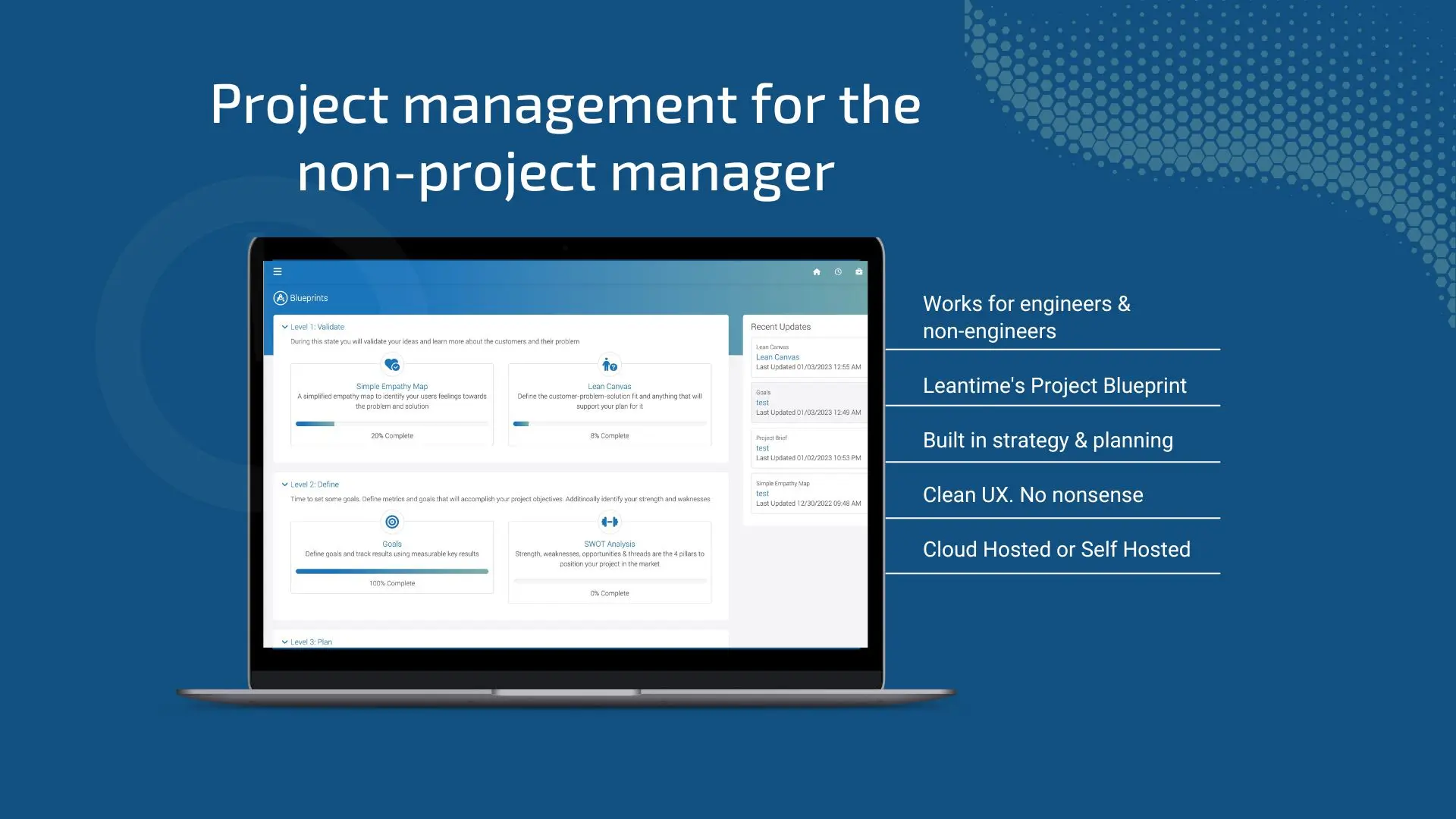
Leantime is a free, open-source project management tool designed to support neurodiverse teams, particularly those with ADHD or ADD. Built with simplicity and accessibility in mind, it helps streamline tasks, improve focus, and enhance collaboration without overwhelming users. - Neurodiversity-Friendly Design: Tailored for ADHD and ADD brains with intuitive workflows and minimal distractions. - Task Management: Simplified task tracking with Kanban boards, timelines, and progress tracking. - Goal Setting & OKRs: Built-in tools for setting and tracking objectives and key results. - Time Tracking: Integrated time tracking to monitor productivity and project progress. - Collaboration Tools: Team collaboration features including comments, file sharing, and real-time updates. - Customizable Dashboards: Personalize your workspace with drag-and-drop widgets and layouts. - Self-Hosting: Full control over your data with self-hosting capabilities. - Open Source: Free to use, modify, and distribute under the AGPL-3.0 license. Leantime is built with PHP and MySQL, making it easy to deploy on most web servers. It supports Docker for simplified self-hosting and can be installed on shared hosting, VPS, or cloud platforms. The project provides comprehensive documentation for setup and customization, ensuring a smooth deployment experience.

Open source Trello alternative
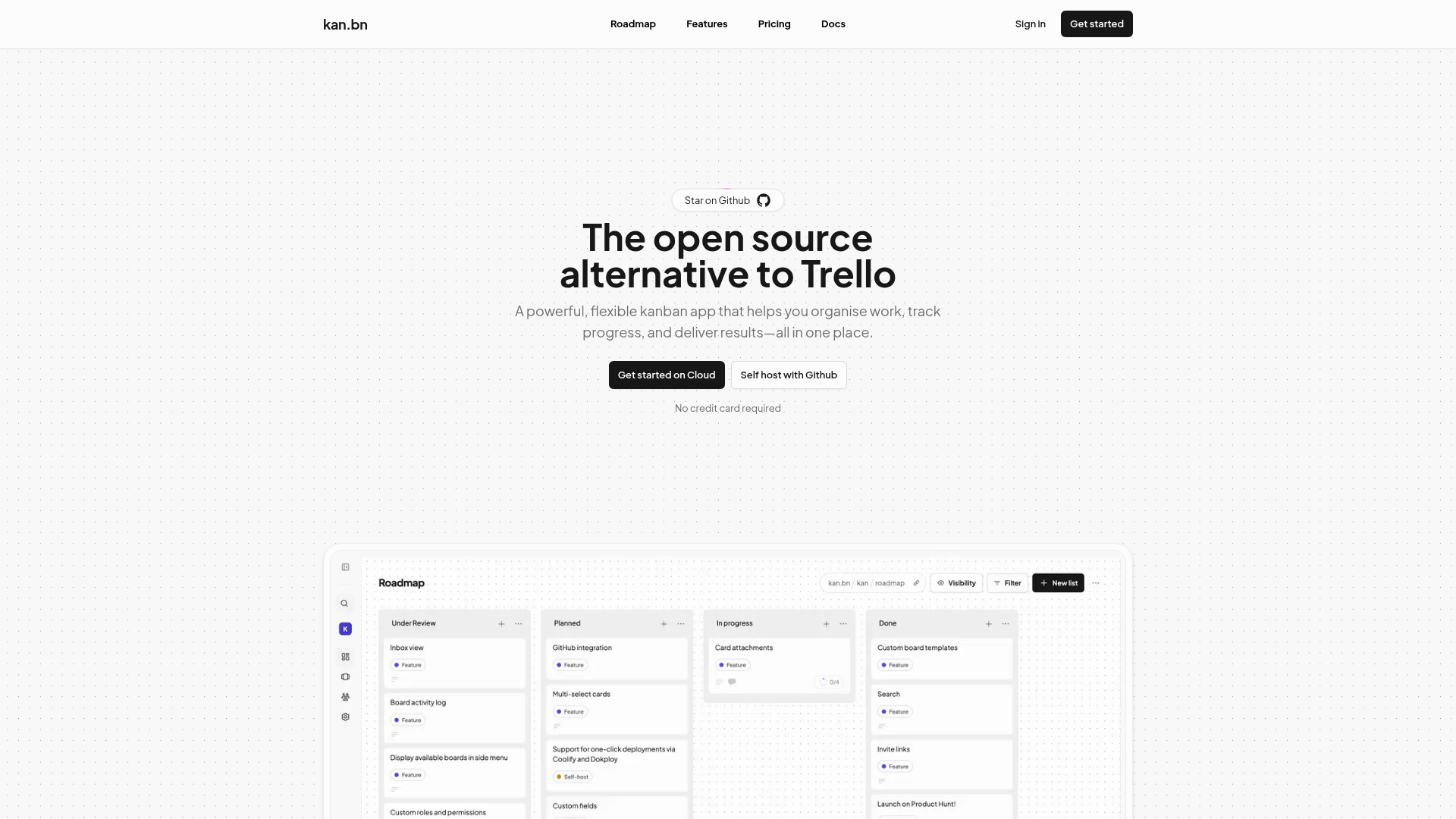
Kan.bn is a lightweight, open-source kanban board designed to simplify task management. Built as a modern alternative to Trello, it offers a clean interface with drag-and-drop functionality, real-time collaboration, and powerful filtering tools. - Simple Kanban Boards: Intuitive drag-and-drop interface for task management - Team Collaboration: Share boards with workspace members and control access permissions - Trello Import: Seamlessly migrate existing Trello boards to Kan.bn - Labels & Filters: Organize and find cards quickly with advanced filtering - Comments & Activity Logs: Discuss tasks and track all changes with detailed history - Reusable Templates: Save time with pre-built board templates - Integrations: Connect with favorite tools to streamline workflows - Multi-language Support: Available in English, French, German, Spanish, Italian, Dutch, Russian, Polish, and Portuguese Kan.bn is open-source and can be self-hosted using the GitHub repository. The project provides comprehensive documentation for setup, including Trello import instructions and API references. The cloud version offers a free tier with unlimited boards, lists, and cards.

Minimal Markdown note-taking app with local storage
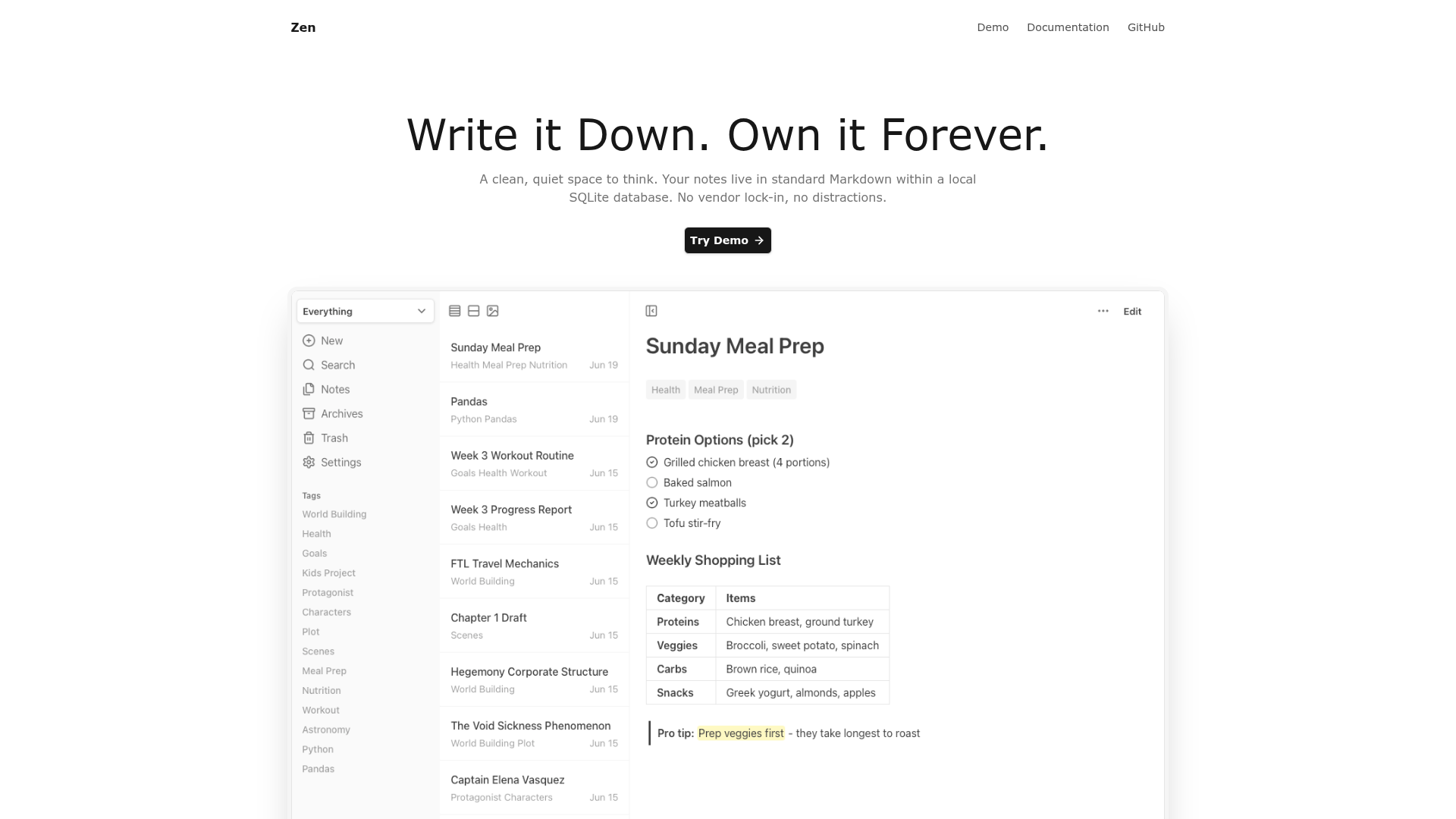
Zen is a minimalist note-taking application designed for clarity and ownership. Your notes are stored as standard Markdown files in a local SQLite database, ensuring no vendor lock-in and complete control over your data. - Local-First Storage: Notes stored as Markdown files in a local SQLite database with no cloud dependency - Instant Search: Full-text search with BM25 ranking across all notes, including archived content - Flexible Organization: Tag-based system with custom "Focus Modes" for dynamic organization - Rich Markdown Support: Complete Markdown formatting including tables, code blocks, task lists, and highlights - Multiple Views: List, card, and gallery layouts optimized for different content types - Offline Access: Full functionality without internet connection - Import/Export: Seamless migration via Markdown, JSON, and image exports - Keyboard Shortcuts: Efficient navigation and formatting without mouse dependency - Dark Mode: Comfortable reading in low-light environments - PWA Support: Installable on mobile devices for quick access - Templates: Reusable note templates with customizable placeholders - Canvas (Experimental): Spatial organization for visual thinkers - MCP Server (Experimental): Connect AI applications to interact with your notes Zen is available as a single Go binary or Docker Compose deployment. The application requires minimal resources (~20MB memory) and runs on any system with Go 1.20+ or Docker. All data remains local, making it ideal for privacy-conscious users who want complete control over their information.

Desktop organizer for workflows and projects
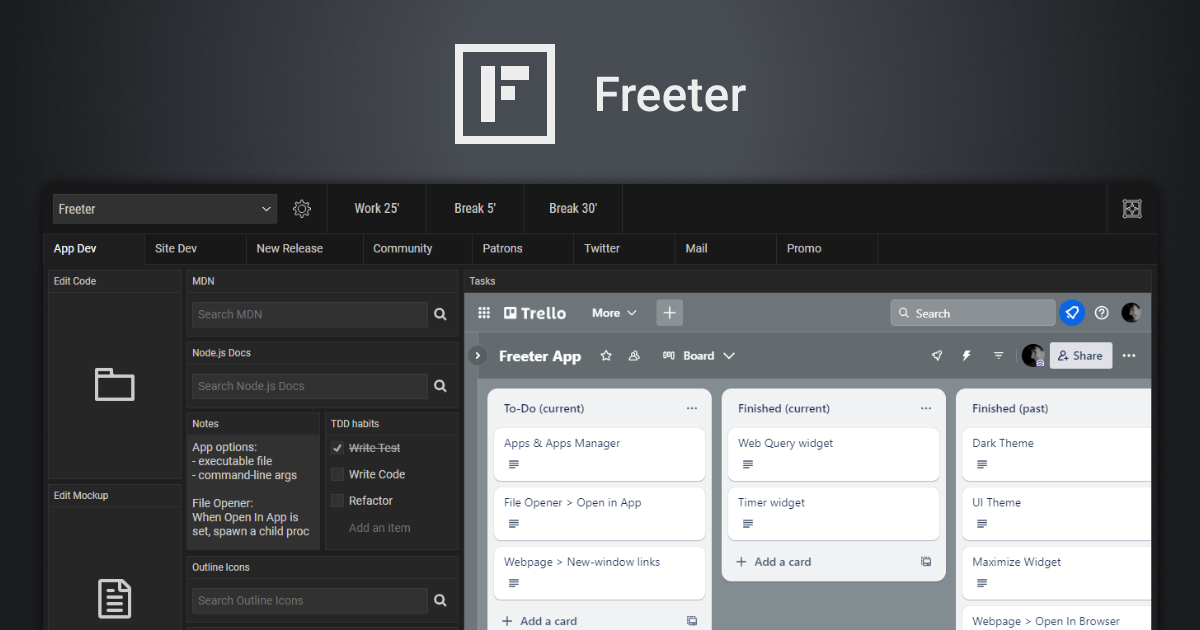
Freeter is a desktop productivity tool designed to help users organize their workflows, projects, and tasks in one place. By consolidating apps, files, and resources into customizable workflows, Freeter enables users to switch between projects effortlessly and stay focused on what matters. - Project & Workflow Organization: Group tasks, apps, and files by projects or workflows for better focus and productivity. - Widget System: Add widgets for quick access to web apps, file openers, to-do lists, timers, notes, and more. - Webpage Widget: Embed and manage web apps directly within Freeter, supporting multiple accounts per project. - File Opener Widget: Open project files in preferred editors with a single click. - Web Query Widget: Perform templated searches using search engines or other websites. - Commander Widget: Execute frequently used terminal commands with a click. - Timer Widget: Use Pomodoro-style timers to break work into focused intervals. - Workflow Tabs: Split complex projects into multiple workflows for better organization. - Shelf: Keep essential tools like timers accessible across all workflows. - Dark Theme: Switch between light and dark themes for a personalized experience. - Privacy-First: No telemetry, tracking, or data collection—fully open-source under GNU GPL. - Cross-Platform: Available for Linux, Windows, and macOS. - Hotkey Access: Quickly open Freeter using Ctrl or ⌘+Shift+F. Freeter is a self-hosted desktop application built with Electron and released under the GNU GPL license. It does not require a server or cloud backend, making it ideal for users who prioritize privacy and offline functionality. The app can be downloaded and installed directly on your system without any external dependencies. GitHub Repository: freeterapp/freeter System Requirements: - Linux, Windows, or macOS - Electron-compatible runtime Installation: - Download from freeter.io/download - Run the installer or portable executable for your OS.

Privacy-first alternative to Google Docs
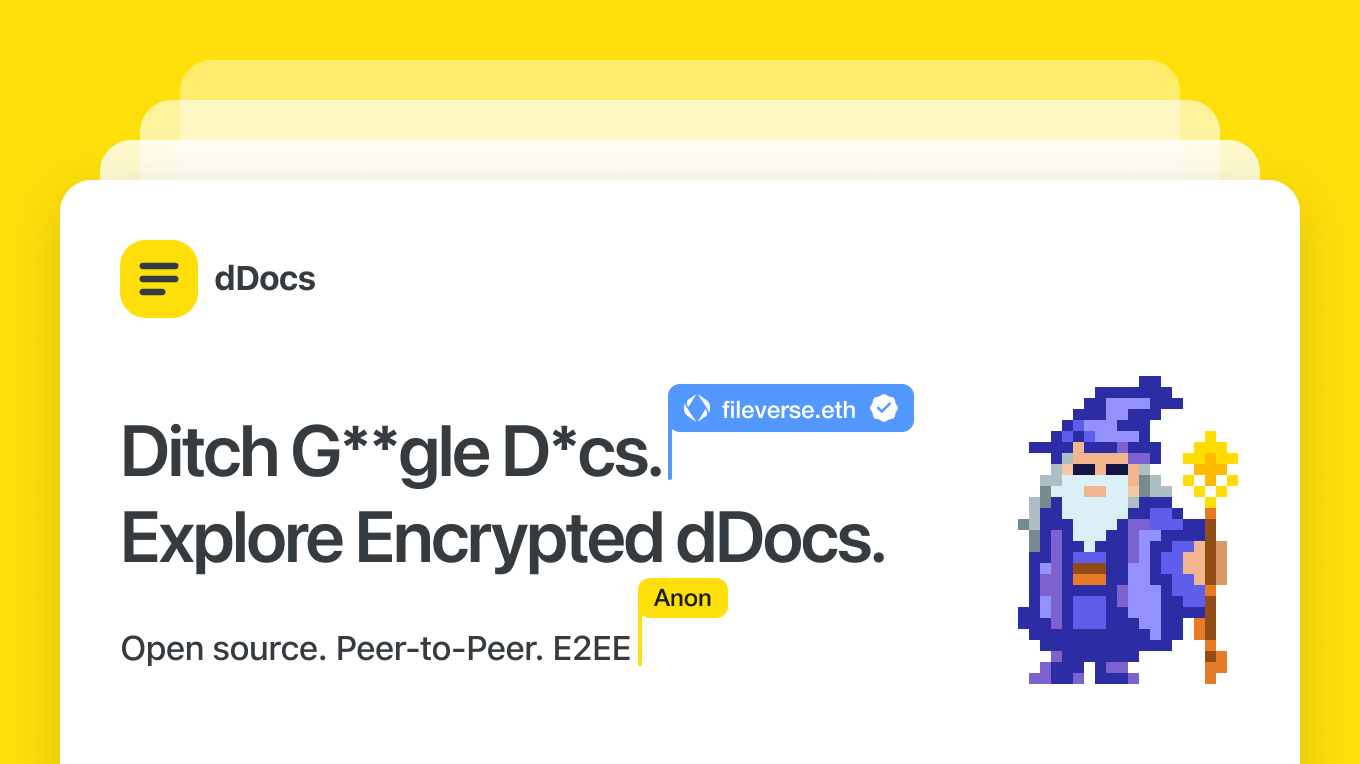
dDocs is a privacy-first, end-to-end encrypted document editor designed for real-time collaboration without surveillance or AI training. Built as a self-sovereign alternative to Google Docs, it ensures your work remains private, encrypted locally, and recoverable even if the service goes offline. - End-to-End Encryption: Post-quantum encryption for all documents, comments, and edits, ensuring no third party can access your content. - AI-Free Workflows: No AI training, scanning, or data harvesting—just pure, uncompromised writing. - Real-Time Collaboration: Multiplayer editing with encrypted sharing, comments, and suggestions. - Offline Mode & Cross-Device Sync: Draft and organize documents seamlessly across devices, with offline support. - Markdown, LaTeX, & Mermaid Support: Advanced formatting for technical and creative writing. - Self-Sovereign Recovery: Independent document recovery even if the service becomes unavailable. - Custom Themes & Organization: Tabs, folders, and themes to structure your writing efficiently. - Privacy by Default: No big tech tracking, no surveillance, and no AI-driven features. dDocs is open-source and can be self-hosted for full control over your data. The project is built with modern web technologies and supports decentralized identity solutions like ENS domains for authentication.

AI-powered notebook for organizing web and file research

Surf is a next-generation browser and notebook designed to transform how you organize and interact with digital content. Combining web search, file management, and AI-powered insights, Surf creates a seamless workspace for research, learning, and creative work. - Unified Research Workspace: Integrate web searches, PDFs, YouTube videos, and local files into a single notebook interface - AI-Powered Insights: Generate summaries, deep dives, and interactive visualizations from your collected content - Local Data Control: Store all your data locally with options to import/export and manage as you prefer - Customizable Notebooks: Personalize with sketches, themes (including dark mode), and organized vertical tabs - Surflets: Create interactive mini-apps that explain complex topics or visualize data - Citation Tracking: Automatic source citations linking directly to original content - Open Intelligence: Integrate with any LLM using your own API keys or run local models - Cross-Platform: Available for desktop with intuitive drag-and-drop file import Surf is open source (GitHub: https://github.com/deta/surf) with a focus on local-first architecture. While primarily a desktop application, its open data format allows for potential self-hosting scenarios. The project emphasizes privacy with all processing happening locally by default.
Changelog platform for humans and agents
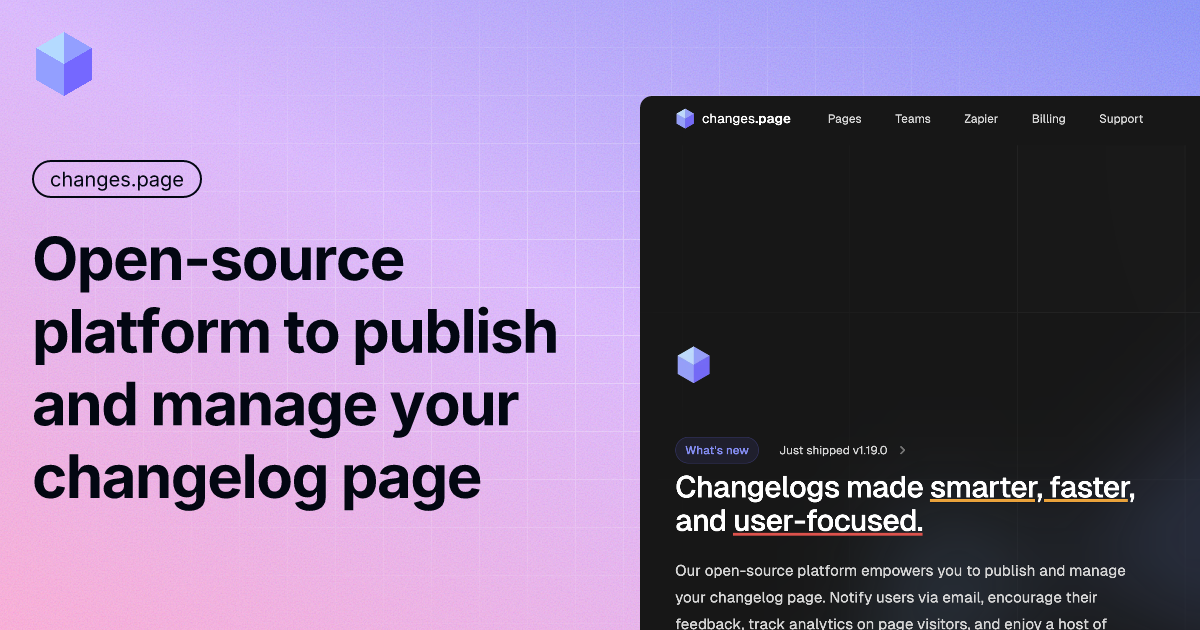
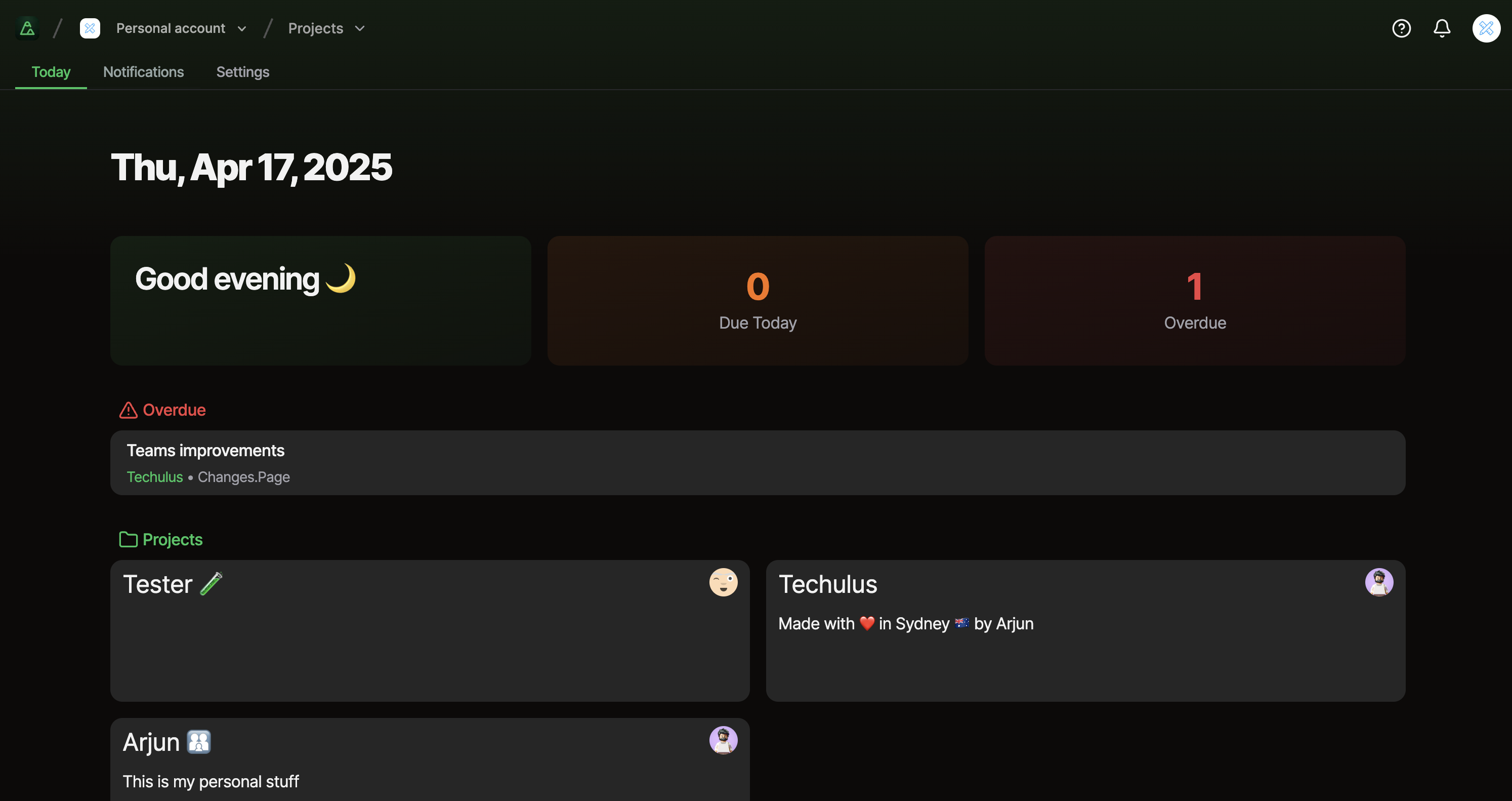
Craft changelogs in a beautiful editor or push them from your CI/CD pipeline. One platform, two interfaces—whether you prefer a visual web editor or automation via CLI/API. - Rich Markdown Editor: Full-featured editor with live preview and image uploads for crafting polished changelogs. - Interactive Roadmaps: Public roadmap boards with community voting to align teams and users. - Scheduling & Reactions: Schedule posts and let users react to updates for better engagement. - Audience Analytics: Visitor insights with referrers, OS, and browser data to understand your audience. - Team Collaboration: Invite members and collaborate on changelogs with ease. - CLI & API Access: Automate changelog creation and updates via secure, page-scoped CLI or JSON API. - GitHub Integration: Automate changelogs with GitHub Changelog Agent and GitHub Actions. - Custom Domain & SSL: Brand your changelog with a custom domain and SSL certificate. - React SDK & Embeddable Widget: Integrate changelogs into your website or app seamlessly. - Zapier Integration: Connect changelogs to 1000+ apps via Zapier for automation. - Email Notifications: Optional add-on for sending email notifications to subscribers. - RSS Feed: Generate RSS feeds for easy syndication of updates. Changes.page is a cloud-hosted SaaS platform with no self-hosting option. The service is built for reliability, scalability, and ease of use, with all infrastructure managed by the team. The platform is designed to be GDPR compliant and EU-friendly, ensuring data privacy and security for users.

Visual database and workflow automation tool with AI-powered features and 6,000+ app integrations

AITable.ai is a visual database and workflow automation platform that simplifies data organization and task automation for personal and enterprise use. It combines spreadsheet-like interfaces with database functionality, AI-powered analytics, and seamless integrations with over 6,000 apps via Zapier, Make, Pabbly, Activepieces, and Albato. - Visual Database Interface: Hybrid spreadsheet-database UI for intuitive data management - 6,000+ App Integrations: Connect with tools via Zapier, Make, Pabbly, Activepieces, and Albato - AI-Powered Analytics: Business Intelligence Copilot for data analysis and visualization - Automated Forms: One-click form creation with customizable pre-filled content for lead tracking - Workflow Automation: Code-free automation for repetitive tasks (Slack messages, emails, etc.) - AI Writing Assistant: Generate high-quality content for emails, ads, blogs, and more - Multi-View Workspaces: Organize work in lists, boards, tables, calendars, or mind maps - AI Customer Service Agent: Build custom ChatGPT-powered chatbots for support and sales AITable.ai is a cloud-based SaaS platform with no self-hosting option currently available. It offers API access for custom integrations and provides enterprise-grade security features.

Cloud computer for building and automating your life
Zo Computer is a cloud-based personal workspace that combines storage, compute, networking, and AI-powered tools into a single platform. Designed for builders, operators, and creators, Zo provides a unified environment to organize files, automate workflows, build websites, and interact with AI agents across multiple channels. - Personal Cloud Workspace: Centralized storage, compute, and networking with built-in services - AI Agents & Automation: Deploy and manage AI agents for tasks like file organization, competitive analysis, and content generation - Integrated File Management: Organize files into smart folders (Documents, Images, Media, Data, Web) with AI assistance - Built-in Hosting: Deploy websites and applications directly from your Zo Space - Multi-Channel Access: Interact with Zo via text, Slack, email, Discord, Telegram, and MCP - Terminal & Browser: Built-in terminal and browser for development and research - Customizable Skills: Extend functionality with custom skills and integrations - 3D Voxel World: Launch into a playable voxel environment for creative projects Zo Computer is a proprietary platform with a public GitHub repository for client applications. The core system runs in the cloud with client applications available for desktop (DEB package) and web. While the platform itself is not self-hostable, users can deploy their own websites and applications within their Zo Space. The system emphasizes privacy with local processing capabilities and EU-friendly data handling practices.

AI-powered media engine for startups

Paragraph is an AI-powered media engine that transforms your startup's launches, product updates, customer learnings, and founder thinking into an owned media platform. The tool helps teams create, distribute, and maintain content across multiple channels while ensuring everything is approved before publication. - Draft: Write posts and pages in your team's voice with AI assistance - Distribute: Publish content across multiple channels (blog, email, social media) - Maintain: Automated site maintenance and updates - Approve: Team-controlled approval workflows for all content - AI Workflow Integration: Research, draft, review, and publish with AI assistance - Newsletter Automation: Convert source material into scheduled newsletters - Content Research: Find evidence worth publishing from various sources - Editorial Planning: Make editorial plans executable with integrated tools - Customer Insights: Write content based on customer questions and feedback - Content Design: Keep words and visuals in one unified workflow - Content Analytics: Connect performance metrics to future content decisions - Multi-Tool Integrations: Connect with Slack, Linear, Notion, GitHub, Stripe, HubSpot, and 900+ other tools - Playbook Templates: Pre-built templates for launches, case studies, landing pages, how-to guides, product updates, press releases, newsletters, and SEO refreshes Paragraph is a cloud-based SaaS platform with no self-hosting option. It provides: - REST API for programmatic content management - CLI for command-line content operations - MCP (Model Context Protocol) for AI agent integration - TypeScript SDK for type-safe content queries - Skills for AI agents to enable automated content workflows The platform is designed to work with existing AI tools and workflows, including Claude Code, ChatGPT, Codex, OpenClaw, Hermes, and any MCP client. Start for free | Book a demo

Private note-taking app with local-first knowledge base
Obsidian is a powerful and extensible note-taking app that works on top of a local folder of plain text Markdown files. It's designed to help you organize and connect your thoughts in a flexible, future-proof way. - Local-first storage: Notes are stored privately on your device, ensuring offline access and complete privacy - Markdown-based editing: Write notes using simple, readable Markdown syntax - Backlinking: Create connections between notes with [[wikilinks]] to build your personal knowledge graph - Graph view: Visualize relationships between notes with an interactive graph - Canvas: Infinite space for brainstorming, diagramming, and visual thinking - Thousands of plugins: Customize functionality with community plugins and themes - Cross-platform sync: Sync notes across devices with optional paid sync service - Open file formats: Uses standard Markdown files, ensuring data portability - Offline-first: Access all notes instantly without internet connection - Multi-language support: Available in 15+ languages Obsidian is a desktop-first application with mobile apps available. The core app is open source (MIT license) and can be self-hosted by downloading the release binaries from GitHub. While the official sync service is paid, the core functionality works entirely offline with local file storage. The app is built with Electron and uses standard Markdown files, making it highly portable across platforms. Pricing: Free for core features, with optional paid services for sync, publish, and enterprise features. Privacy: All notes are stored locally by default. The company has a strong privacy policy and doesn't access user data. EU Friendly: Yes, GDPR compliant with data stored locally on user devices.

Project management tool that has shut down

Height.app was a project management tool designed to help teams organize tasks, track progress, and streamline workflows. It provided features such as Kanban boards, Gantt charts, and real-time collaboration to enhance team productivity. - Kanban Boards: Visual task management with drag-and-drop functionality. - Gantt Charts: Advanced project timelines for better planning. - Real-Time Collaboration: Enabled teams to work together seamlessly. - Task Tracking: Monitor progress and deadlines efficiently. - Integrations: Supported third-party integrations for enhanced workflows. The tool was widely used by teams for its intuitive interface and robust feature set, though it has since shut down operations.
About Notion
Notion is an all-in-one workspace that combines notes, tasks, wikis, databases, and AI-powered features into a single platform. Designed for teams, it centralizes knowledge, enables instant search with citations, and automates repetitive tasks through custom AI agents.
Key Features of Notion
- Unified Workspace: Combine notes, tasks, wikis, and databases in one flexible platform.
- AI Agents: Build custom agents to automate workflows, triage feedback, resolve support tickets, and generate reports.
- Instant Search: Get answers across all your apps with AI-powered search and citations.
- Customizable Databases: Create and manage databases for projects, CRM, product roadmaps, and more.
- Collaboration Tools: Real-time editing, comments, and sharing with granular permissions.
- Templates & Integrations: Access thousands of templates and connect with tools like Slack, GitHub, and Figma.
- Cross-Platform Support: Available on web, desktop, and mobile devices.
- Security & Compliance: Enterprise-grade security with SOC 2, GDPR, and HIPAA compliance.
Tech / Self-Hosting
Notion is a cloud-based SaaS platform and does not offer self-hosting options. The service is managed by Notion Labs, Inc., with data centers primarily located in the United States. While it supports GDPR compliance, users should review Notion's privacy policy for specific data handling details.