7 Best Open Source Bench Alternatives
A curated collection of the 7 best open source and self-hosted alternatives to Bench in 2026.
Looking for a free, privacy-friendly, or self-hosted replacement for Bench in 2026? The top open-source alternative is Akaunting — Open-source accounting software for small businesses.
Other highly rated open-source Bench alternatives include Invoice Ninja, Crater and Frappe Books.

Open-source accounting software for small businesses

Akaunting is a free, open-source accounting software designed for small businesses, freelancers, and accountants. Built with modern web technologies, it provides a self-hosted solution for managing finances, invoices, expenses, and financial reporting without relying on third-party services. - Invoicing: Create and send professional invoices with customizable templates. - Expense Tracking: Monitor and categorize business expenses effortlessly. - Financial Reporting: Generate balance sheets, income statements, and cash flow reports. - Multi-Currency Support: Handle transactions in multiple currencies seamlessly. - Client Management: Maintain a database of clients and their payment histories. - Tax Management: Simplify tax calculations and compliance with built-in tools. - Recurring Billing: Automate invoicing for recurring payments and subscriptions. - Self-Hosted: Full control over your financial data with no external dependencies. Akaunting is built with PHP, MySQL, and Laravel, making it easy to deploy on most web hosting environments. It supports Docker for containerized deployments and provides detailed installation guides for manual setups. The software is GDPR compliant and prioritizes data privacy by keeping all financial information under your control.
Free invoicing software for freelancers and small businesses. Create professional invoices, track expenses, accept online payments, and manage projects without hidden fees.
Free invoicing software for freelancers and small businesses. Create professional invoices, track expenses, accept online payments, and manage projects without hidden fees.

Embedded AR/AP automation for fintech platforms
Crater empowers fintech platforms with embedded financial automation, enabling seamless invoicing, payments, and working capital solutions. Built for developers, it provides robust APIs, SDKs, and prebuilt integrations to accelerate financial feature deployment. - AI-Powered Financial Copilot: Instant answers to financial questions, invoice generation, and report creation with AI assistance. - Invoicing & Bill Pay: Intuitive workflows for sending, receiving, and managing invoices with deposit support on estimates. - Payments Infrastructure: Simplified onboarding for ACH and card payments with Plaid integration for bank connectivity. - Working Capital Tools: AR/AP advances and 'Buy Now, Pay Later' solutions to address cashflow challenges. - Accounting Automation: Seamless data sync with QuickBooks, Xero, and other accounting platforms. - General Ledger: Comprehensive financial tracking with centralized transaction management and reporting. - Workflow Automation: Customizable workflows for card issuing and milestone-based invoice payments. - Developer-Friendly SDKs: Prebuilt components for Vue and React, along with robust APIs and webhooks for deep customization. Crater is a SaaS platform with no self-hosting option. It provides: - Easy Integrations: Automatic syncing with third-party tools. - Powerful APIs: High-performance, customizable APIs for fintech applications. - SOC2 Compliance: Certified for security and compliance standards. - Platform Partnerships: Designed to integrate effortlessly into existing fintech ecosystems. For more details, visit the official documentation.

Free open-source desktop accounting software
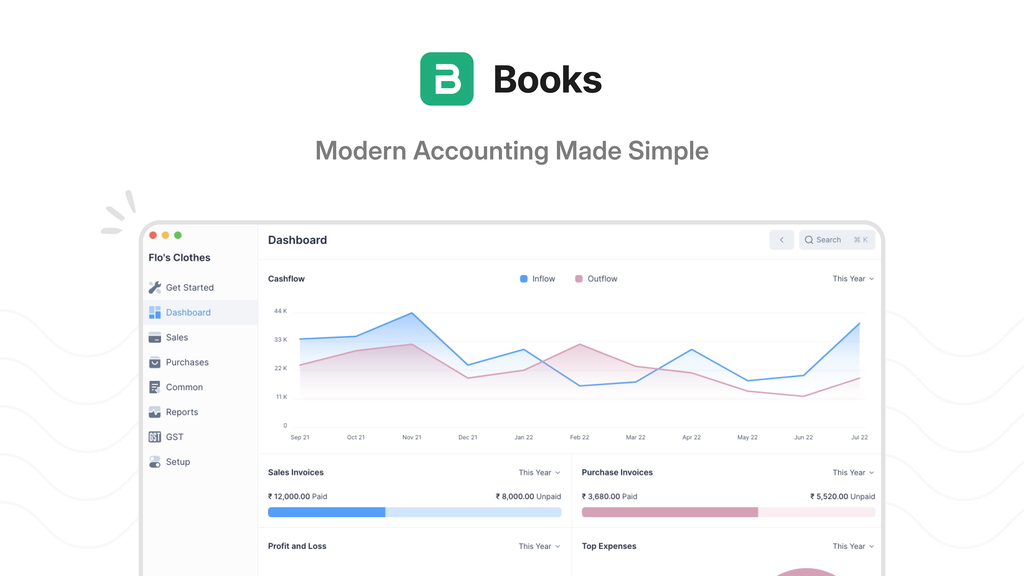
Frappe Books is a free, open-source desktop accounting application designed for simplicity and efficiency. Built with a modern UI, it eliminates the complexity of traditional accounting software by offering features like fuzzy search for quick invoice creation and a powerful template builder for customizable invoices. - Desktop-first accounting: Runs locally on your computer with all data stored in a single SQLite database file. - Fuzzy search shortcut: Press Ctrl+K to quickly create invoices or navigate to any feature from anywhere in the app. - Customizable invoice templates: Build invoices from scratch using HTML or choose from pre-built templates. - Comprehensive reporting: Includes Profit & Loss, General Ledger, and Balance Sheet reports. - Offline functionality: No internet connection required to use the software. - Open-source license: Released under AGPL-3.0, ensuring transparency and community contributions. - No subscription fees: Completely free with no hidden costs or cloud dependencies. Frappe Books is a desktop application built with Electron and uses SQLite for data storage. The entire application is self-contained, making it easy to install and run on Windows, macOS, and Linux. No server or cloud infrastructure is required, ensuring full data ownership and privacy.

Visual database schema editor and SQL generator
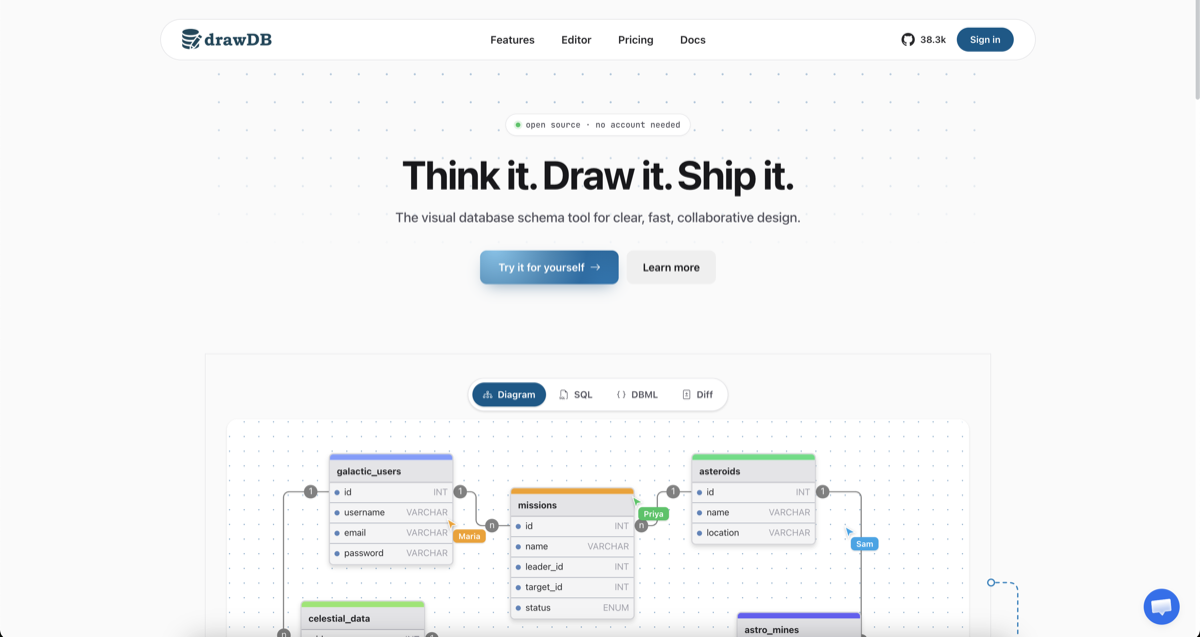
drawDB is a free online database schema design tool that simplifies database modeling and SQL generation. Whether you're designing a new database or reverse-engineering an existing one, drawDB provides a visual interface to create, edit, and export schemas with ease. - Visual Schema Design: Drag-and-drop interface to create and customize database diagrams with tables, relationships, and notes. - Multi-Dialect SQL Generation: Export clean DDL for PostgreSQL, MySQL, SQLite, MariaDB, SQL Server, Oracle, and more. - Real-Time Collaboration: Work together with your team in real time, with shared cursors and instant sync. - AI Schema Assistant: Describe your requirements and let AI draft tables, relationships, and types for you. - Reverse Engineering: Import existing DDL scripts to automatically rebuild your database diagram. - Cloud & Local Storage: Save diagrams to the cloud (Pro) or locally in your browser (free). - Export Options: Generate SQL scripts, save diagrams as JSON or images, and create migration scripts. - Customizable Workspace: Tailor the UI to fit your workflow with keyboard shortcuts, templates, and an infinite canvas. - Self-Hosting: Fully open-source with Docker support for running drawDB on your own infrastructure. - Issue Detection: Catch errors in your diagram to ensure generated SQL scripts are always correct. - Presentation Mode: Present your diagrams during team meetings and design reviews. drawDB is built with modern web technologies and can be self-hosted using Docker. The project is fully open-source, allowing you to customize and deploy it behind your own firewall for enhanced privacy and control. Self-Hosting Steps: bash git clone https://github.com/drawdb-io/drawdb cd drawdb docker compose up -d

AI-powered database client for Postgres & SQL
Conar is an AI-powered database client designed to simplify database management for developers and data teams. Whether you're working with Postgres, MySQL, MSSQL, or ClickHouse, Conar lets you interact with your data using natural language queries, smart AI filtering, and intuitive data management tools. - Natural Language Queries: Ask questions in plain English and get instant SQL queries generated for your database. - Smart AI Data Filtering: Create complex filters effortlessly with AI assistance, reducing manual input and errors. - Comprehensive Data Management: Add, edit, delete, and browse data with real-time feedback and inline editing. - Cloud Sync: Keep your database connections safe and accessible across devices with reliable cloud synchronization. - Cross-Database Support: Works seamlessly with Postgres, MySQL, MSSQL, and ClickHouse. - User-Friendly Interface: Clean, intuitive UI with micro-animations and smooth interactions for a delightful experience. - Tested by Developers: Loved by developers worldwide for its efficiency and ease of use. Conar is a desktop application available for Linux, macOS, and Windows. It does not require self-hosting as it operates locally with optional cloud sync for connection management. The application is built with modern web technologies and is designed for performance and reliability.

Modern native GUI tool for relational databases

TablePlus is a modern, native GUI tool designed for efficient database management. It provides an intuitive interface to create, access, query, and edit multiple relational databases including MySQL, PostgreSQL, SQLite, Microsoft SQL Server, Amazon Redshift, MariaDB, CockroachDB, Vertica, and Redis. - Native Performance: Built with native code for optimal speed and responsiveness - Multi-Database Support: Works with MySQL, PostgreSQL, SQLite, SQL Server, Redis, and more - Intuitive Interface: Clean, user-friendly GUI with modern design - Cross-Platform: Available for macOS, Windows, Linux, and iOS - Apple Silicon Optimized: Native support for Apple Silicon chips - Secure Connections: SSL/TLS encryption for database connections - Tabbed Interface: Manage multiple database connections simultaneously - Query History: Track and revisit previous database queries - Dark Mode: Built-in dark theme for comfortable viewing TablePlus is a desktop application that runs locally on your machine. It connects directly to your databases without requiring server-side components. The application is available as a free trial with optional paid plans for advanced features. Source code is available on GitHub for inspection.
About Bench
Helps small business owners like you save time and money doing your bookkeeping by providing dedicated experts and easy-to-use financial software.