
Screenity
A browser-based screen recorder and video editor that lets you record, edit with scenes and captions, and share clean links—all while prioritizing privacy.
Screenity is an open-source alternative to:





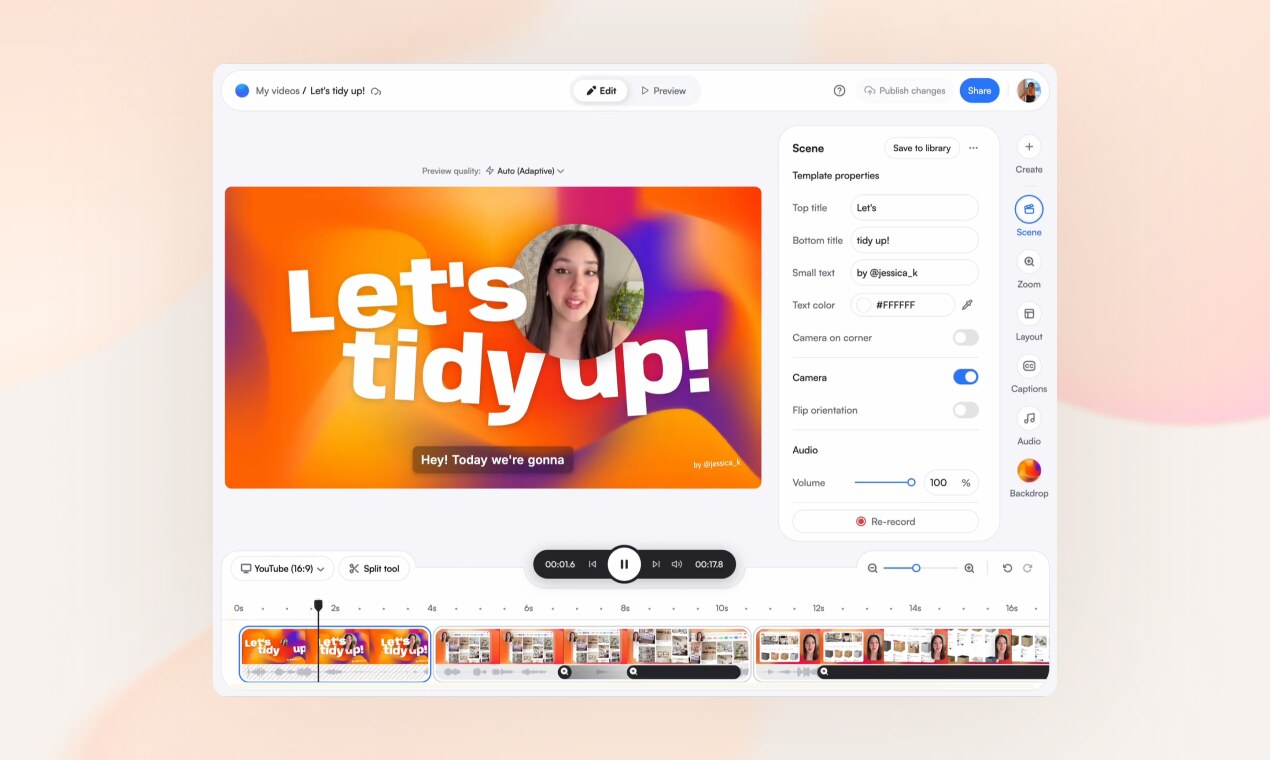
Record your screen. Build it, scene by scene.
Screenity is a privacy-friendly screen recorder and video editor that works entirely in your browser. Record your screen, add scenes, zoom into clicks, caption every word, and share a clean link—no downloads or complex software required.
Made and hosted in Europe, Screenity ensures your data stays private and secure.
Key Features
- All-in-one recording & editing: Capture your screen and edit videos directly in the browser with scenes, layouts, and animations.
- Scene-based editing: Build videos from separate scenes you can record independently and reorder like a deck.
- Dynamic layouts: Show your screen, camera, or both, with layouts that animate smoothly between scenes.
- Auto-zoom on clicks: Screenity converts your clicks into zooms for a polished presentation.
- Word-by-word captions: Automatically caption your speech and highlight each word as it’s spoken.
- Customizable overlays: Add text, arrows, shapes, callouts, and animations to emphasize key points.
- Device mockups: Wrap your screen in browser or device frames with customizable URLs.
- Templates & reusable scenes: Start from ready-made templates or save your own scenes for future use.
- Privacy-focused: No watermarks, no time limits, and all data is hosted in Europe.
- Instant sharing: Generate clean, shareable links or export your final video.
Tech / Self-Hosting
Screenity is a browser-based tool that operates entirely in your browser, requiring no downloads or installations. It is self-hosted by the team and hosted in Europe, ensuring GDPR compliance and data privacy. The Chrome extension is available for easy recording access.
For advanced users, the open-source nature of the project allows for potential self-hosting or customization of the underlying infrastructure.