10 Best Open Source Alice Alternatives
A curated collection of the 10 best open source and self-hosted alternatives to Alice in 2026.
Looking for a free, privacy-friendly, or self-hosted replacement for Alice in 2026? The top open-source alternative is LobeChat — AI agent orchestration platform for teams.
Other highly rated open-source Alice alternatives include AnythingLLM, Cherry Studio and LibreChat.

AI agent orchestration platform for teams
LobeHub is a next-generation platform designed to transform how teams work with AI agents. It serves as a centralized hub where you can hire, schedule, and oversee your AI workforce while maintaining full control over strategy and execution. - Agent Orchestration: Hire, schedule, and manage your AI team with 24/7 operation capabilities - Agent Builder: Create custom agents with automatic role, skill, and behavior configuration from simple prompts - Skill Marketplace: Access 333,595+ skills and 93,020+ MCP servers to enhance agent capabilities - Unified Intelligence: Support for any AI model and modality under your direct control - Collaborative Workflows: Organize work through Pages, Projects, Schedules, and shared Workspaces - Personal Memory System: Agents build understanding of your work patterns and preferences - IM Gateway Integration: Deploy agents directly in your existing chat platforms - Adaptive Behavior: Agents learn and improve from your workflow patterns - White-Box Memory: Structured, editable memory system for transparency and control LobeHub is primarily a cloud-based platform with a web application interface. While the core platform runs as a managed service, the project maintains open-source components and provides downloadable versions for Linux systems. The platform emphasizes user control over AI models and data, making it suitable for privacy-conscious teams.

Private AI assistant running entirely on your device
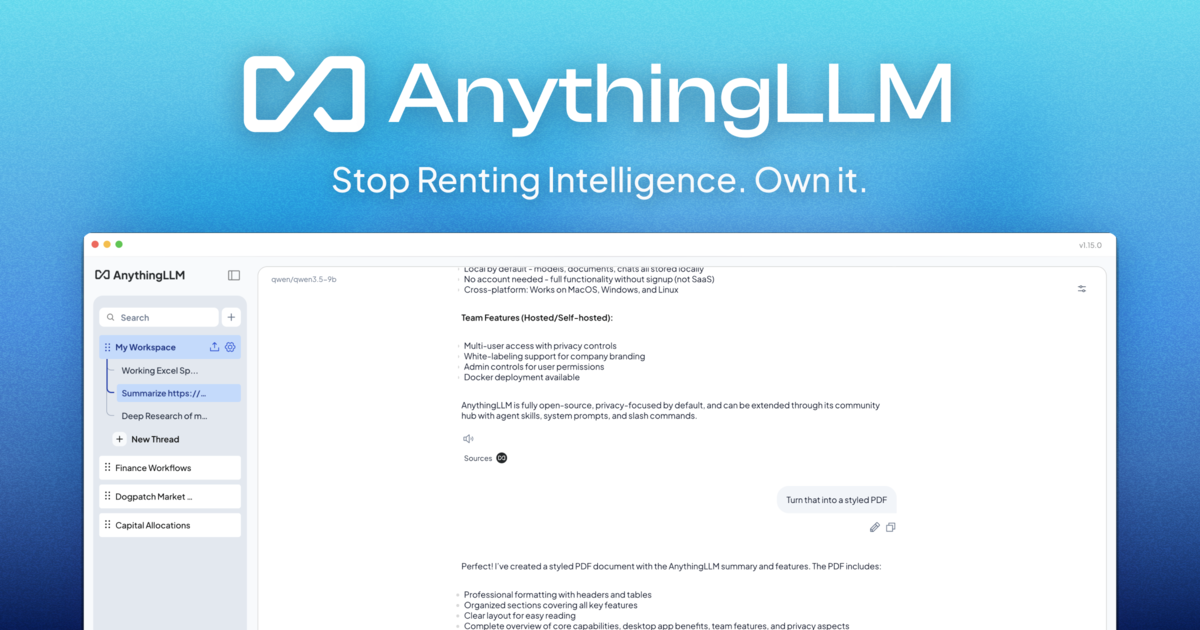
A private AI assistant that runs entirely on your computer. No accounts, no API keys, no token limits. - On-device AI: Runs entirely locally with no cloud processing or data leaving your device - Document Knowledge: Every document becomes part of your agent's knowledge base - Meeting Assistant: Automatically transcribes and summarizes meetings with action items and key decisions - Background Jobs: Automate recurring tasks and workflows - Dynamic Model Selection: Choose or auto-select the best model for your hardware - Web Scraping & Search: Access real-time information from the web - Custom Agent Skills: Build and deploy custom AI capabilities - Magic Features: Includes intelligent dictation, real-time text refinement, and context-aware autocomplete - Cross-platform: Available for macOS, Windows, and Linux - Easy Setup: One-file installation with no dependencies - Docker Support: Available for containerized deployment - Open Source: Full source code available on GitHub - Self-hosted Options: Cloud and mobile versions available for team collaboration

All-in-one AI desktop client for heavy users

Cherry Studio is a powerful, open-source AI desktop client designed for heavy AI users. It provides a unified interface to interact with frontier LLMs, AI agents, and creative tools—all while keeping your data local. - AI Chat: Engage in document, image, formula, and HTML conversations with AI - Autonomous Agents: Built-in 1000+ assistants for various tasks and workflows - AI Art & Drawing: Generate images using multiple AI models - AI Translation: Instant translation across conversations and documents - Multi-source Knowledge Base: Integrate local files, web pages, and other sources - Local & Cloud Backup: Secure data storage with flexible backup options - Cross-platform Support: Runs on Windows, macOS, and Linux - 300+ AI Models: Seamlessly switch between leading LLMs - Flagship Model Support: Early access to latest models like DeepSeek V4 Pro and GLM-5.3 Cherry Studio is open-source and can be self-hosted. All data is stored locally by default, ensuring privacy and control. The application supports integration with multiple AI providers and offers enterprise solutions for teams requiring additional features and support.

Open-source unified AI conversation platform
LibreChat is an open-source platform that unifies all your AI conversations in one customizable interface. Designed for developers and enterprises, it offers advanced features like persistent memory, code interpreter, MCP support, and enterprise-grade authentication. - Unified AI Interface: Consolidate conversations from multiple AI models in a single dashboard - Advanced Agents: Deploy agents with file handling, code interpretation, and API actions - Code Interpreter: Execute code in multiple languages securely with zero setup - Multi-Model Support: Connect to Anthropic, AWS, OpenAI, Azure, and other AI providers - Artifacts Creation: Generate React, HTML, and Mermaid diagrams directly in chat - Persistent Memory: Maintain context across conversations for personalized interactions - Web Search Integration: Provide live internet access to any model with built-in search - Enterprise Authentication: SSO with OAuth, SAML, LDAP, and two-factor authentication - Model Context Protocol (MCP): Connect to external tools and services seamlessly - Self-Hosting: Full control with Docker, Kubernetes, and remote deployment options LibreChat is fully open-source and can be self-hosted using Docker, Kubernetes, or remote installation methods. The platform supports various AI providers and offers comprehensive documentation for local and remote deployments. With 42.6k+ GitHub stars and 50M+ Docker pulls, it's a widely adopted solution for AI-powered conversations.
Jan runs open-source AI models on your own hardware or connects to cloud providers like OpenAI, Anthropic, and Google, keeping your conversations off third-party servers.
Jan runs open-source AI models on your own hardware or connects to cloud providers like OpenAI, Anthropic, and Google, keeping your conversations off third-party servers.

Open source desktop multi-agent workforce
Eigent is an open-source desktop multi-agent workforce that connects to your context and automates real work by controlling browsers and desktop applications. Powered by your preferred AI model, it enables you to collaborate with agents while maintaining full oversight. - Multi-Agent Workspaces: Build reusable agent setups with shared context, tools, and instructions for teams. - Model Agnostic: Use any AI model of your choice for flexibility and control. - Local-First Architecture: Secrets and data remain bound locally for enhanced security. - Automation & Scheduling: Run tasks on a schedule, event, or condition with outputs ready for review. - Remote Monitoring: Track progress and respond from anywhere via browser or messaging channels like WhatsApp. - Memory & Context: Carry confirmed knowledge across tasks, scoped to users, Spaces, or Sessions. - Browser & App Control: Agents interact with web pages and desktop apps to perform real-world tasks. - Enterprise-Ready: Designed for teams with versioned Space profiles and reusable configurations. Eigent is open-source and can be self-hosted. The desktop application is available for download, and the project is actively maintained on GitHub. It supports local execution with optional cloud-based AI model integration. Tech Stack: - Cross-platform desktop application (Windows, macOS, Linux) - Model Context Protocol (MCP) for tool integration - Local-first architecture with secure secret management - Open-source core with enterprise features available

Open-source desktop AI assistant with MCP support

5ire is a sleek, cross-platform desktop AI assistant and MCP (Model Context Protocol) client designed for simplicity and user-friendliness. It provides an intuitive interface for interacting with large language models while offering advanced features like local knowledge bases, custom prompt libraries, and usage analytics. - MCP Support: Standardized connection to AI models via MCP servers, enabling access to tools like file systems, databases, and remote data sources. - Local Knowledge Base: Integrates the bge-m3 embedding model for multilingual vectorization, supporting document parsing (DOCX, XLSX, PPTX, PDF, TXT, CSV) and local RAG capabilities. - Usage Analytics: Tracks API usage and spending to help users optimize their AI service consumption. - Prompts Library: Create and organize custom prompts with variable support for versatile use cases. - Bookmarks: Save and retain conversations even after original messages are deleted. - Global Search: Perform keyword searches across all conversations for quick information retrieval. 5ire is an open-source project available for Mac (Silicon/Intel), Windows, and Linux. It can also be installed via Homebrew on macOS. The project is licensed under Apache 2.0 and encourages community contributions.

Chat with private local LLMs offline

Fullmoon is a lightweight app designed to bring the power of large language models to your Apple devices. Whether you're using an iPhone, iPad, Mac, or Vision Pro, Fullmoon provides a seamless way to interact with LLMs without compromising your privacy. - Private & Local: Runs models entirely on-device with no cloud dependency, ensuring your data never leaves your device. - Offline Capability: Works fully offline when internet is unavailable, perfect for travel or areas with poor connectivity. - Apple Silicon Optimized: Leverages Metal 3 and Swift MLX for maximum performance on Apple hardware. - Model Variety: Supports multiple quantized models including Llama 3.2 (1B/3B) and DeepSeek R1 variants. - Customization: Personalize themes, fonts, and system prompts to tailor the experience to your preferences. - Shortcuts Integration: Use local models with Apple Shortcuts for automation and workflow integration. - TestFlight Access: Get early access to new features and models through TestFlight. Fullmoon is currently available as an iOS/iPadOS/macOS app with no self-hosting option. The app is open source (GitHub repository) and runs exclusively on Apple devices with Apple Silicon processors. Models are quantized for efficient on-device inference.
Extensible launcher for productivity tools
Raycast is a productivity launcher designed to streamline your workflow by bringing all your tools, commands, and applications into one fast, keyboard-driven interface. Built for macOS, it replaces the need for multiple apps and provides deep system integration. - Extensible Launcher: Access apps, commands, and tools via a single keyboard shortcut - Clipboard History: Never lose copied content with persistent clipboard tracking - Window Management: Quickly organize and resize windows with built-in commands - AI Integration: Built-in AI features for coding, search, and automation - Extensions Ecosystem: Thousands of community-built extensions for added functionality - Deep System Integration: Works seamlessly with macOS features and native apps - Customizable Workflows: Create and save custom commands and workflows - Cross-Platform Support: Available for macOS, iOS, and Windows Raycast is a proprietary desktop application with cloud synchronization features. While the core launcher is not self-hostable, many extensions are open source and can be modified. The company offers enterprise plans with additional features and support.

Private note-taking app with local-first knowledge base
Obsidian is a powerful and extensible note-taking app that works on top of a local folder of plain text Markdown files. It's designed to help you organize and connect your thoughts in a flexible, future-proof way. - Local-first storage: Notes are stored privately on your device, ensuring offline access and complete privacy - Markdown-based editing: Write notes using simple, readable Markdown syntax - Backlinking: Create connections between notes with [[wikilinks]] to build your personal knowledge graph - Graph view: Visualize relationships between notes with an interactive graph - Canvas: Infinite space for brainstorming, diagramming, and visual thinking - Thousands of plugins: Customize functionality with community plugins and themes - Cross-platform sync: Sync notes across devices with optional paid sync service - Open file formats: Uses standard Markdown files, ensuring data portability - Offline-first: Access all notes instantly without internet connection - Multi-language support: Available in 15+ languages Obsidian is a desktop-first application with mobile apps available. The core app is open source (MIT license) and can be self-hosted by downloading the release binaries from GitHub. While the official sync service is paid, the core functionality works entirely offline with local file storage. The app is built with Electron and uses standard Markdown files, making it highly portable across platforms. Pricing: Free for core features, with optional paid services for sync, publish, and enterprise features. Privacy: All notes are stored locally by default. The company has a strong privacy policy and doesn't access user data. EU Friendly: Yes, GDPR compliant with data stored locally on user devices.
About Alice
Alice is a native desktop AI assistant designed to bridge the gap between your intentions and actions. Unlike generic chatbots, Alice focuses on automation and integration, letting you create reusable AI assistants that can summarize data, draft emails, manage tasks, and control your applications—all with a single hotkey.
Key Features of Alice
- Custom AI Assistants: Build or install pre-made assistants (50+ available) with 200+ skills for tasks like sales, QA, SEO, and more.
- Memory & Context: Feed Alice your project documents, notes, and preferences to get personalized, relevant assistance without repeating yourself.
- Multi-Model Support: Access models from OpenAI, Claude, Groq, and others in a single interface. Bring your own API keys to optimize costs.
- OS Integration: Communicate with your CRM, calendar, or other apps using natural language commands (e.g., "Block 2 hours tomorrow for deep work").
- Automation: Connect Alice to tools like Zapier, Make, or n8n to automate workflows like CRM updates or sales reports.
- Saved Prompts & Skills: Save your most effective AI interactions and trigger them instantly with a hotkey.
- Cross-Platform: Available for macOS, Windows, and Linux.
Tech / Self-Hosting
Alice is a proprietary desktop application with no self-hosting option. It requires installation on your local machine and supports integration with third-party APIs and services for enhanced functionality.