2 Best Open Source TeamViewer Alternatives
A curated collection of the 2 best open source and self-hosted alternatives to TeamViewer in 2026.
Looking for a free, privacy-friendly, or self-hosted replacement for TeamViewer in 2026? The top open-source alternative is RustDesk — Open-source remote desktop with self-hosted servers.
Other highly rated open-source TeamViewer alternatives include Defguard.

Open-source remote desktop with self-hosted servers
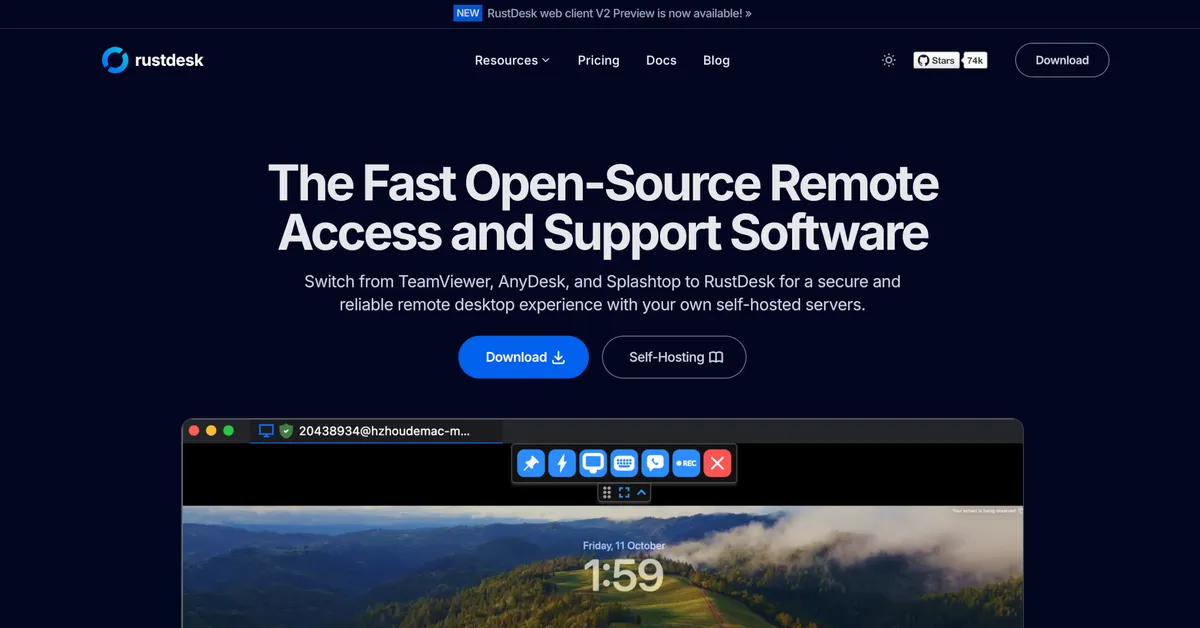
RustDesk is a fast, secure, and reliable open-source remote desktop solution designed to replace proprietary tools like TeamViewer, AnyDesk, and Splashtop. It offers self-hosted server options, ensuring full data control and regulatory compliance while maintaining high performance and customization. - Cross-platform support: Works seamlessly on Windows, macOS, Linux, and Android - Self-hosting capabilities: Deploy your own server for complete data ownership and security - Custom branding: Personalize client with your logo, name, and icon - Unattended remote access: True unattended access on Wayland with multi-monitor support - Advanced configuration: Over 90 configurable options for tailored deployments - Web client: Host a web-based client on your domain for easier remote access - High performance: NAT traversal without port-forwarding, modern codecs, and built-in encryption - Scalability: Supports large fleets (tested up to 200,000 devices) - Wayland support: Native Wayland compatibility for modern Linux systems RustDesk provides simple self-hosting installation via Docker: bash bash <(wget -qO- https://get.docker.com) wget rustdesk.com/oss.yml -O compose.yml docker compose up -d The open-source version (OSS) is available for self-hosting, while the Pro version offers additional enterprise features. All data remains under your control when self-hosted, ensuring GDPR compliance and eliminating third-party dependencies.

Zero-trust access management with WireGuard 2FA

DefGuard is a self-hosted zero-trust access management platform that combines WireGuard VPN with robust 2FA/MFA capabilities. Designed for teams and enterprises, it provides secure remote access without compromising security or privacy. - WireGuard Integration: Native WireGuard VPN support for high-performance secure networking - Multi-Factor Authentication: Built-in 2FA/MFA with TOTP, hardware keys, and backup codes - Zero-Trust Architecture: Enforces least-privilege access controls and continuous verification - Self-Hosted: Full control over data with on-premise or private cloud deployment - User Management: Centralized user provisioning, roles, and permissions - Audit Logging: Comprehensive activity tracking and compliance reporting - Multi-Platform Support: Works with Windows, macOS, Linux, and mobile devices - Open Source: Transparent codebase with community-driven development DefGuard is built with Go and TypeScript, using PostgreSQL for data storage. The platform can be deployed via Docker containers or directly on bare metal servers. Comprehensive documentation is available for Kubernetes deployments and production setups. All components are designed for high availability and scalability.
About TeamViewer
TeamViewer is a leading digital workplace platform that provides remote desktop access, IT support solutions, and AI-powered automation tools. The platform enables users to connect to remote computers, deliver remote support, and collaborate online seamlessly.
Key Features of TeamViewer
- Remote Access & Support: Connect to remote computers, provide instant support, and resolve issues without physical presence
- Digital Employee Experience (DEX): Detect, fix, and automate IT issues before they impact users with real-time endpoint visibility and insights
- TeamViewer AI: Automate IT support workflows with AI-driven solutions and proactive issue prevention
- Frontline Workflows: AR-powered solutions for logistics, manufacturing, and training with smart glasses integration
- Industrial Automation: Optimize production processes, reduce errors, and improve accuracy in warehouse operations
- Cross-Platform Compatibility: Works across Windows, macOS, Linux, iOS, and Android devices
- Security & Compliance: Enterprise-grade security with GDPR compliance and data protection measures
- Integration Capabilities: Seamless integration with existing systems, WMS, and backend infrastructure
Tech / Self-Hosting
TeamViewer operates as a cloud-based SaaS platform with no self-hosting options available. The service is accessible through web browsers, desktop applications, and mobile apps. While primarily cloud-hosted, TeamViewer maintains strict data privacy standards and offers enterprise solutions with enhanced security controls.
For businesses requiring on-premises solutions, TeamViewer provides dedicated enterprise packages with enhanced security and compliance features.