5 Best Open Source Adobe Premiere Pro Alternatives
A curated collection of the 5 best open source and self-hosted alternatives to Adobe Premiere Pro in 2026.
Looking for a free, privacy-friendly, or self-hosted replacement for Adobe Premiere Pro in 2026? The top open-source alternative is OpenCut — Browser-based, open source video editor built for privacy. No installs, no account required, works on any platform..
Other highly rated open-source Adobe Premiere Pro alternatives include LosslessCut, Shotcut and OpenShot.
Browser-based, open source video editor built for privacy. No installs, no account required, works on any platform.
Browser-based, open source video editor built for privacy. No installs, no account required, works on any platform.

Ultra-fast lossless video/audio editing tool
LosslessCut is a powerful yet simple tool designed for fast, lossless editing of video and audio files. Whether you need to trim clips, split large files, or extract specific segments, LosslessCut handles it efficiently without compromising quality. - Lossless Editing: Cut, trim, and split video/audio files without re-encoding, preserving original quality. - Cross-Platform: Available for Windows, macOS, and Linux. - Batch Processing: Process multiple files simultaneously for efficiency. - Fast Performance: Optimized for speed, making it ideal for quick edits. - User-Friendly Interface: Intuitive design for easy navigation and operation. - Format Support: Works with a wide range of video and audio formats. - Portable Version: No installation required; run directly from the executable. - Open Source: Free to use with community-driven development and support. LosslessCut is a desktop application built with Electron and FFmpeg. It does not require a server or self-hosting setup. The software is lightweight and runs locally on your machine, ensuring privacy and full control over your media files.

Free cross-platform video editor for Windows, Mac and Linux
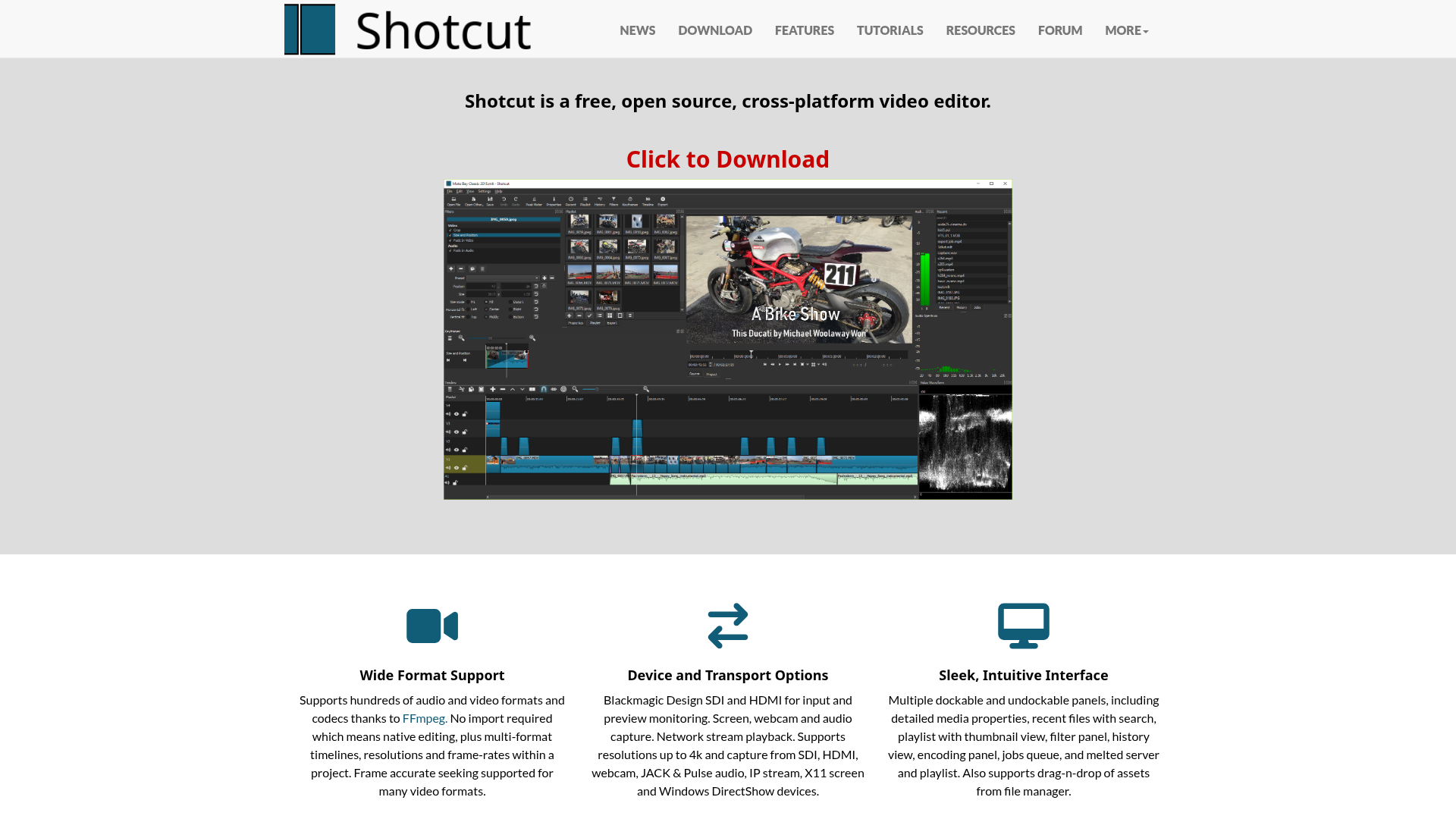
Shotcut is a free, open-source, cross-platform video editor designed for Windows, Mac, and Linux. It offers native timeline editing without import requirements, supports hundreds of audio and video formats via FFmpeg, and provides advanced features like 4K resolution editing and Blackmagic Design SDI/HDMI input/output. - Wide Format Support: Supports hundreds of formats and codecs through FFmpeg with native editing capabilities. - Device & Transport Options: Blackmagic Design SDI/HDMI input/output, screen/webcam/audio capture, and network stream playback up to 4K. - Intuitive Interface: Features dockable panels, drag-and-drop asset management, and detailed media properties. - Cross-Platform: Available on Windows, macOS, and Linux. - Regular Updates: New versions released every two months with frequent feature additions. - Quickstart Tools: Keyboard shortcuts for efficient editing (J/K/L for playback, I/O for in/out points, frame-by-frame stepping). Shotcut is a desktop application that can be self-hosted by downloading the binary or source code from its GitHub repository. It does not require a server or cloud infrastructure to function, making it fully self-hostable on local machines.

Free open-source video editor for Linux, Mac, and Windows
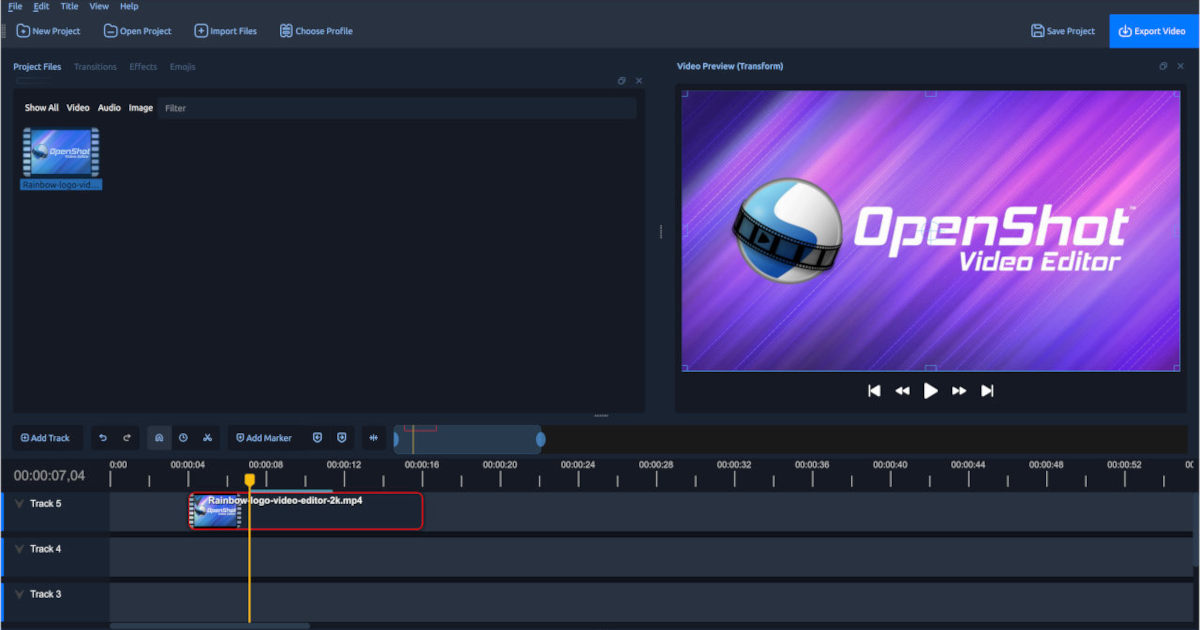
OpenShot is a free, open-source, and award-winning video editor designed for simplicity and power. Whether you're a beginner or a professional, OpenShot provides intuitive tools to create stunning videos with ease. - Cross-Platform Support: Works seamlessly on Linux, Mac, and Windows. - Trim & Slice: Quickly trim and cut videos to find perfect moments. - Animation & Keyframes: Fade, slide, bounce, and animate elements in your video. - Unlimited Tracks: Add as many layers as needed for watermarks, background videos, audio tracks, and more. - Video Effects: Remove backgrounds, invert colors, adjust brightness, and apply advanced effects. - Audio Waveforms: Visualize audio files and include waveforms in your videos. - Title Editor: Easily add titles using templates or create custom ones. - 3D Animations: Render beautiful 3D titles and effects like snow, lens flares, or flying text. - Slow Motion & Time Effects: Control playback speed, reverse, slow down, or speed up video. - Simple User Interface: Designed to be the easiest and friendliest video editing software. - 70+ Languages: Available in multiple languages with community-driven translations. OpenShot is a self-hosted desktop application available for Linux, Mac, and Windows. No server or cloud dependency is required. The software is fully open-source under the GPL license, ensuring transparency and community-driven development.
Cross-platform non-linear video editor offering professional features for free. Edit videos on Linux, Windows, macOS, and BSD with advanced tools and effects.
Cross-platform non-linear video editor offering professional features for free. Edit videos on Linux, Windows, macOS, and BSD with advanced tools and effects.
About Adobe Premiere Pro
Adobe Premiere is the industry-leading video editing software for professional filmmakers, editors, and content creators. Edit with precision, balance color, mix audio, and add cinematic effects using advanced tools and AI-powered workflows.
Key Features of Adobe Premiere Pro
- AI-Powered Editing: Text-Based Editing for fast rough cuts, Media Intelligence for AI-powered footage search, and Generative Extend to extend clips seamlessly.
- Color Grading: New Color Mode for precise color correction and grading with professional tools and AI assistance.
- Audio Enhancement: Reduce noise, enhance dialogue, and master sound design with pro audio tools and AI-powered effects.
- Effects & Transitions: Access hundreds of cinematic effects, transitions, and professionally designed templates with redesigned shape masks for precise control.
- Animated Titles: Create polished titles, captions, and graphics with customizable templates and multi-language support.
- Cross-Platform: Edit on desktop or mobile with seamless integration across Adobe Creative Cloud.
- Industry Standards: Industry-standard editing tools, three-point editing, and support for nearly any camera footage.
Tech / Self-Hosting
Adobe Premiere is a proprietary desktop application available as part of Adobe Creative Cloud. It is not self-hosted and requires a subscription for access. The software is cloud-connected for AI features and updates but does not support self-hosting or local deployment.