12 Best Open Source Pocket Alternatives
A curated collection of the 12 best open source and self-hosted alternatives to Pocket in 2026.
Looking for a free, privacy-friendly, or self-hosted replacement for Pocket in 2026? The top open-source alternative is Karakeep — Self-hostable bookmark manager that saves links, notes, images, and PDFs, then automatically tags and organizes them using AI for faster retrieval..
Other highly rated open-source Pocket alternatives include Linkwarden, Wallabag and Linkding.
Self-hostable bookmark manager that saves links, notes, images, and PDFs, then automatically tags and organizes them using AI for faster retrieval.
Self-hostable bookmark manager that saves links, notes, images, and PDFs, then automatically tags and organizes them using AI for faster retrieval.

Open-source bookmark manager with full-page archival
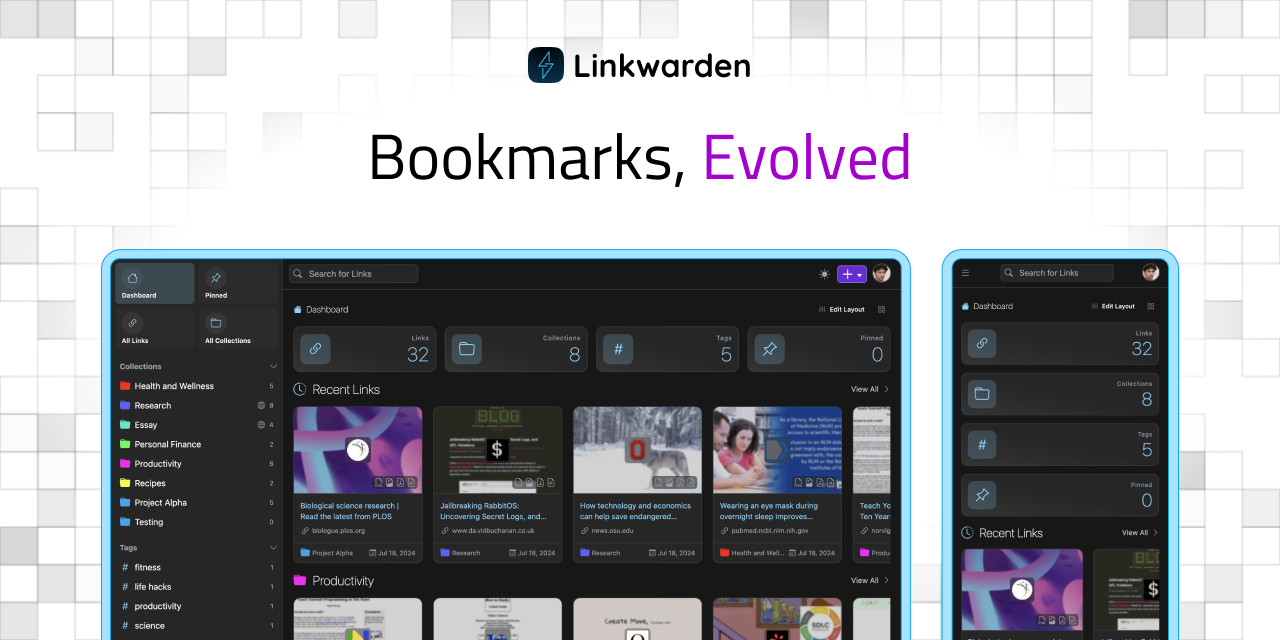
Linkwarden is an open-source bookmark manager designed to help you collect, read, annotate, and fully preserve what matters. Unlike traditional bookmarking tools, Linkwarden captures full-page content in multiple formats, ensuring your saved links remain accessible even if the original pages disappear. - Full-Page Preservation: Saves complete HTML content of webpages, preventing broken or lost bookmarks. - Reader View & Annotations: Offers a dedicated reader mode with customizable fonts, text highlighting, and annotation tools. - AI-Powered Organization: Automatically categorizes bookmarks using AI-driven tagging and advanced search filters. - Collaboration & Sharing: Invite team members or friends to contribute to shared collections, perfect for research or content planning. - Cross-Platform Sync: Sync browser bookmarks using Floccus and access via a Progressive Web App (PWA) for a native-like experience. - Privacy-First: No data sold to third parties; built with privacy as a core principle. - Browser Extension: Open-source extension for seamless webpage collection from your browser. - Bulk Actions & Import/Export: Edit or delete multiple items at once and easily import/export bookmarks. - RSS Feed Integration: Follow and save content directly from RSS feeds within your collections. - Secure API & Access Tokens: Integrate and automate custom solutions with secure API access. Linkwarden is fully open-source and self-hostable, with source code available on GitHub. It supports Docker for easy deployment and offers a cloud-hosted version for those who prefer a managed solution. The platform is built with modern web technologies and prioritizes transparency, security, and user control.

Open source read-it-later app for saving web articles

wallabag is a free and open source read-it-later app designed for people who want to save web articles without giving up control of their archive. - Extracts article content and removes distractions for clean reading - Self-hostable for full data ownership and control - Imports from Pocket, Omnivore, Instapaper, and Pinboard - Official apps, browser extensions, RSS feeds, and e-reader support - No ads or tracking - Available as self-hosted software or managed service (wallabag.it) - Open source (AGPL-3.0) with active community development - Supports Docker, PHP, and various database backends - Documentation available at doc.wallabag.org - GitHub repository: wallabag/wallabag

Self-hosted bookmark manager for minimalists
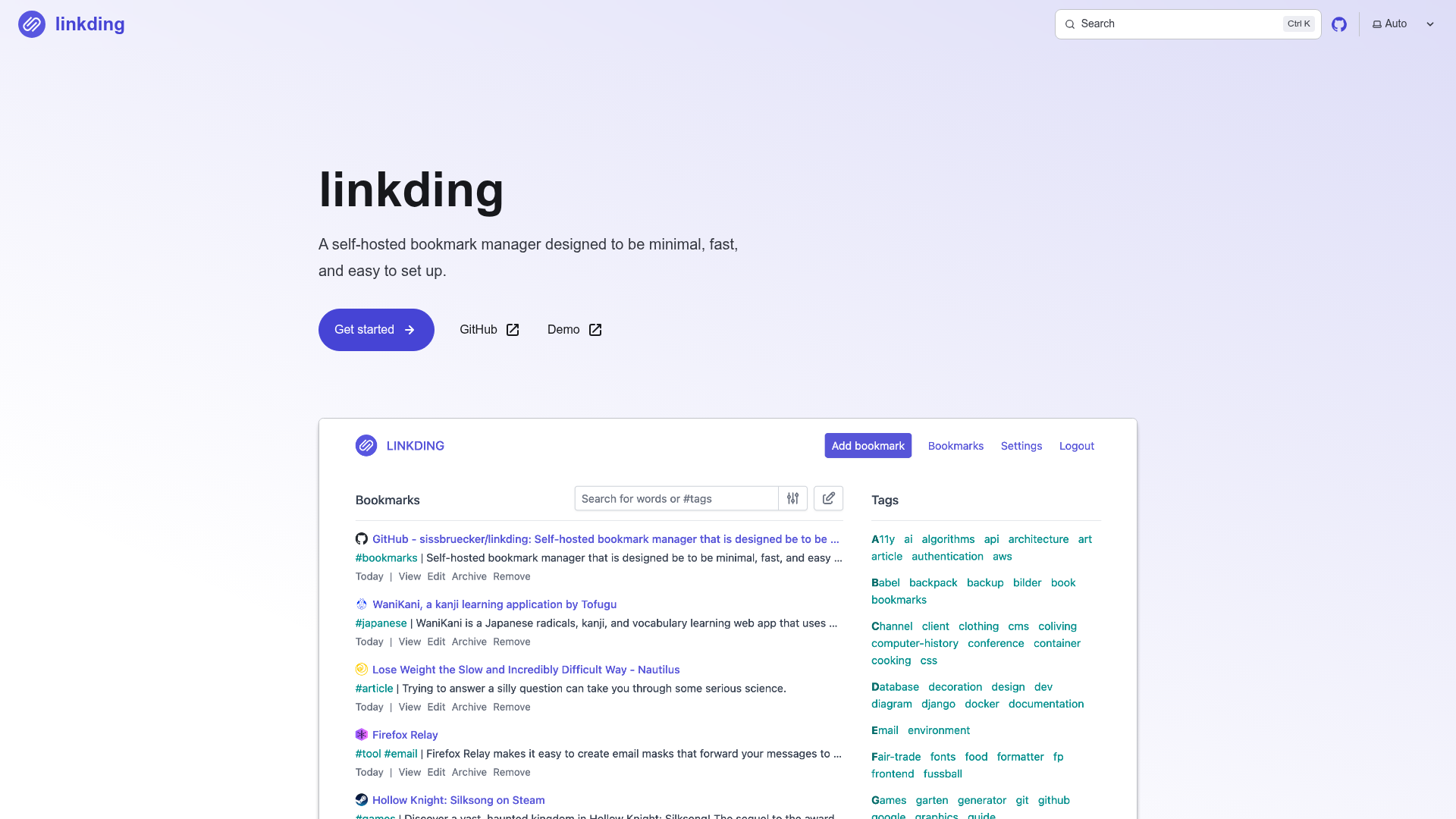
linkding is a self-hosted bookmark manager designed to be minimal, fast, and easy to set up. It provides a clean and distraction-free interface for organizing and accessing your bookmarks efficiently. - Focused Design: Optimized for readability with a clean interface for quick bookmark management. - Customizable: Enable or disable features and adjust UI settings to suit your needs. - Metadata Extraction: Automatically fetches titles, descriptions, icons, and preview images of bookmarked websites. - Archiving: Creates snapshots of bookmarked websites, either locally or via the Internet Archive. - Bulk Editing: Apply operations to multiple bookmarks or your entire collection. - Import/Export: Supports Netscape HTML format for seamless data migration. - Multi-User Support: Share bookmarks with other users or guests. - Browser Extensions: Available for Firefox and Chrome for easy bookmarking. - REST API: Enables integration with scripts and third-party applications. - Low Maintenance: Runs in a single Docker container with SQLite, featuring automated migrations and zero breaking changes. linkding is designed for easy self-hosting. It runs as a single Docker container with SQLite as the database, ensuring minimal setup and maintenance overhead. Automated migrations guarantee seamless updates without breaking changes.

Lightweight bookmark manager with nested tags
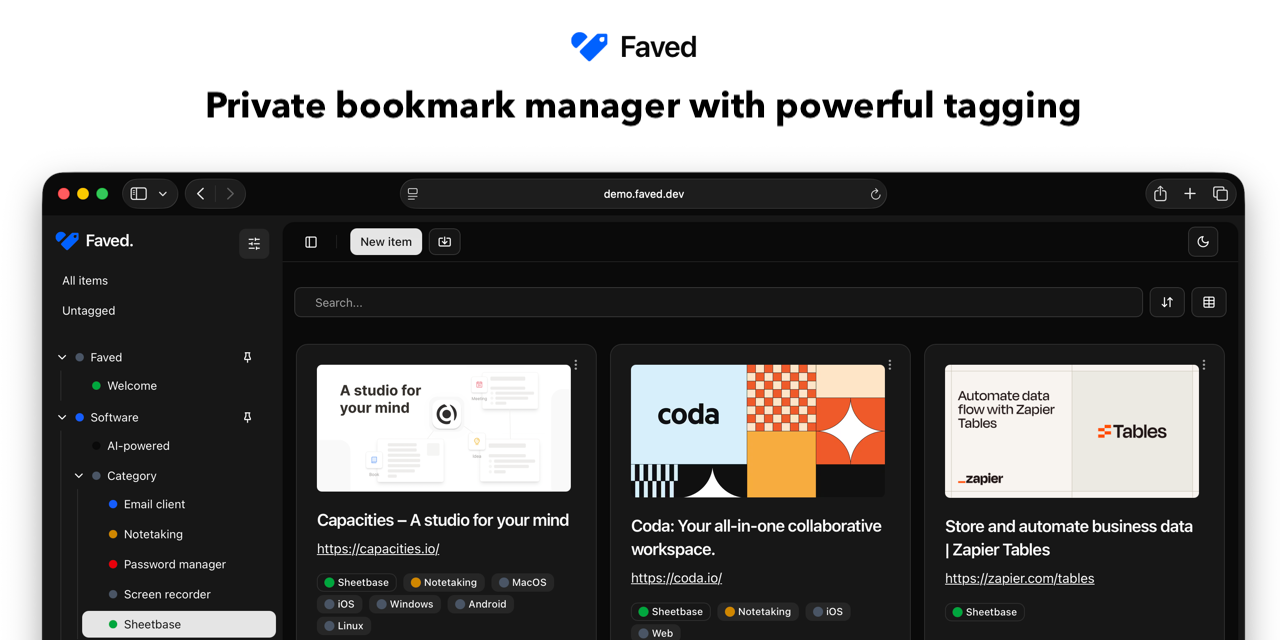
Faved is a superfast, lightweight, and secure hub for organizing your web content. Save pages from any browser, categorize with customizable nested tags, and access your collection anywhere. - Advanced Tagging System: Organize bookmarks with nested tags, custom colors, and pinned favorites for quick access. - Instant Search: Find bookmarks instantly with flexible sorting across collections of any size. - Cross-Platform Capture: Save pages via Chrome extension, bookmarklet, or native Share menu on Apple/Android devices. - Multi-Device Access: Fully responsive across mobile, tablet, and desktop with PWA support. - Self-Hosting: Run Faved on your own server with a single command using Docker. - Duplicates Detection: Automatically detects and prevents duplicate bookmarks as you save. - Bulk Actions: Manage large sets of bookmarks with bulk deleting, refetching, and tagging. - Page Metadata Fetching: Automatically pulls titles, descriptions, and preview images, keeping them fresh over time. - Light/Dark Mode: Syncs with system theme for comfortable viewing in any lighting condition. - Open Source: Transparent codebase that anyone can inspect and contribute to. Faved is built with modern web technologies and can be self-hosted using Docker. The setup requires minimal configuration: yaml services: faved: image: denho/faved:latest ports: - "80:80" - "443:443" volumes: - ./data:/app/data environment: DATADIR: /app/data Supports import from Chrome, Safari, Firefox, Edge, Raindrop, and Pocket while preserving folder structure and tags.

Save readable web pages forever
Readeck is a lightweight, self-hosted web application designed to save and preserve the readable content of web pages you want to keep forever. - Web Page Archiving: Save the main content of web pages for long-term preservation. - Readability Focus: Extracts and stores only the readable text, removing ads and clutter. - Self-Hosted: Full control over your data with no third-party dependencies. - Simple Interface: Easy-to-use web interface for adding and managing saved pages. - Open Source: Free and open-source software under the AGPL-3.0 license. - Multi-Language Support: Available in multiple languages through community translations. - Lightweight: Minimal resource usage with Go-based backend. Readeck is built with Go and uses SQLite for storage, making it easy to deploy on any server. The application is container-ready and can be set up with minimal configuration. For more details, visit the official documentation.

Open-source bookmark manager for modern web
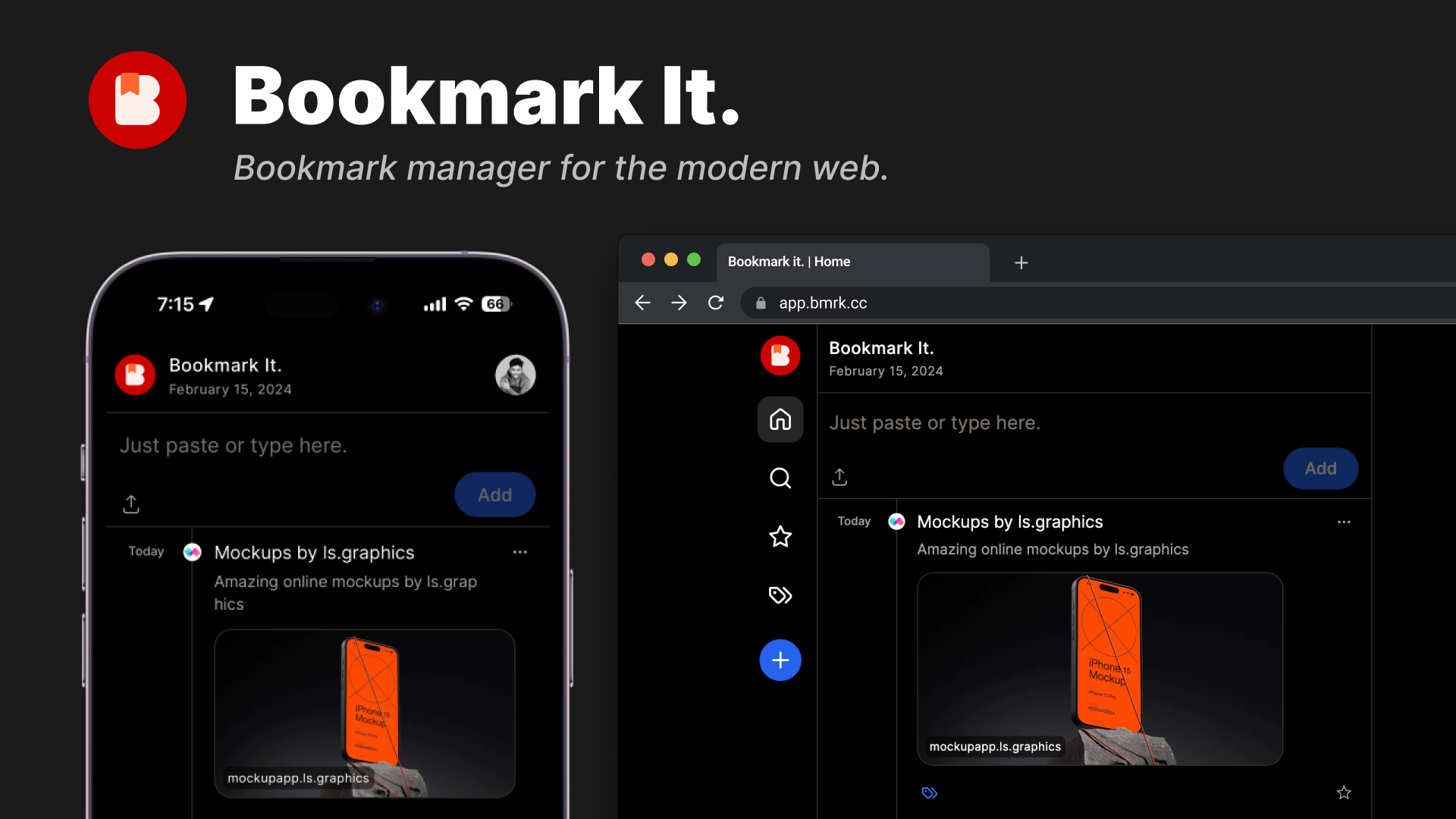
Bookmark It. is an open-source bookmark manager designed for the modern web. Effortlessly organize, categorize, and favorite your websites while maintaining full control over your data. - Twitter-like timeline for easy historical browsing of bookmarks - One-click bookmarking via browser extensions (Chrome, Brave) - Categorization & tagging with up to 100 tags (Pro plan) - Favorites system to highlight important bookmarks - Public sharing of bookmark collections or tags - Data export in CSV/HTML formats (Pro plan) - Theme customizations for personalized experience - Unlimited imports (5x for Pro users) - Cross-device access for seamless usage Bookmark It. is open-source and can be self-hosted. The project is built with modern web technologies and offers a clean, intuitive interface. For more details, visit the GitHub repository.

Universal bookmark manager with one-click saves

Save and organize bookmarks effortlessly with Cloudmark. Install a browser button to save pages in one click, categorize them, and access them anywhere via a simple link—no accounts required. - One-click saves: Drag the save button to your bookmarks bar and save pages instantly with title, URL, and icon preserved. - Tidy categories: Organize bookmarks into categories for easy search, filtering, and navigation using keyboard shortcuts (1-9). - Open anywhere: Share collections via links—viewable on any device without credentials. Only writing requires a token. - Keyboard-first: Navigate and manage bookmarks entirely via keyboard shortcuts (/, j, k, n, e, d, 1-9). - Privacy-focused: No accounts or passwords needed. Write tokens are hashed server-side; only the token holder can modify collections. - Multi-language support: Available in multiple interface languages. - Open source: Released under AGPL license with a public GitHub repository. Cloudmark is a self-hostable web application. The server stores only hashed write tokens, ensuring minimal data exposure. The frontend is lightweight and works across all modern browsers. Installation requires minimal setup—pick a name, install the save button, and start collecting bookmarks. View the demo | Read the docs

Privacy-first bookmark manager with Web3 ownership
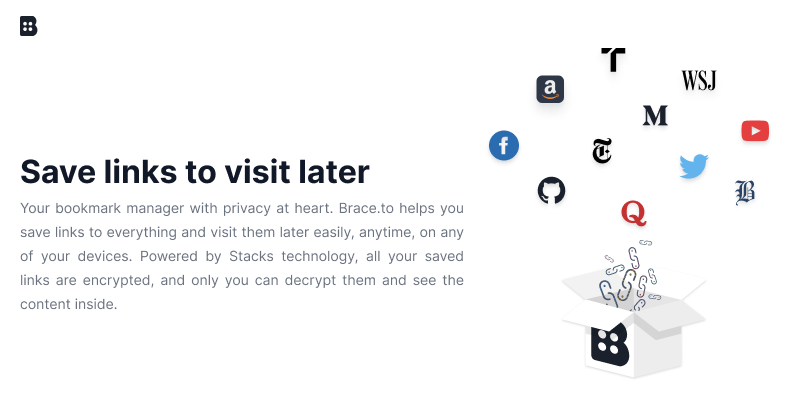
Brace.to is a privacy-focused bookmark manager that helps you save links to visit later easily, anytime, on any device. Powered by Stacks technology, all your saved links are encrypted, and only you can decrypt them. - End-to-End Encryption: All saved links are encrypted with your Secret Key, ensuring only you can access the content. - True Data Ownership: Your account is cryptographically generated and cannot be locked, banned, or deleted by anyone. - Cross-Device Access: Save and access links from any device using the website, browser extensions (Chrome, Firefox), or mobile apps (iOS, Android). - Multiple Save Methods: Save links directly on the website, via address bar shortcut, browser extension, or mobile app sharing. - Beautiful Link Previews: Each saved link is displayed with its representative image and title for easy recognition. - No Targeted Ads: Since your data is encrypted and private, it cannot be used for targeted advertising. - Self-Hosted Data Storage: Choose where your data is stored using Gaia, Stacks' decentralized storage system. - Open Source Client: The client application is open source, allowing for transparency and community contributions. Brace.to uses Stacks blockchain technology for account generation and encryption. Your data is stored in Gaia, a decentralized storage system where you can choose your data server provider or host your own. The client application is open source and available on GitHub.

Open source paycheck-by-paycheck budgeting app
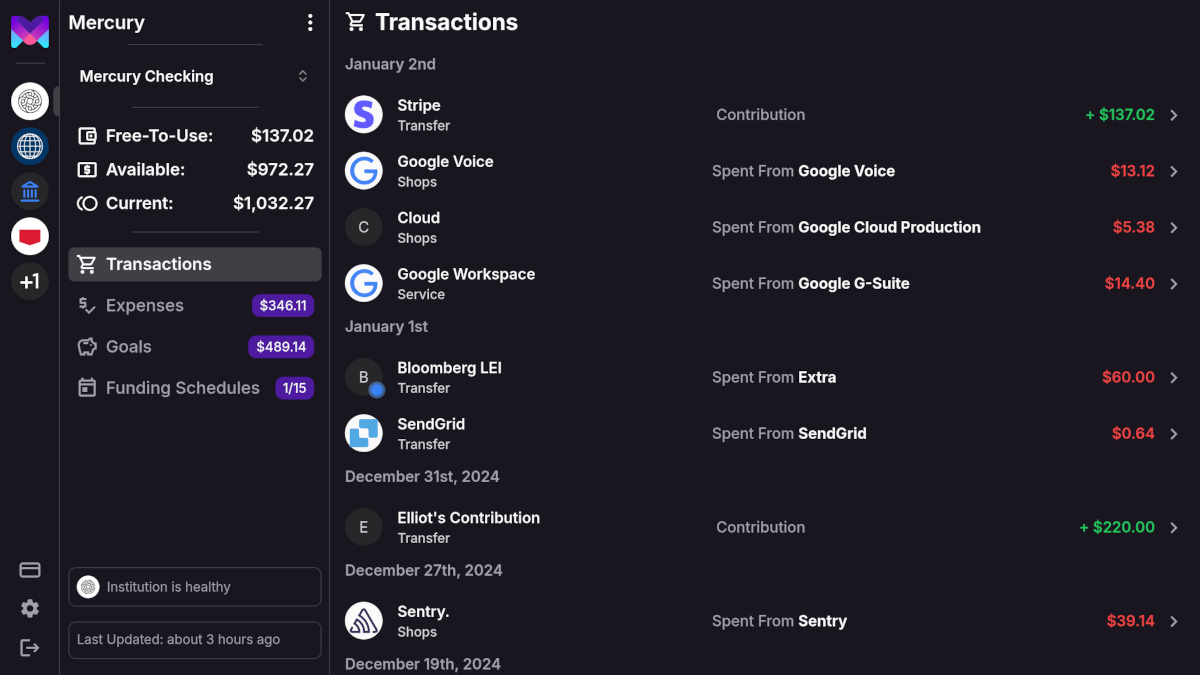
monetr is a personal finance application designed to help you manage your money paycheck by paycheck. It provides tools to budget effectively, track recurring expenses, and forecast your financial future with confidence. - Paycheck-by-Paycheck Budgeting: Manage your finances based on your paycheck schedule rather than a fixed monthly budget. - Recurring Expense Tracking: Budget for expenses that occur at any interval, not just monthly. - Bank Integration: Connect securely to your bank via Plaid for automated transaction updates. - Manual Transaction Uploads: Import OFX files directly from your bank for easy data entry. - Financial Forecasting: See a forecast of your finances based on your budget to plan ahead. - Mobile-Friendly: Access monetr on any device, including as a web app on desktop or mobile. - Self-Hosting: Deploy monetr on your own hardware for complete data privacy. - Open Source: All source code is publicly available for transparency and community contributions. monetr is built with modern web technologies and can be self-hosted on your own infrastructure. The project is open source and provides detailed installation guides for various deployment scenarios. It emphasizes data privacy and security, making it suitable for users who prefer to keep their financial data under their own control.

Open source Postgres development platform

Supabase is an open-source platform that provides developers with a full suite of tools to build scalable applications quickly. Built on top of PostgreSQL, it offers integrated features like authentication, real-time data synchronization, edge functions, and storage. - Postgres Database: Full PostgreSQL database with built-in authentication and Row Level Security (RLS). - Authentication: Secure user sign-ups and logins with RLS for data protection. - Edge Functions: Write and deploy custom code without managing servers. - Realtime: Enable multiplayer experiences with live data synchronization. - Storage: Store, organize, and serve large files like videos and images. - Vector Embeddings: Integrate ML models to store, index, and search vector embeddings. - Instant APIs: Ready-to-use REST APIs for seamless data access. - Dashboard: Manage your app directly from the dashboard with tools like Table Editor, SQL Editor, and RLS Policies. Supabase is open-source and can be self-hosted. It is built on PostgreSQL, making it highly portable and extensible. The platform is trusted by fast-growing companies worldwide and offers a free tier to get started.

Managed backend platform with Postgres & GraphQL
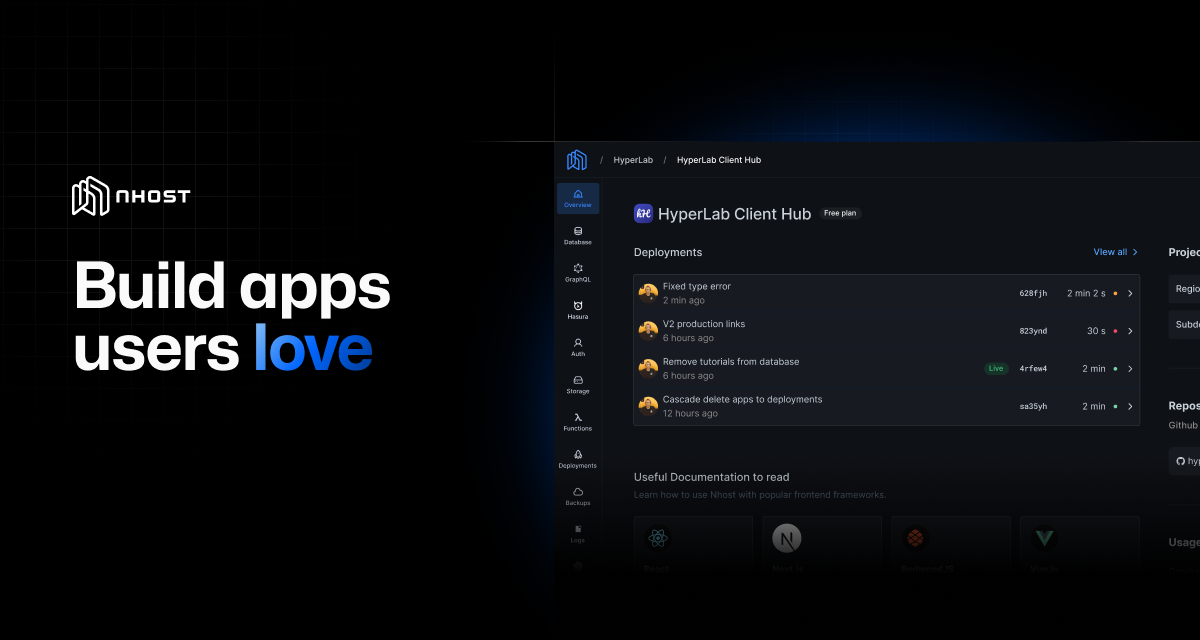
Nhost is a fully managed, extensible backend platform designed for speed, flexibility, and scale—without the infrastructure headaches. Ideal for developers building apps from prototypes to production-grade applications. - Postgres Database: Enterprise-grade SQL database instantly ready for use. - GraphQL API: Real-time API for your data with instant setup. - Authentication: Secure user sign-up, sign-in, and management. - Storage: File uploads, downloads, and CDN integration. - Serverless Functions: Scalable JavaScript/TypeScript backend logic without managing servers. - Bring Your Own Containers: Deploy services written in any language. - AI Toolkit: Auto-Embeddings, Assistants, File Stores, and more. - Local Development: CLI for running the entire Nhost stack locally with a single command. - Git-based Deployments: Simple CI/CD with automatic backend deployments on code push. - Production-Ready Infrastructure: Autoscaling, load balancing, and global CDN with 80+ locations. Nhost is primarily a managed service, but it offers a CLI for local development and supports self-hosting for advanced users. The platform is built for scalability, with production-ready infrastructure and built-in observability tools. Regions span 4 continents, ensuring low-latency global deployment.
About Pocket
Pocket was a read-it-later service that enabled users to save articles, videos, and other web content for offline reading. The service was available as a web app, browser extensions, and mobile applications for Android, iOS, and macOS.
Key Features of Pocket
- Save articles, videos, and web content for offline reading
- Cross-platform availability (web, mobile, browser extensions)
- Content discovery and recommendation features
- Integration with Firefox browser for curated content recommendations
Tech / Self-Hosting Info
Pocket was a proprietary service owned by Mozilla and did not offer self-hosting capabilities. The service has been discontinued as of 2026.