2 Best Open Source Getscreen.me Alternatives
A curated collection of the 2 best open source and self-hosted alternatives to Getscreen.me in 2026.
Looking for a free, privacy-friendly, or self-hosted replacement for Getscreen.me in 2026? The top open-source alternative is RustDesk — Open-source remote desktop with self-hosted servers.
Other highly rated open-source Getscreen.me alternatives include Zellij.

Open-source remote desktop with self-hosted servers
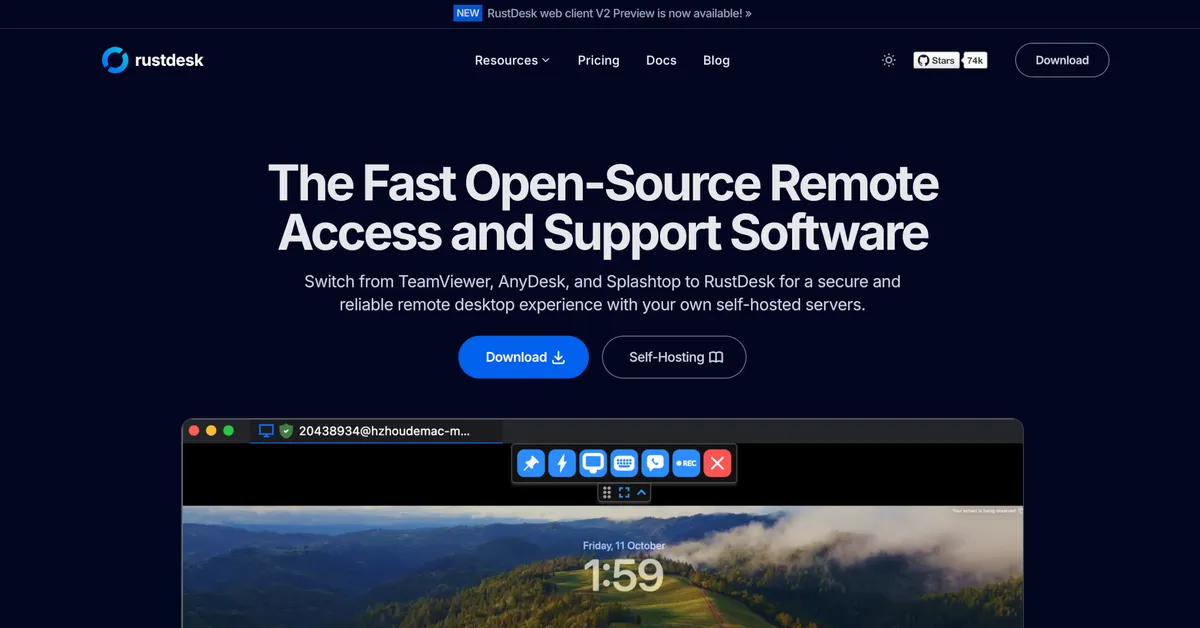
RustDesk is a fast, secure, and reliable open-source remote desktop solution designed to replace proprietary tools like TeamViewer, AnyDesk, and Splashtop. It offers self-hosted server options, ensuring full data control and regulatory compliance while maintaining high performance and customization. - Cross-platform support: Works seamlessly on Windows, macOS, Linux, and Android - Self-hosting capabilities: Deploy your own server for complete data ownership and security - Custom branding: Personalize client with your logo, name, and icon - Unattended remote access: True unattended access on Wayland with multi-monitor support - Advanced configuration: Over 90 configurable options for tailored deployments - Web client: Host a web-based client on your domain for easier remote access - High performance: NAT traversal without port-forwarding, modern codecs, and built-in encryption - Scalability: Supports large fleets (tested up to 200,000 devices) - Wayland support: Native Wayland compatibility for modern Linux systems RustDesk provides simple self-hosting installation via Docker: bash bash <(wget -qO- https://get.docker.com) wget rustdesk.com/oss.yml -O compose.yml docker compose up -d The open-source version (OSS) is available for self-hosting, while the Pro version offers additional enterprise features. All data remains under your control when self-hosted, ensuring GDPR compliance and eliminating third-party dependencies.

Terminal workspace with floating panes and layouts
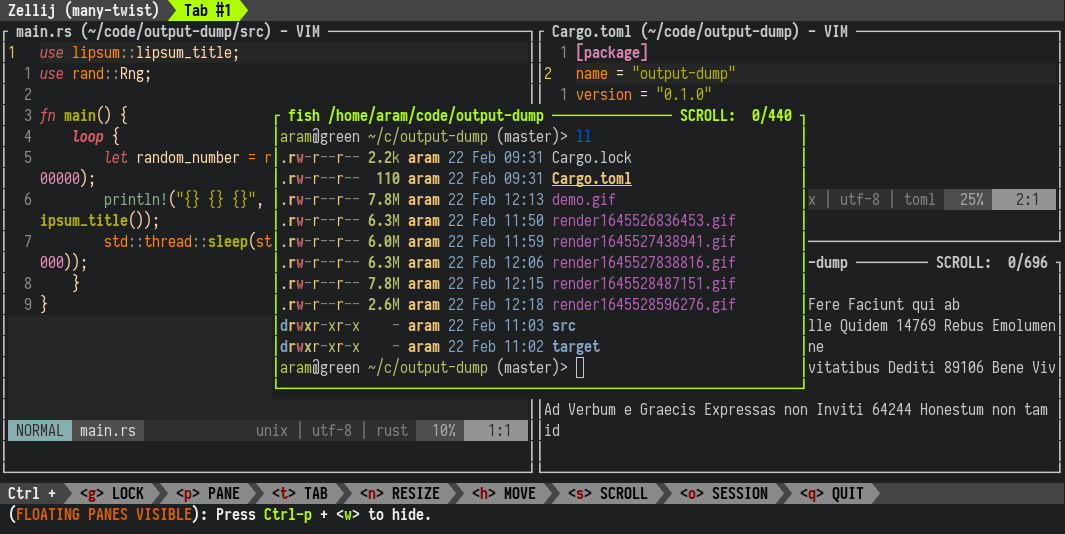
A terminal workspace that doesn't sacrifice simplicity for power. Zellij provides floating panes, customizable layouts, multiplayer collaboration, plugins, and works directly in your browser. Whether you're managing complex workflows or collaborating with a team, Zellij enhances productivity without overwhelming complexity. - Floating Panes: Arrange terminal panes freely for optimal workspace organization - Custom Layouts: Save and restore layouts for different workflows or projects - Multiplayer Collaboration: Share terminal sessions with team members in real-time - Plugin System: Extend functionality with community-built plugins - Browser Support: Run Zellij directly in your browser without installation - Cross-Platform: Native support for Linux, macOS, and Windows - Session Management: Persistent sessions that survive terminal restarts - Keybindings: Customizable keyboard shortcuts for efficient navigation Zellij is a self-hosted terminal workspace that runs entirely on your local machine or server. The software is open source (MIT license) and can be installed via package managers or direct downloads. For teams, Zellij offers a paid hosted session sharing service (currently in beta) at zellij.dev/zellij-online. Installation options: - Linux: Package managers (apt, dnf, pacman) or direct download - macOS: Homebrew or direct download - Windows: Direct download or WSL support - Browser: One-click launch via zellij.dev/launch System Requirements: - Modern terminal emulator (e.g., iTerm2, Alacritty, Windows Terminal) - Rust toolchain (for custom builds) - WebAssembly support (for browser version)
About Getscreen.me
Access Anywhere: Instant Browser-Based Remote Desktop Software
A powerful cross-platform solution for connecting to and sharing remote devices. Available from the browser or the desktop dashboard application. Integrates with any system. Suitable for system administration, technical support, screen sharing and other remote work tasks.
START BUSINESS TRIAL GET FREE ACCOUNT [4.6](https://getscreen.me/en/reviews/ "Capterra Reviews") [4.9](https://getscreen.me/en/reviews/ "G2 Reviews") [5.0](https://getscreen.me/en/reviews/ "Chrome Web Store Reviews")
Key Features of Getscreen.me
- Browser-Based Access: Connect to remote devices instantly from any web browser without requiring software installation.
- Permanent Remote Access: Unattended access for IT administration, office devices, or personal use.
- One-Time Quick Sessions: Set up temporary remote support sessions for help desks or IT teams.
- Screen Sharing & Control: Full remote desktop control with file transfer and terminal mode capabilities.
- Cross-Platform Support: Works on Windows, macOS, Linux, and Android devices.
- Team Access & Role Management: Share device access across teams with custom roles and permissions.
- Branding & OEM Integration: Customize the platform for your brand or embed remote access in your product.
- Self-Hosted Option: Deploy on your own infrastructure for enhanced security and control.
- Mobile Support: Remote access for Android devices via browser.
- Advanced File Management: Transfer files seamlessly between connected devices.
- Terminal Mode: Run scripts and manage systems remotely without interrupting users.
- API & Integrations: HTTP API for deep integration and SSO/Active Directory support for technician accounts.
Tech / Self-Hosting
Getscreen.me offers a self-hosted version for enterprises requiring full data control and customization. The platform is compatible with most modern browsers and operating systems. Detailed setup guides and system requirements are available in the official documentation.