3 Best Open Source cPanel Alternatives
A curated collection of the 3 best open source and self-hosted alternatives to cPanel in 2026.
Looking for a free, privacy-friendly, or self-hosted replacement for cPanel in 2026? The top open-source alternative is 1Panel — Modern open-source Linux server management panel.
Other highly rated open-source cPanel alternatives include aaPanel and OpenPanel.

Modern open-source Linux server management panel

1Panel is a modern, open-source Linux server management panel designed for simplicity and efficiency. Built for the AI era, it provides a unified interface to manage servers, deploy applications, and orchestrate AI workloads. - AI Management: Unified AI portal, gateway, skills hub, and model management for deploying and managing AI agents and LLMs. - Efficient Visual Operations: Clean web interface for host monitoring, file management, database administration, and container orchestration. - Quick Site Deployment: One-click WordPress and OpenClaw installations with domain binding and SSL certificate setup. - Enterprise Security: Built-in WAF firewall, log auditing, and one-click backup/recovery with multi-cloud storage integration. - Rich App Store: Curated collection of 187+ open-source applications with one-click installation across categories like AI, databases, security, and dev tools. - Multi-Edition Support: Free open-source edition and enterprise features for advanced use cases. 1Panel is self-hosted and open-source, requiring a Linux server (Ubuntu/CentOS/Debian) for installation. Supports Docker integration and provides both community and enterprise editions. The platform emphasizes security with audit logs, role-based access control, and compliance-ready features. Quick Start Guide | Demo

Free web hosting control panel for Linux servers

aaPanel is a free, open-source web hosting control panel designed for Linux servers. It simplifies server management with a user-friendly interface, enabling one-click installations of LNMP (Linux, Nginx, MySQL, PHP), LAMP (Linux, Apache, MySQL, PHP), and OpenLiteSpeed environments. The platform supports managing websites, databases, email servers, FTP, and more, making it ideal for developers, system administrators, and hosting providers. - One-Click Installations: Quickly deploy LNMP, LAMP, OpenLiteSpeed, WordPress, and Docker environments. - WP Toolkit: Simplify WordPress management with one-click setup, backups, cloning, and security. - Mail Server & Marketing: Manage personal/company mail servers and run email marketing campaigns. - Nginx WAF: Protect applications with built-in Web Application Firewall (WAF) security. - Scheduled Tasks: Automate backups, updates, and maintenance with cron job support. - File Protection: Secure files and folders from unauthorized modifications. - Multi-User Support: Create sub-accounts for shared hosting or team collaboration. - Mobile App: Manage servers on-the-go with the aaPanel mobile application. - Git Deployment: Deploy websites directly from Git repositories. - Multi-WebServer Hosting: Assign different web engines (Nginx, Apache, OpenLiteSpeed) to individual sites. - WHMCS Automation: Integrate with WHMCS for automated user provisioning and lifecycle management. - Security Tools: Monitor intrusions, perform deep scans, and protect against malicious activity. - Performance Monitoring: Track CPU, RAM, and traffic usage in real-time. - Open Source: Available under an open-source license on GitHub. - Self-Hosted: Runs on Linux servers (Ubuntu, Debian, CentOS, etc.). - Pro Version: Offers advanced features like multi-user accounts, WAF, analytics, and file protection for a fee. - Installation: Free for life; no hidden costs for the core features.

Next-gen container-based web hosting control panel
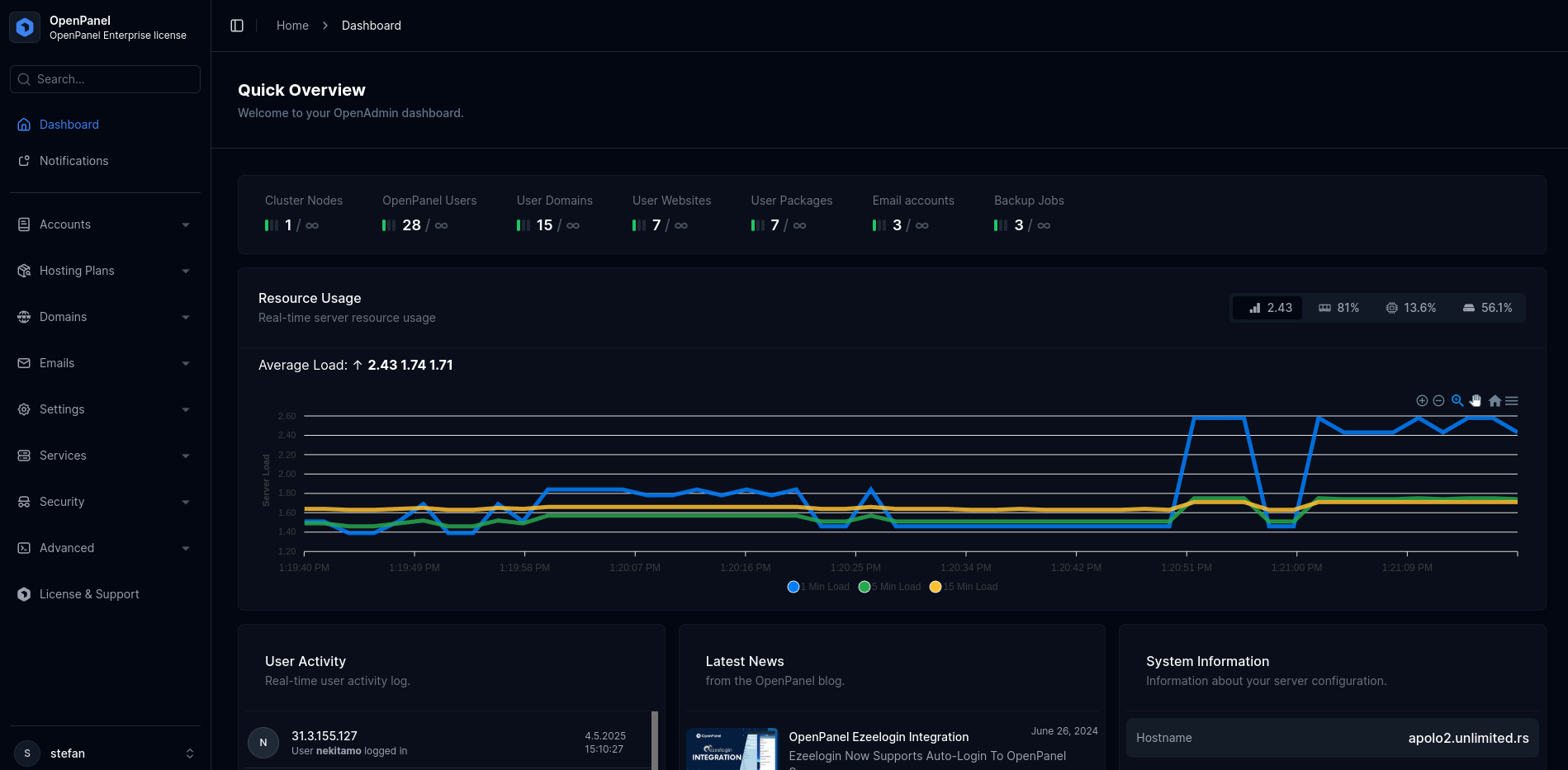
OpenPanel is a modern, container-based web hosting control panel designed for scalability and flexibility. Built around Docker containers, it provides isolated environments for each user, allowing full control over web servers, databases, caching, and security settings. - Container-based isolation: Dedicated environments for each user with full container management - Multi-webserver support: Choose between Nginx, Apache, OpenLitespeed, OpenResty, or Varnish per user - Flexible PHP versions: Support for multiple PHP versions with easy switching - Advanced caching: Object caching with Redis, Memcached, and Varnish - Security features: Built-in WAF (CorazaWAF) and resource isolation - CLI-first management: Complete control via OpenCLI with 100+ terminal commands - Database management: Per-user MySQL databases with easy provisioning - Enterprise scalability: Unlimited users, mailboxes, and centralized container management - No addons required: All essential features integrated (backups, WordPress management, etc.) - Custom branding: White-label options for hosting providers - DNS Cluster support: For distributed hosting environments OpenPanel is open-source and self-hosted, requiring a Linux server with Docker installed. The Community Edition is free to use, while the Enterprise edition offers additional features for professional hosting businesses. Installation is straightforward via a single command: bash bash <(curl -sSL https://openpanel.org) The system is built with Go for the backend and TailwindCSS for the frontend, with Passkeys authentication for enhanced security.
About cPanel
cPanel is the industry's most trusted hosting control panel, offering a reliable and user-friendly platform for managing servers and websites at scale. With powerful automation, extensive customization options, and dedicated support, cPanel helps optimize operations, reduce costs, and deliver exceptional customer experiences.
Key Features of cPanel
- Automated Server Management: Streamline server tasks with built-in automation tools for easy setup and maintenance.
- Flexible Customization: Hundreds of features and plugins to tailor the platform to your business needs.
- WordPress Integration: Seamless WordPress hosting management through integrated tools like WP Toolkit and WP Squared.
- Sitejet Builder: Design and launch beautiful websites directly within cPanel without technical expertise.
- WHM (WebHost Manager): Advanced server administration for hosting providers to manage multiple cPanel accounts efficiently.
- Security & Monitoring: Built-in security features and monitoring tools to ensure server and website safety.
- White-Label Options: Custom branding and reseller capabilities for hosting businesses.
- Extensive Support: 24/7 dedicated support and a comprehensive knowledge base for troubleshooting.
- Partner Ecosystem: Access to a network of partners, exclusive discounts, and revenue-sharing opportunities.
Tech / Self-Hosting
cPanel is a proprietary software solution designed for self-hosting on dedicated or virtual servers. It requires a server environment with Linux OS and is typically deployed by hosting providers or businesses managing their own infrastructure. cPanel offers a free trial and multiple pricing tiers based on server capacity and features.