13 Best Open Source Confluence Alternatives
A curated collection of the 13 best open source and self-hosted alternatives to Confluence in 2026.
Looking for a free, privacy-friendly, or self-hosted replacement for Confluence in 2026? The top open-source alternative is Macro Docs — Collaborative markdown docs with AI agents.
Other highly rated open-source Confluence alternatives include AppFlowy, Affine and Outline.

Collaborative markdown docs with AI agents
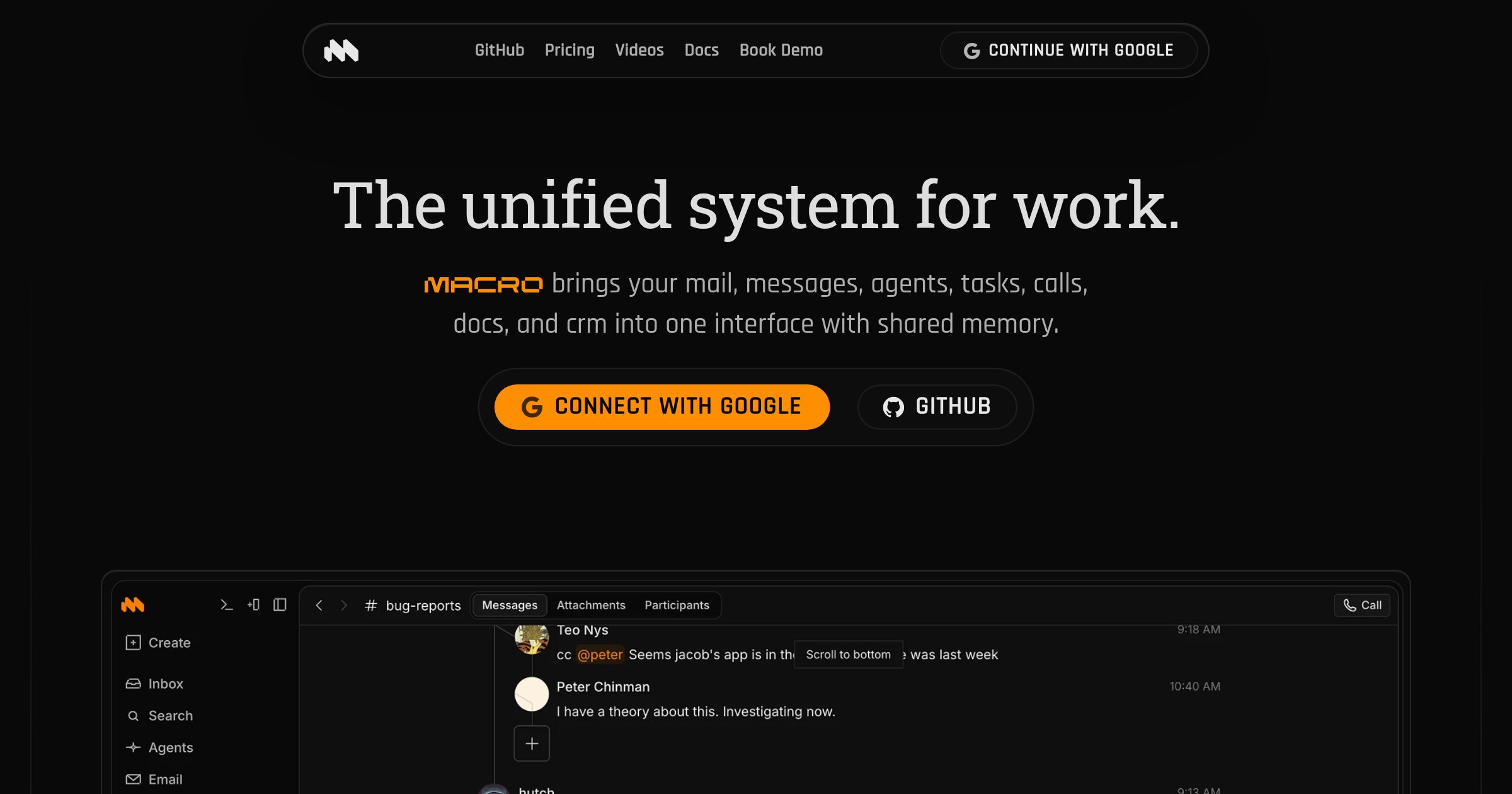
Macro Docs is a real-time, version-controlled markdown editor that integrates seamlessly with your team's tasks, email, channels, and AI agents. Built for collaboration and offline editing, it combines the flexibility of plain text with structured properties and live @mentions. - Collaborative Editing: CRDT-based real-time collaboration with inline comment threads and live agent cursors - Markdown-Native: Portable markdown files that can be exported anytime - @Linked Workspace: Directly mention people, tasks, emails, or channels with live links - Version Control: Full version history with restore and fork capabilities - Agent-Editable: AI agents can draft, revise, and work within documents in real time - Structured Properties: Add fields like status, assignee, dates, and links alongside documents - Mobile-Friendly: Access and edit documents on any device - Offline Editing: Continue working even without an internet connection Macro Docs is open source under AGPLv3 and available on GitHub. While the application code is open for inspection, your workspace data remains private and secure. The platform is designed for cloud use with no self-hosting option currently available.

Self-hosted AI workspace for teams
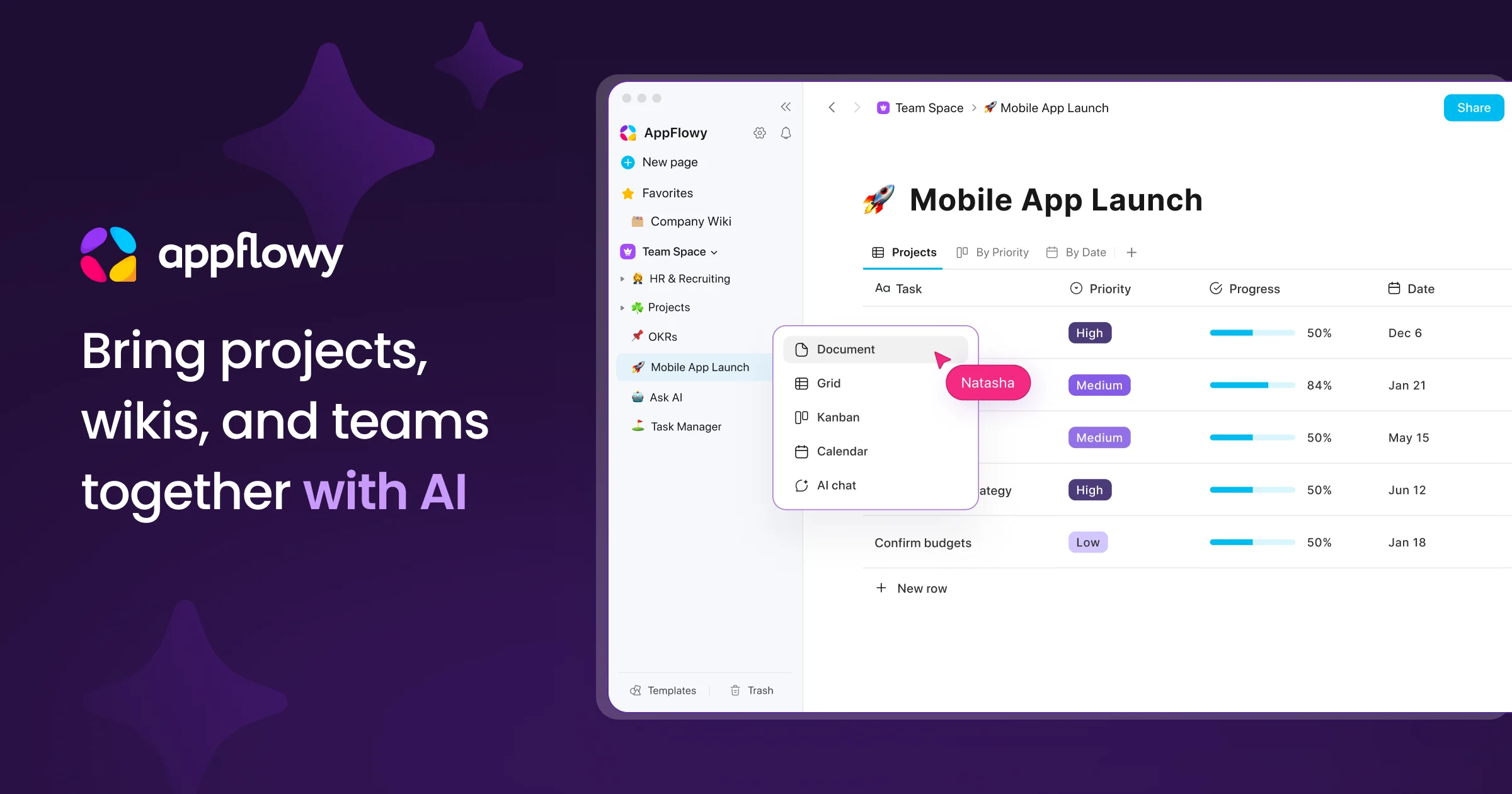
AppFlowy is the AI collaborative workspace where you achieve more without losing control of your data. It brings projects, wikis, and teams together with AI-powered search, meeting notes, and document collaboration. - AI Search: Get answers grounded in your sources in seconds - Knowledge Base: Centralized source of truth for teams and AI agents - Project Management: End-to-end project tracking with less overhead - AI Meeting Notes: Turn meetings into actions and insights - Real-time Collaboration: Co-edit documents or comment asynchronously - Self-hosting: Deploy on-premises, in your cloud, or air-gapped environments - Local AI: Run AI processing and models within your infrastructure - Data Sovereignty: Full control over data storage, residency, and compliance - Cross-platform: Available on macOS, Windows, Linux, iOS, Android, and web - Migration Support: Seamless migration from Notion, Confluence, and more - Admin Panel: Centralized management for users, workspaces, and permissions - SSO & Integrations: SAML, OIDC, SCIM, LDAP, MCP, and public APIs AppFlowy is open-source and can be self-hosted on your infrastructure, in your cloud, or in fully air-gapped environments. It supports local AI models for processing and embedding, ensuring complete data control and compliance with regulatory requirements. The platform offers transparent development with an active global community and provides migration tools to transition from other platforms without compromising data security.

Open-source Notion & Miro alternative with docs, whiteboards, databases, and AI in one local-first workspace

AFFiNE is a next-generation workspace that merges docs, whiteboards, and databases into a single local-first platform. Built for creativity and productivity, it combines the best of Notion, Miro, and Obsidian with integrated AI capabilities. - All-in-one workspace: Unified interface for documents, whiteboards, and databases - Local-first architecture: Works offline with real-time sync across devices - AI integration: Built-in AI assistant for writing, drawing, and planning - Collaboration tools: Edgeless whiteboards for limitless team creativity - Team hub: Unified document space for teams of all sizes - Cross-platform: Available as desktop, web, and mobile apps - Extensible: Supports templates and custom workflows - Privacy-focused: Self-hosting and private cloud options available AFFiNE is open-source and can be self-hosted for complete data control. The platform supports private cloud deployments and offers enterprise solutions with dedicated support. The codebase is available on GitHub under the MIT license, making it suitable for both personal and commercial use.

Modern team knowledge base & wiki
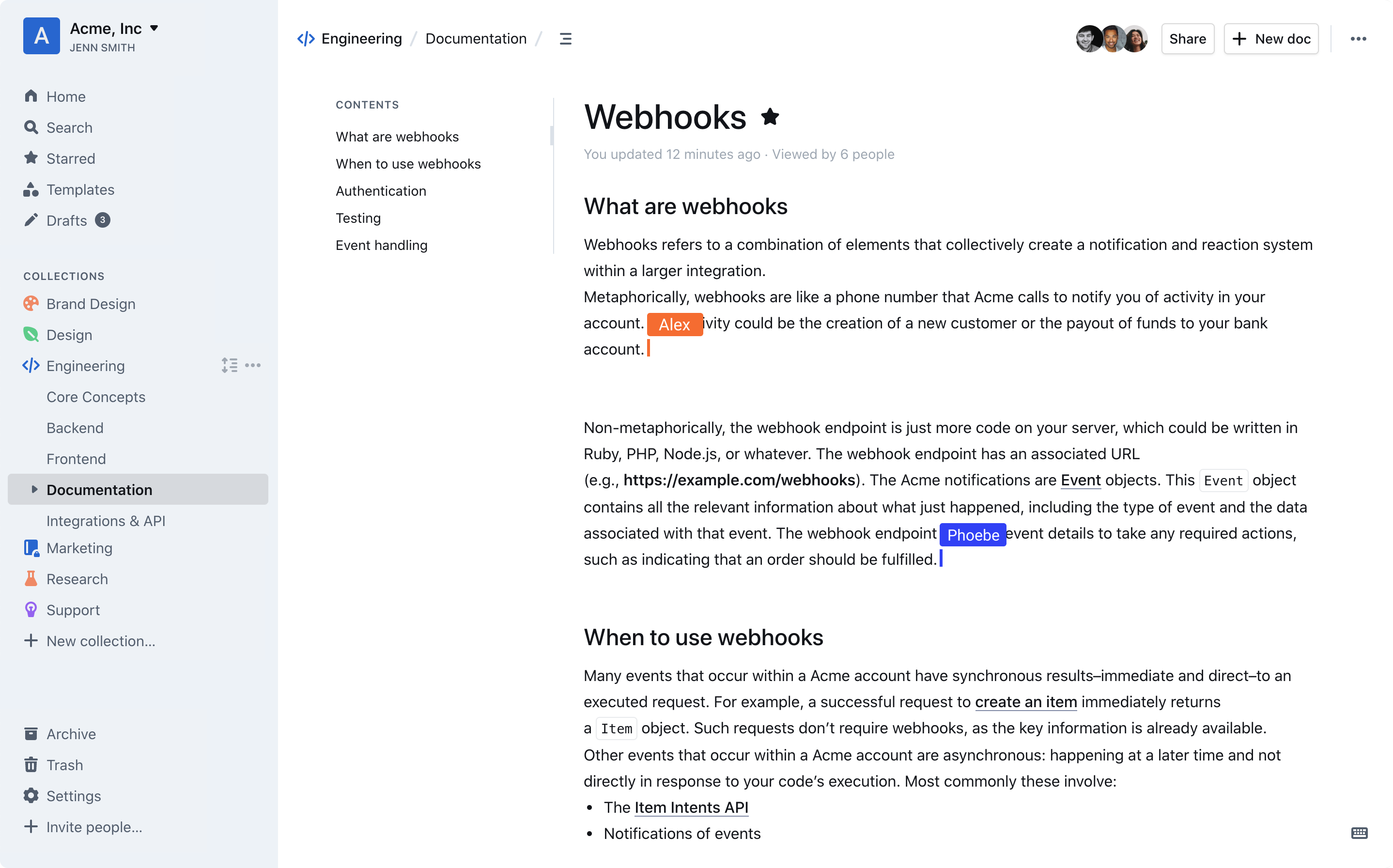
Outline is a modern team knowledge base designed to organize internal documentation, product specs, support answers, meeting notes, onboarding materials, and more. Built for speed and collaboration, it offers a blazing-fast editor with markdown support, slash commands, and interactive embeds. - Intuitive Editing: Blazing-fast editor with markdown support, slash commands, and interactive embeds. - Real-time Collaboration: Multiplayer collaboration with comments, threads, and organized conversations. - AI-Powered Search: Instant workspace search and AI-driven answers to document questions. - Slack Integration: Search, share, and ask questions directly from Slack without leaving the chat. - Public & Private Sharing: Share documents publicly via link or privately with teams, using custom branding. - Security & Permissions: Granular read/write permissions, user groups, guest access, and public sharing controls. - 20+ Integrations: Native integrations with tools like Slack, Figma, and Loom, plus an open API for custom integrations. - Multi-language Support: RTL support and translations for 20+ languages, including French, Spanish, German, Korean, and Chinese. - Dark Mode: Built-in dark mode for comfortable night-time use. - Self-Hosting: Deploy on-premises or in your own cloud infrastructure. - Open Source: Source code is publicly available on GitHub. Outline is open-source and can be self-hosted on your own server. It supports custom domains, white-labeling, and is built with modern web technologies. The platform is GDPR compliant and offers enterprise-grade security features, including audit logs and granular access controls. For cloud hosting, a 30-day free trial is available.

All-in-one open-source workspace for teams

Huly is an open-source platform designed to streamline team productivity by consolidating project management, communication, and knowledge sharing into a single workspace. - Unified Workspace: Combines team planning, project management, virtual office spaces, chat, documents, and inbox for seamless collaboration. - Keyboard Shortcuts: Work efficiently with instant access to common actions. - Team Planner: View all individual tasks in a centralized team calendar to keep track of the bigger picture. - Notifications: Receive instant updates on any changes to stay informed. - Time-Blocking: Transform daily tasks into structured time blocks for focused productivity. - Virtual Office: Create customized virtual office spaces with high-quality audio and video conferencing for remote teams. - GitHub Integration: Bidirectional synchronization with GitHub Issues and Projects for advanced task tracking and management. - Private Tasks: Securely manage and integrate multiple data repositories. - Advanced Filtering: Precise project data search with robust filtering capabilities. - Huly MetaBrain: Connect workflow elements to build a dynamic knowledge base for future AI-powered insights. Huly is open-source and can be self-hosted, providing full control over data and infrastructure. The platform is built with modern web technologies and supports scalable deployment for teams of all sizes.

Enterprise-ready on-premise wiki for teams
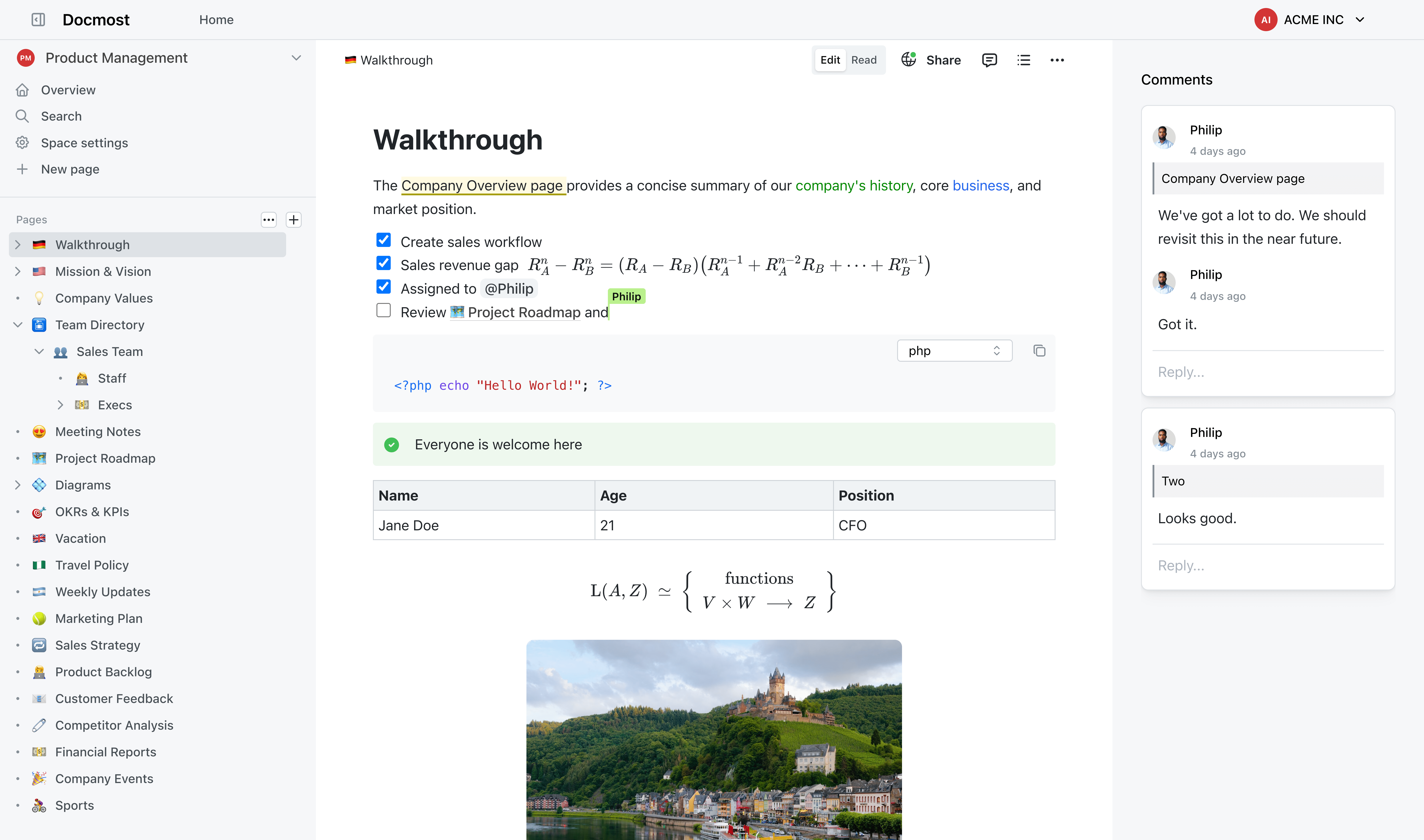
Docmost is an enterprise-grade wiki platform designed for secure on-premise knowledge management. Built for teams that need full control over their documentation while maintaining compliance with strict regulatory standards. - Real-time Collaboration: Edit pages together with live cursors and instant sync across users and devices. - Self-Hosted AI Suite: Deploy AI chat, search, and MCP support with your choice of LLMs (Ollama, vLLM, OpenAI, etc.). - Granular Permissions: Role-based access control (RBAC) with groups, viewing, editing, and admin permissions. - Page Verification: Workflow-based content verification to meet ISO 9001, ISO 27001, SOC 2, and other compliance standards. - Team Spaces: Dedicated spaces for teams, projects, or departments to organize knowledge. - Public Sharing: Share selected pages publicly without exposing your entire wiki. - Built-in Diagramming: Create flowcharts, UML, network diagrams, and org charts with Draw.io, Excalidraw, and Mermaid. - Enterprise SSO: Seamless integration with SAML 2.0, OpenID Connect, and LDAP identity providers. Docmost is a self-hosted solution that can be deployed on-premises or in your private cloud. It supports Docker, Kubernetes, and traditional server setups. The platform is designed for high availability and scalability, making it suitable for organizations of all sizes. Compliance features include ITAR, FedRAMP, and GDPR support out of the box.

Open-source collaborative document editor
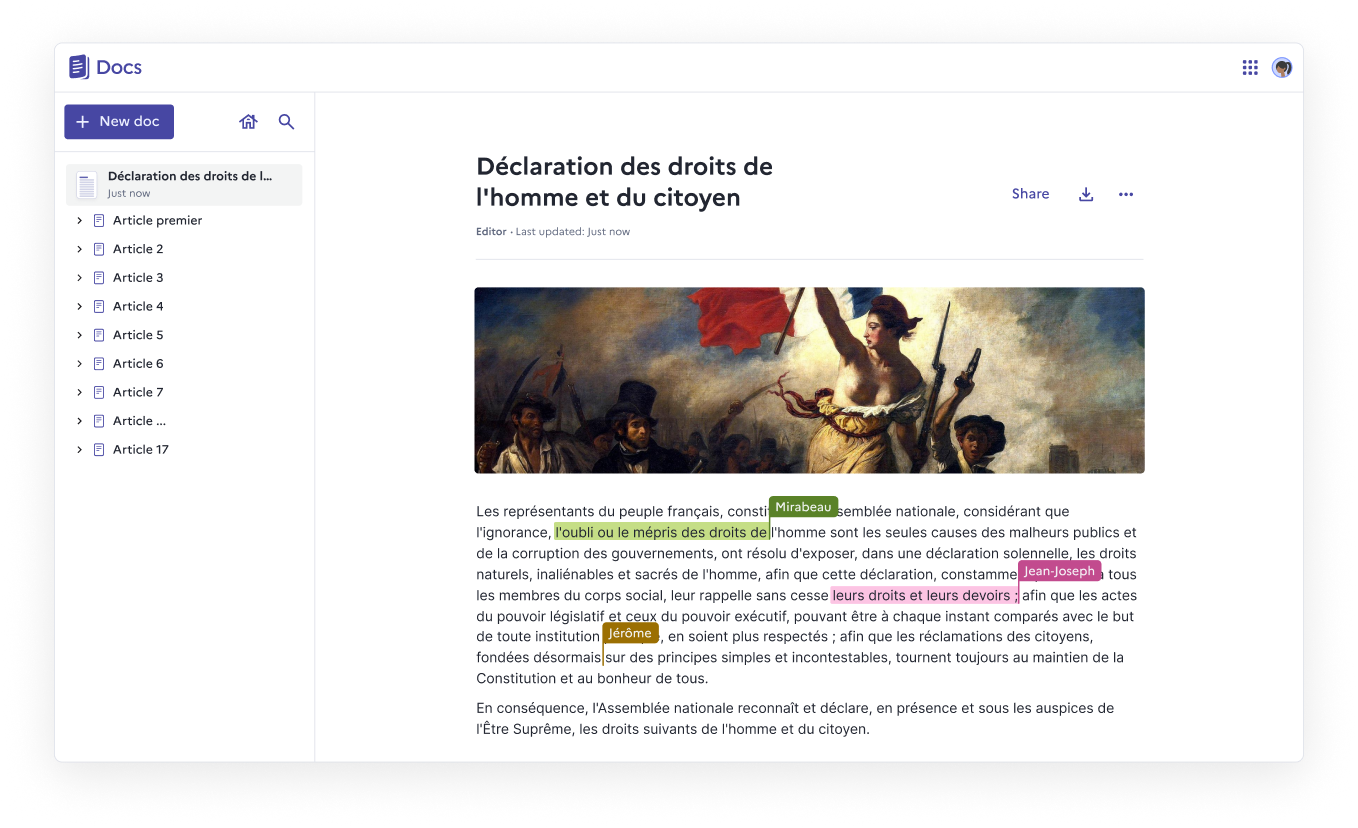
Docs is an open-source, web-native document editor designed for real-time collaboration, structured knowledge, and full data ownership. Whether you self-host it or use a public instance, Docs empowers teams to create, organize, and share documents effortlessly. - Real-time collaboration with live cursors, presence indicators, and comments - Block-based editing using slash commands, tables, columns, and collapsible sections - Knowledge organization through nested documents and hierarchies - Granular access control for viewing, commenting, or editing permissions - Import & export support for .docx, .md, .odt, and .pdf formats - Version history with rollback capabilities for every save - Fast search to quickly find and pin frequently accessed documents - Self-hosting with full data ownership and no third-party dependencies - Accessibility compliance with ongoing WCAG/RGAA improvements - Optional AI integration for summarization, rewriting, translation, and slide creation - Built on open-source foundations: Next.js, Django REST Framework, Yjs, BlockNote.js - Self-hostable via Docker Compose, Kubernetes, Nix, or YunoHost - 100% MIT licensed with no vendor lock-in - Verified Digital Public Good by the DPG Alliance - AI integration supports custom LLM providers or Mistral models via Albert API - Security note: Documents are not end-to-end encrypted (not suitable for classified data)

Open-source Slack and Notion alternative
Colanode is a modern, all-in-one collaboration platform designed for teams seeking a flexible and self-hostable alternative to Slack and Notion. Built with local-first principles and powered by CRDTs, it ensures seamless synchronization and conflict-free collaboration across devices. - Local-first architecture: Save work to your device first, sync in the background for offline access and reduced latency. - Conflict-free collaboration: Powered by CRDTs (Conflict-free Replicated Data Types) for smooth multi-player editing without conflicts. - Self-hosting or cloud: Deploy on your own infrastructure or use the managed cloud version—your data, your choice. - Integrated workspace: Combine chat, rich text pages, databases, and file management in a single platform. - Real-time chat: Communicate with individuals or teams through channels with instant messaging. - Rich text pages: Create documents, wikis, and notes using an intuitive editor similar to Notion. - Structured databases: Organize information with custom fields, dynamic views (table, kanban, calendar), and relational data. - File management: Securely store, share, and manage files within dedicated workspaces. Colanode is open-source and designed for easy self-hosting. It supports deployment on various platforms including Docker, Kubernetes, and bare metal. Detailed self-hosting guides and documentation are available to help you get started. The platform is built with modern web technologies and prioritizes performance, security, and scalability.

Open source enterprise wiki and knowledge base

XWiki is a powerful open-source wiki and knowledge management platform designed for teams and enterprises. It offers flexible deployment options, including self-hosting and cloud hosting, with both standard and customizable solutions to fit diverse organizational needs. - Collaborative Knowledge Base: Create, edit, and organize documentation with real-time collaboration. - Customizable Workspaces: Tailor wikis to specific use cases like knowledge bases, extranets, or digital workplaces. - Enterprise-Grade Security: Built-in access control, audit logs, and compliance with ISO standards. - Integration Capabilities: Connect with third-party tools and business applications via connectors. - Multi-Format Support: Embed images, videos, tables, and macros for rich content creation. - Version Control: Track changes and restore previous versions of documents. - Scalable Deployment: Available as self-hosted software or managed cloud service. - Business Apps & Connectors: Pre-built applications for common enterprise needs. - Open Source: Fully open-source under LGPL license (GitHub repository available). - Deployment Options: Self-hosted on your infrastructure or hosted by XWiki SAS in the cloud. - Tech Stack: Java-based platform with support for PostgreSQL, MySQL, and other databases. - Custom Development: Professional services for tailored solutions and integrations. - Security & Compliance: GDPR compliant with ISO 27001 certification.

Open-source flat-file CMS for documentation
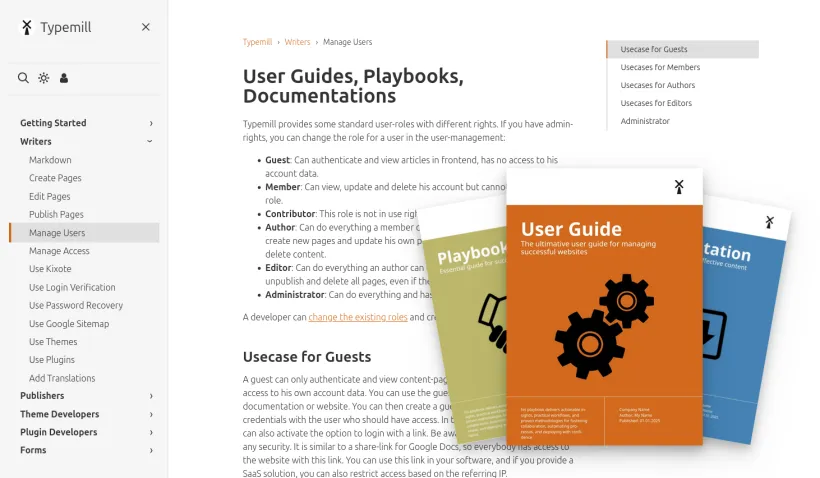
Typemill is an open-source flat-file CMS designed for creating text-driven websites like product documentation, software manuals, user guides, and eBooks. Write in Markdown and publish as websites, PDFs, or eBooks with a structured and intuitive workflow. - Markdown-based editing – Write content in Markdown for simplicity and version control compatibility. - Multi-format publishing – Export documentation as websites, PDFs, or eBooks. - Self-hosted & open-source – Full control over your data with no vendor lock-in. - Plugin & theme ecosystem – Extend functionality with plugins and customize appearance with themes. - Structured content – Organize documentation with a clear hierarchy for easy navigation. - AI integration – Optional AI-powered features for automation and content enhancement. - Regular updates – Actively developed since 2017 with monthly releases and improvements. - Case studies – Trusted by software companies, manufacturers, and IT services for documentation needs. - Tech Stack: PHP-based, flat-file CMS (no database required). - Self-Hosting: Fully self-hostable on any PHP-enabled server. - Requirements: PHP 8.5+, web server (Apache/Nginx), basic server access. - Installation: One-click setup via starter guide or manual installation. - Demo: Try a live demo at try.typemill.net. - License: Open-source (MIT) with optional commercial licenses for advanced features.

Open-source document lifecycle management platform

Wraft is an open-source Document Lifecycle Management solution that helps businesses author, collaborate, and store their most important documents. Designed for data sovereignty and security, it provides structured document creation, automated workflows, and self-hostable storage. - Smart Document Creation: Build professional documents from customizable templates with no cloud dependencies - Built-in E-Signatures: Get documents signed quickly with approval workflows - Automated Workflows: Generate contracts and proposals automatically from existing data and templates - Self-Hosted Storage: Store and manage all documents with full data control - Structured Organization: Smart, searchable document repository with advanced retrieval - API Integration: Connect with existing tools via REST APIs, SSO, and webhooks - Custom Workflows: Create approval processes tailored to your team's needs - Open-Source Core: Fully self-hostable with AGPLv3 licensing for transparency and flexibility - Self-Hosted: Fully deployable on your own infrastructure - Document Generation: Uses Pandoc for format conversion (PDF, LaTeX, Typst) - Integration Options: REST APIs, SSO, and webhooks for seamless connectivity - Deployment: Docker-based setup for easy installation and scaling - Data Sovereignty: Designed for enterprises prioritizing data privacy and security

Open-source developer content platform
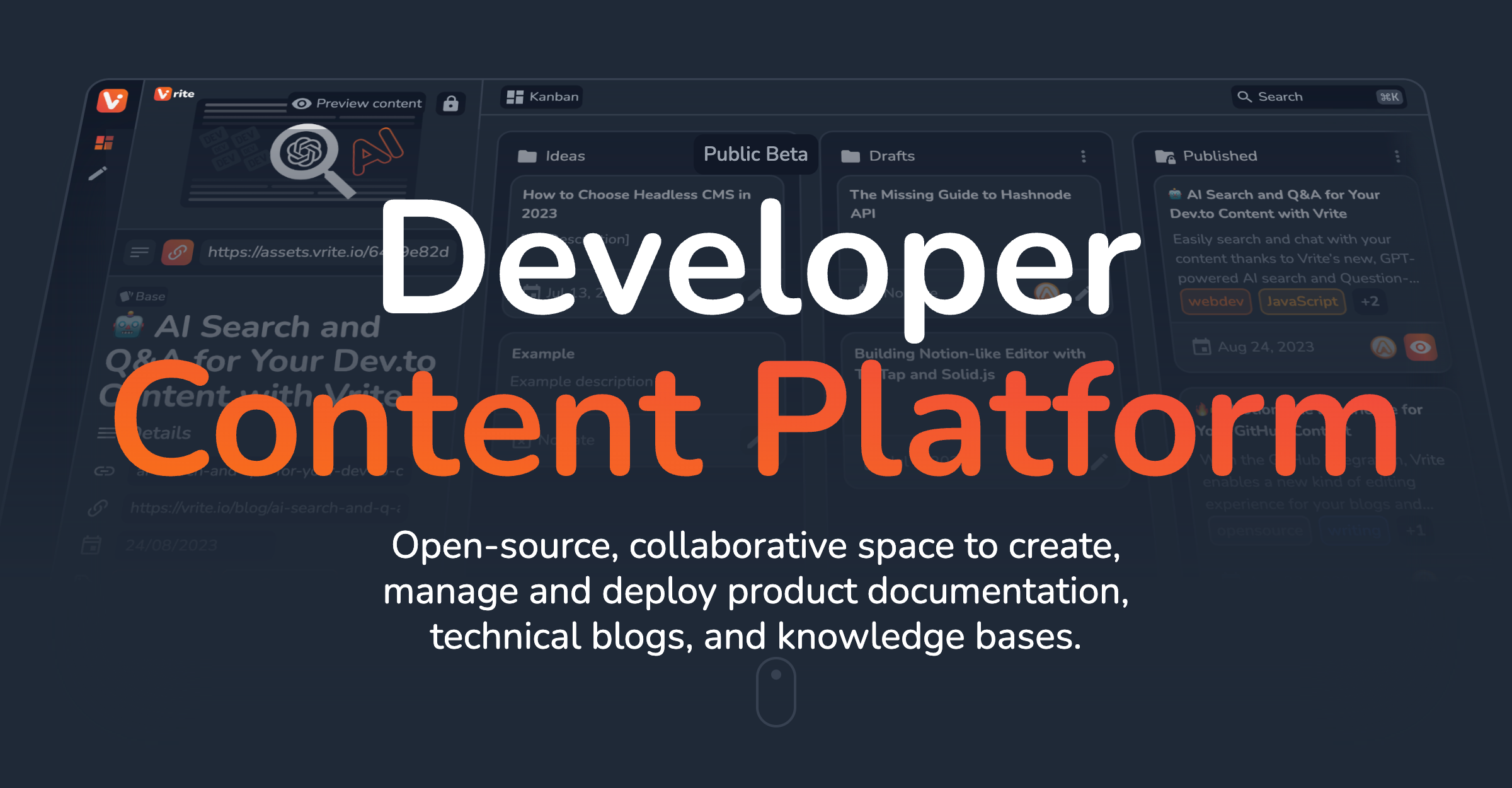
Vrite is an open-source, collaborative developer content platform designed for creating, managing, and deploying product documentation, technical blogs, and knowledge bases. - Modern WYSIWYG Editor: Write and format content with ease using Markdown, keyboard shortcuts, and IDE-level syntax highlighting. - Headless & Open-Source: Self-host or use the cloud without vendor lock-in. Integrate with any front-end via API. - Content Variants: Manage localization, A/B testing, and more with built-in support for content variants. - Metadata & Git Sync: Store custom metadata and sync content bi-directionally with Git for a docs-as-code approach. - JavaScript SDK: Easily integrate with popular frameworks and extend functionality. - AI-Powered Search: Built-in semantic search and Q&A powered by LLMs to find answers in your content. - Extensions & Customization: Customize content, automate workflows, and integrate with favorite tools via an extension system. - Role-Based Access Control: Collaborate with your team while maintaining full control over permissions. - Flexible Views & Panels: Organize content in kanban, table, or explorer views to suit your workflow. Vrite is fully open-source and can be self-hosted or used via the cloud. It supports bi-directional Git sync, making it ideal for teams adopting a docs-as-code approach. The platform is built with modern web technologies and offers a JavaScript SDK for seamless integration with existing workflows.

All-in-one workspace for team docs and projects
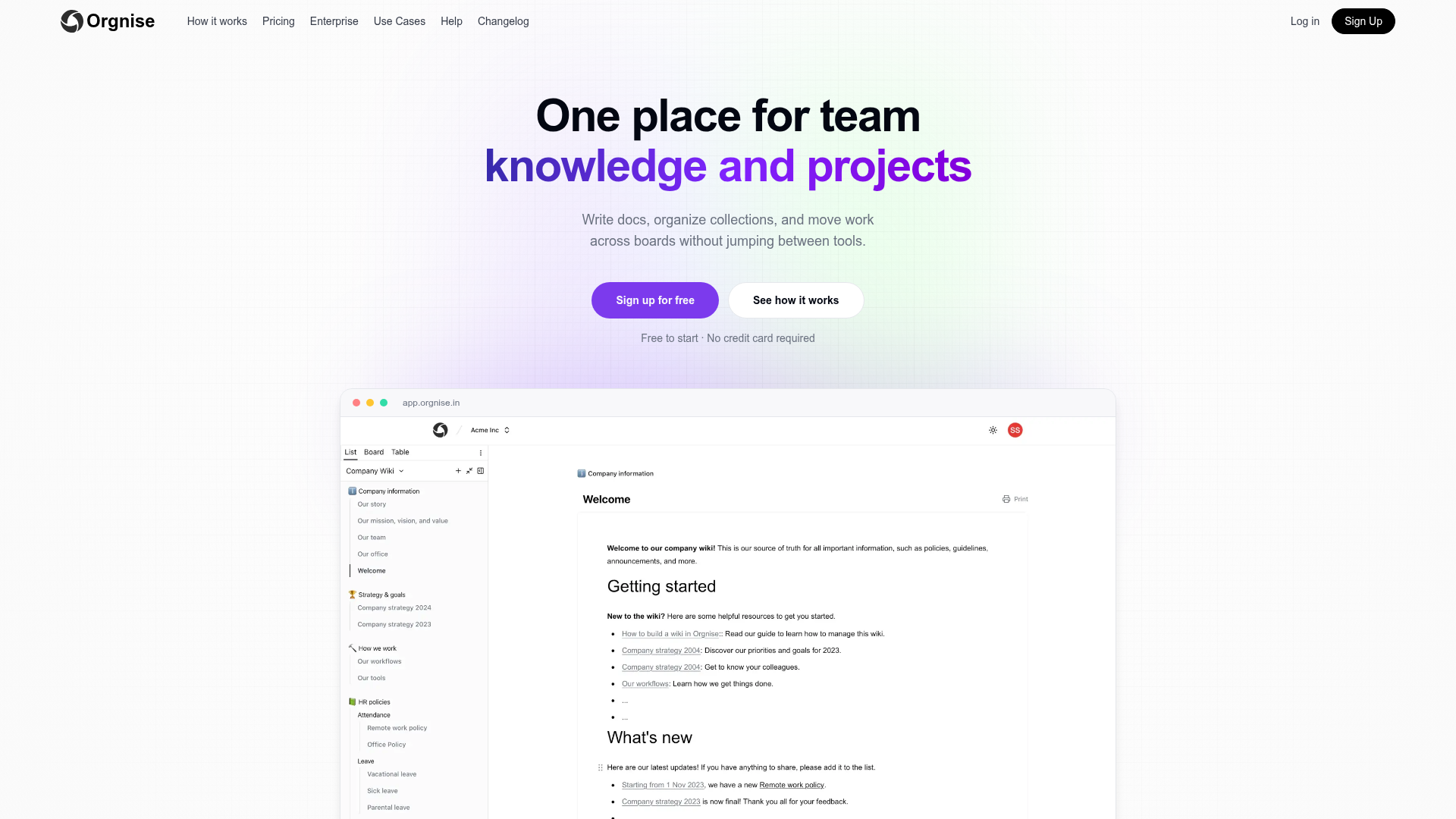
Orgnise is an all-in-one workspace designed to centralize team knowledge, documentation, and workflows. It combines a Notion-style editor with collections and boards, allowing teams to write docs, organize information, and track progress without switching between tools. - Notion-style editor with slash commands, headings, lists, and embeds for rich document creation - Collections & boards to organize work by projects, teams, or workflows (e.g., Kanban-style boards) - Unified workspace where pages belong to collections and can move across boards without duplication - Team collaboration with shared spaces for inviting members and aligning on projects - Use-case specific templates for engineering, customer support, project management, and company-wide collaboration - Free to start with no credit card required, offering a generous free tier Orgnise is a cloud-based SaaS with no self-hosting option currently available. The application is built for ease of use and scalability, with a focus on team collaboration and workflow management. For enterprise needs, Orgnise offers dedicated solutions and support. Learn more about pricing and enterprise options.
About Confluence
Confluence is the central hub for your team’s ideas, documents, and knowledge, enhanced with Atlassian’s Rovo AI to streamline collaboration and productivity.
Key Features of Confluence
- AI-powered content creation: Draft PRDs, plans, and documents instantly using AI assistance and ready-to-use templates.
- Rovo AI integration: Transform ideas into actionable strategies, visualize content into timelines/charts, and get answers from across your tools and data sources.
- Smart search & context: Find relevant information quickly with AI-enhanced search and team workspace insights.
- Real-time collaboration: Co-edit documents, track changes, and keep everyone aligned with shared workspaces.
- Customizable templates: Access industry-specific templates for design, finance, HR, marketing, product management, and more.
- Enterprise-grade security: Built-in permissions, compliance controls, and data protection for teams of all sizes.
- Integrations ecosystem: Connect with tools like Google Workspace, Dropbox, and Atlassian’s suite (Jira, Trello) for seamless workflows.
- AI agents for automation: Automate repetitive tasks, generate summaries, and turn notes into polished decks or prototypes.
Tech / Self-Hosting
Confluence is primarily offered as a cloud-based SaaS solution with enterprise self-hosting options available. The platform supports integrations with third-party AI models and APIs for extended functionality.