4 Best Open Source Canva Alternatives
A curated collection of the 4 best open source and self-hosted alternatives to Canva in 2026.
Looking for a free, privacy-friendly, or self-hosted replacement for Canva in 2026? The top open-source alternative is Penpot — Open-source design platform for teams.
Other highly rated open-source Canva alternatives include Graphite, LearnHouse and OpenPencil.

Open-source design platform for teams
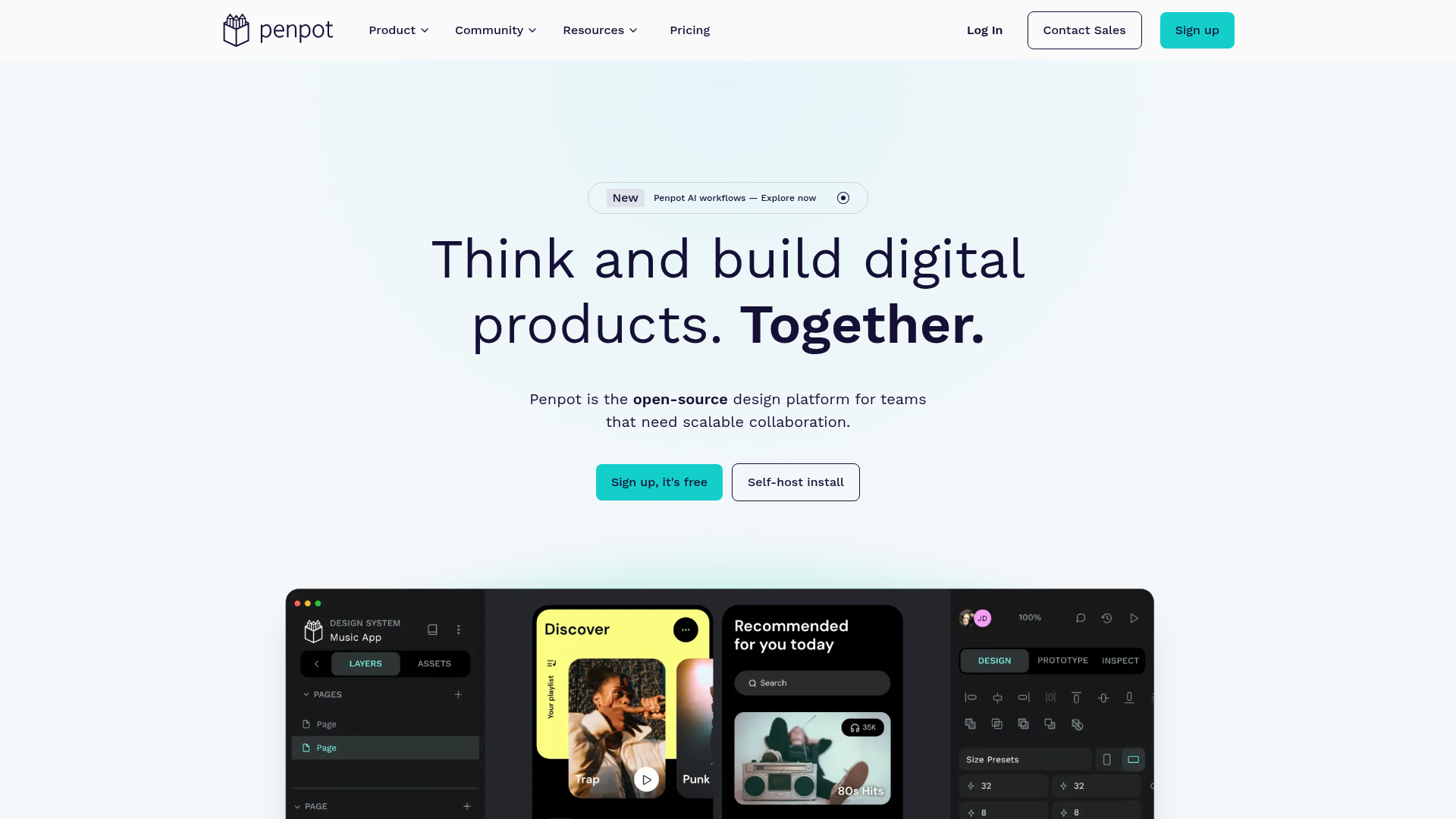
Penpot is the open-source design platform for teams building digital products at scale, enabling deeper collaboration across design, code, and AI workflows. - Full-stack design: Create responsive interfaces with wireframes, prototypes, and CSS Grid/Flex layouts - Design systems: Build scalable visual frameworks with components, design tokens, and shared libraries - AI workflows: Integrate any LLM or AI tooling directly into Penpot for code-to-design and design-to-code workflows - Code inspection: Work with open standards like CSS, HTML, SVG, and JSON with matching design-to-code output - Real-time collaboration: Design, review, and iterate together with team members in real-time - Self-hosting: Deploy Penpot on your own infrastructure for full data control - Cross-platform: Browser-based with no installation required, works on any device Penpot is built with Clojure and runs as a web application that can be self-hosted using Docker or Kubernetes. The platform supports PostgreSQL for data storage and Redis for caching. Self-hosting documentation is available at penpot.app/self-host.
A free, open source vector graphics editor built around nondestructive, node-based design. Runs locally in the browser, exports SVG, PNG, and JPG.
A free, open source vector graphics editor built around nondestructive, node-based design. Runs locally in the browser, exports SVG, PNG, and JPG.

Open-source learning platform to create and sell courses
LearnHouse is a powerful yet simple open-source platform designed for creating, sharing, and engaging with educational content. Built for simplicity, performance, and scalability, it combines rich course creation, collaborative tools, AI assistance, and built-in payments—all in one place. - Rich Course Creation: Mix text, video, code, quizzes, embeds, and files with a flexible block editor. - AI-Powered Tools: Automate grading, generate quizzes, and provide personalized tutoring with AI assistance. - Built-in Payments: Sell courses with 0% platform fees using Stripe integration in 40+ countries. - White-Labeling: Fully customize the platform with your brand, domain, colors, and logo. - Collaborative Features: Share content via interactive boards, playgrounds, and podcasts. - Multi-Language Support: Deliver courses in 19 languages with a fully translated interface. - Integrations: Connect with 80+ tools including YouTube, Figma, Notion, and Loom. - Self-Hosting: Deploy in one command with full data ownership and control. - Analytics Dashboard: Track learner progress and engagement with built-in analytics. - Community & Enterprise Plans: Tailored solutions for creators, schools, and businesses. LearnHouse is open-source and can be self-hosted with a single command. The platform is built for performance and scalability, supporting both cloud and on-premise deployments. It leverages modern web technologies and is designed to integrate seamlessly with existing workflows and tools. View the GitHub repository for deployment instructions and technical details.

Open-source Figma alternative with AI tools
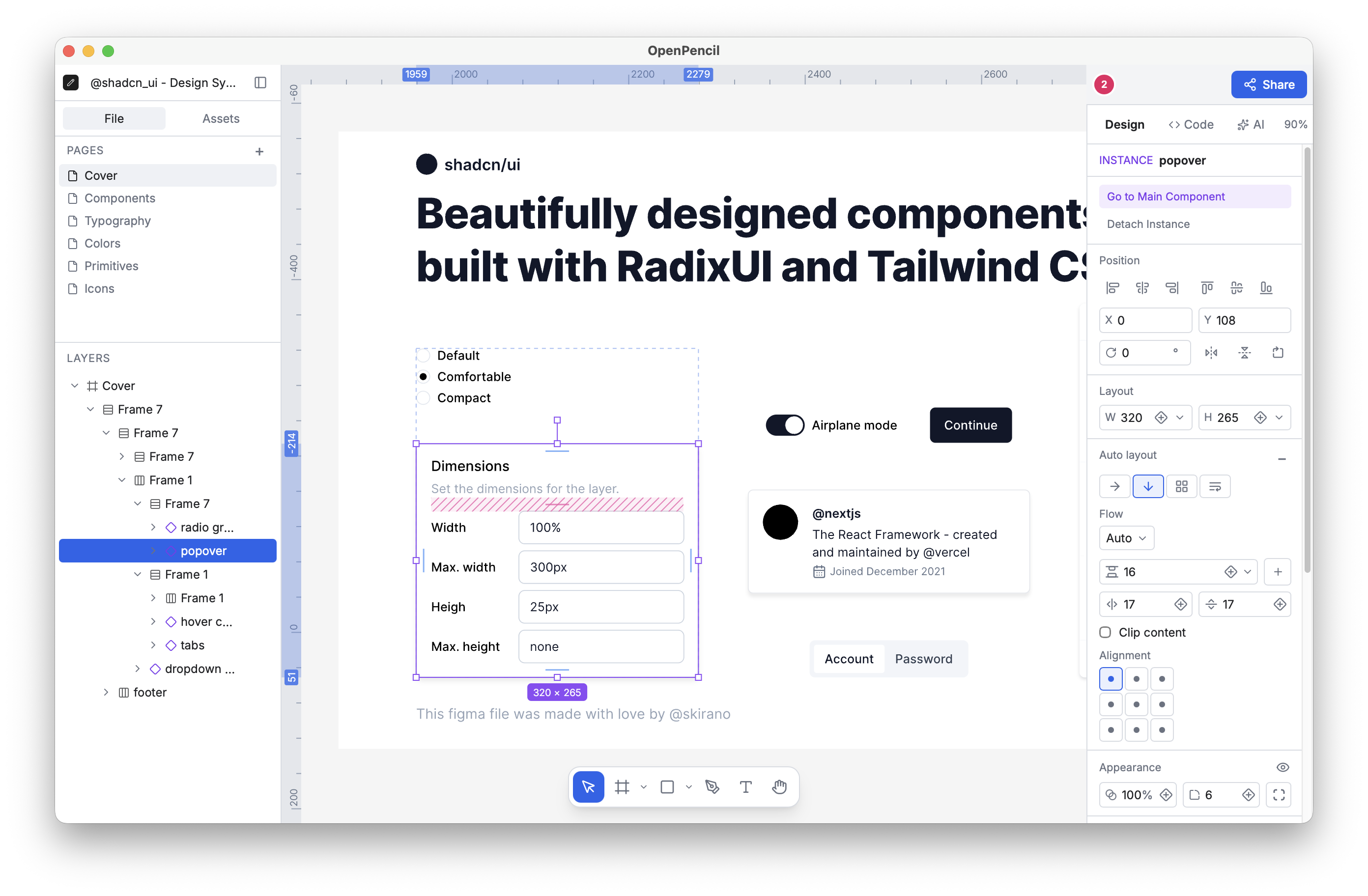
OpenPencil is a free, open-source design editor that opens Figma files natively while providing built-in AI tools and full programmability. It serves as both a standalone application and a toolkit for building custom editors. - Figma-Compatible: Opens .fig files natively with round-trip fidelity using Kiwi binary codec. Supports copy & paste between Figma and OpenPencil. - Programmable: Headless CLI for inspecting, exporting, and analyzing .fig files. Supports Figma Plugin API via eval, Tailwind CSS export, and JSON output for CI/automation. - Toolkit Approach: Build custom editing surfaces with the Vue SDK, embed OpenPencil into other products, or create workflow-specific editors around the same core. - AI-Native: Built-in chat with 90 tools for creating shapes, setting styles, managing layouts, and analyzing tokens. Includes MCP server for integration with Claude Code, Cursor, and Windsurf. - Open Source: Released under MIT license with full transparency—edit the editor, engine, file codec, and CLI. - Free & Local: No account, server, or internet required. Available as a ~7MB desktop app via Homebrew or as a web app. - Real-Time Collaboration: Peer-to-peer collaboration via WebRTC with live cursors and follow mode—no server needed. OpenPencil is designed for local-first usage with optional real-time collaboration. The desktop app is available via Homebrew, and the web app can be self-hosted. The entire stack is open-source under the MIT license, allowing for full customization and self-hosting capabilities.
About Canva
Canva is a free-to-use online graphic design platform that empowers users to create stunning visuals without advanced design skills. Whether you need social media graphics, presentations, posters, videos, or logos, Canva provides intuitive drag-and-drop tools, thousands of templates, and AI-powered features to streamline the creative process.
Key Features of Canva
- Drag-and-drop editor for effortless design creation
- Thousands of templates for social media, presentations, posters, and more
- AI-powered tools including Magic Resize, Magic Write, and AI image/video generators
- Brand management with team collaboration and brand templates
- Print services for business cards, flyers, mugs, and other merchandise
- Video editing with trimming, recording, and AI enhancements
- Photo editing including background removal and enhancement tools
- Multi-platform support for web, mobile, and desktop
- Team collaboration with shared folders and real-time editing
- Security & SSO for enterprise-grade protection
Tech / Self-Hosting
Canva is a cloud-based SaaS platform and does not offer self-hosting options. The service operates on proprietary infrastructure with AI models integrated into its core functionality. While primarily a web application, Canva also provides mobile apps for iOS and Android.